
Abit AT8: µGuru comes to the RD480
- Posted in
- Motherboards
Basic Features: Abit AT8
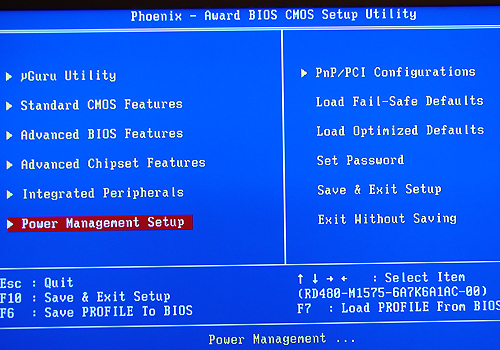
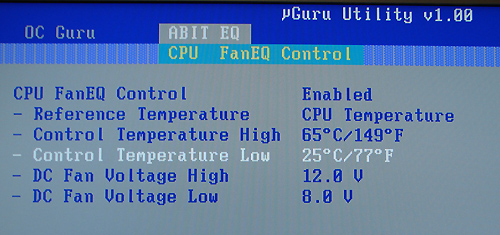
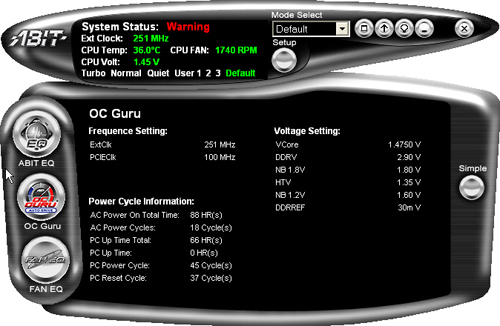
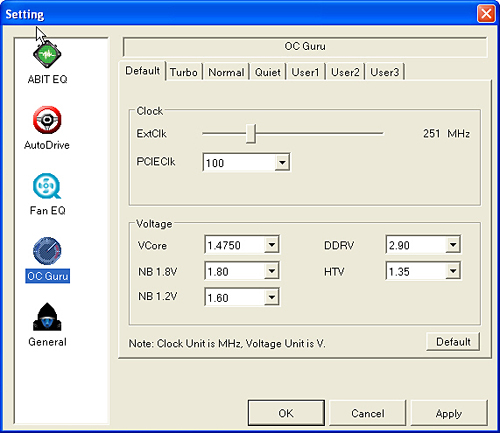
The Abit AT8 is a value-based performance board targeted towards the enthusiast user. The board ships with an extensive accessory package that includes the standard assortment of IDE/SATA cables, power connectors, and USB header cables. Abit also includes an extensive driver CD along with their desktop µGuru utilities.
| Specification | Abit AT8 |
| CPU Interface | 939-Pin Socket supporting AMD Athlon 64 / 64FX / 64X2 |
| Chipset | ATI CrossFire Xpress 200 (RD480) - North Bridge ULi M1575 - South Bridge |
| HTT Speeds | 200MHz ~ 400MHz in 1MHz increments |
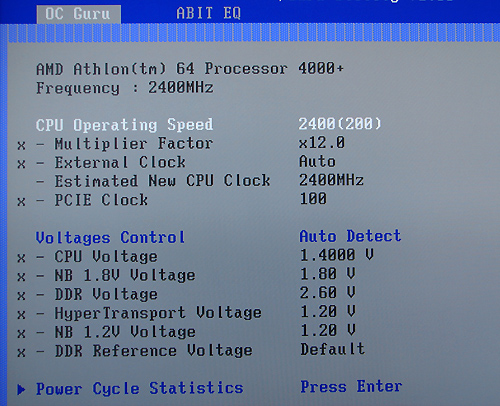
| CPU Clock Multiplier | Auto, 4x ~ 12x in 1x increments (4000+ CPU setting, maximum multiplier dependent upon processor utilized) |
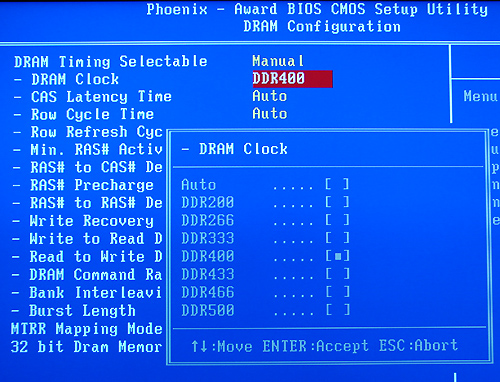
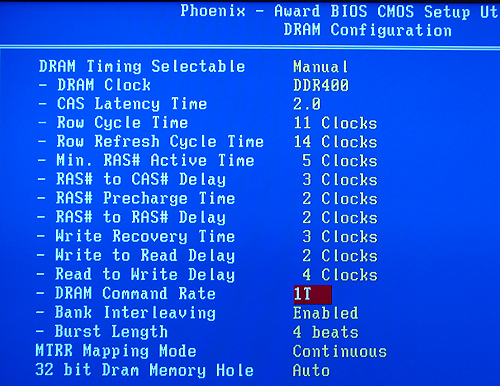
| Memory Speeds | Auto, 200MHz, 266MHz, 333MHz, 400MHz, 433MHz, 466MHz, 500MHz |
| PCI Bus Speeds | Fixed at 33.33MHz |
| PCI Express Bus Speeds | Auto, 90MHz ~ 140MHz in 1MHz increments |
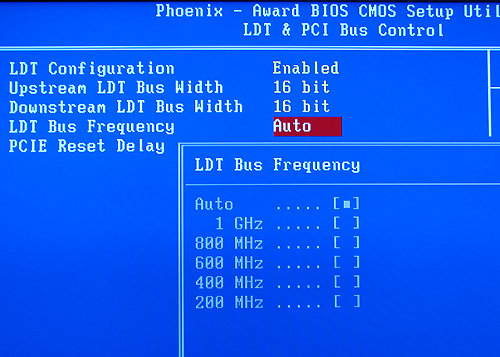
| LDT Multipliers | Auto, 200MHz, 400MHZ, 600MHz, 800MHz, 1GHz |
| LDT Link Speed | Auto, 8-bit, 16-bit |
| Core Voltage | Auto, 1.4000V ~ 1.8000V (AMD 64 4000+) (settings in 0.0250V increments, base +.4000V for max voltage), (base / max voltage dependent upon CPU) |
| DRAM Voltage | Auto, 2.50V ~ 3.20V |
| NB 1.8V Setting | 1.50V ~ 2.00V, in .05V or .10V increments |
| NB 1.2V Setting | 1.00V ~ 1.80V, in .10V increments |
| HT Voltage | 1.20V ~ 1.40V, in .05 increments |
| DDR Reference | Default, +10mV ~ +60mV, -10mV ~ -60mV, in .10mV increments |
| Memory Slots | (4) x DIMM, max. 4GB, DDR 400/333/200, non-ECC, un-buffered memory, Dual Channel Operation supported. |
| Expansion Slots | (2) x PCI-E x16 (each slot operates in 1x8 mode for CrossFire operation) (2) x PCI-E x1 (2) x PCI 2.3 |
| Onboard SATA | ULi M1575: (4) x SATA II (3.0Gb/s, NCQ, Hot Plug) |
| Onboard IDE | ULi M1575: (2) x UltraDMA 133/100/66/33 |
| SATA/IDE RAID | ULi M1575: (4) x SATA II 3Gb/s - RAID 0, RAID 1, RAID 0+1, RAID 5 |
| Onboard USB 2.0 | (8) USB2.0 ports (four ports, two headers for four more ports) |
| Onboard LAN | Realtek RTL8110SB PCI 10/100/1000Mb/s LAN - LOM Controller |
| Onboard Audio | Realtek ALC-882D - 7.1 channel capable HD Audio Codec, Dolby Digital Live capable |
| Onboard Firewire | TI TSB43AB22 IEEE 1394 chipset - 1394A capable |
| Power Connectors | 24-pin ATX 4-pin ATX 12V 4-pin 12V |
| Back Panel I/O Ports | 1 x PS/2 Keyboard 1 x PS/2 Mouse 1 x S/PDIF Optical Out 1 x S/PDIF Optical In 1 x Audio I/O Panel 1 x RJ45 LAN 4 x USB 2.0 1 x IEEE 1394 |
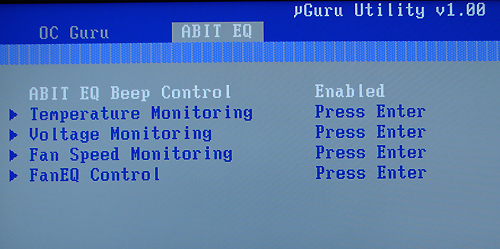
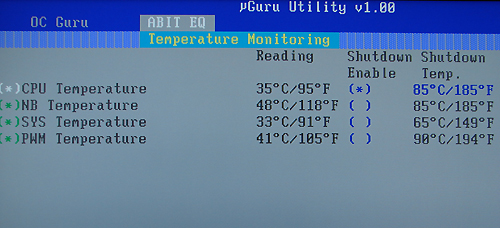
| Other Features | Silent OTES Technology µGuru Technology - Abit EQ - hardware monitoring system - OC Guru - overclocking utility - Fan EQ - fan monitoring utility Flash Menu - windows based flash utility BlackBox - windows based diagnostic utility |
| BIOS | Award 1.1 (2/15/06, in final testing for public release) |
The Abit AT8 is a value-based performance board targeted towards the enthusiast user. The board ships with an extensive accessory package that includes the standard assortment of IDE/SATA cables, power connectors, and USB header cables. Abit also includes an extensive driver CD along with their desktop µGuru utilities.
Originally published at https://www.anandtech.com/show/1969 (Wayback Machine).