
Asus P5WD2-E Premium: Intel 975X for the Enthusiast
- Posted in
- Motherboards
ASUS P5WD2-E: Features
The Intel SATA II ports are conveniently located below the ICH7R chipset and above the primary IDE connector. The SATA II ports feature the new clamp and latch design. Asus did not include the new cable designs in their accessory kit, which greatly enhance the security of the SATA connections. The SATA II ports are color coded for primary and secondary operation. We found the SATA 1 and 3 ports were partially blocked when utilizing the NVIDIA 7800GTX cards in both PCI-E x16 slots.
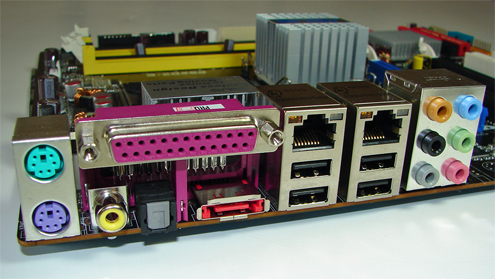
The Marvell 88SE6141 PATA port connector and Marvell 88SE6141 SATA II RAID port connectors are located to the left of the bios chip. The Intel USB connector, IEEE1394a connectors, chassis panel, and Com1 serial port are located along the left edge of the board. The CMOS reset is a traditional jumper design located above the bios chip.
We did not have any issues installing an ATI X850 Crossfire Edition setup in the two x16 PCI Express slots. This configuration will physically render the PCI-E x4 and the first PCI slot useless. We did not have any issues utilizing either slot with video cards containing single slot cooling systems.
The Northbridge and Southbridge chipsets are passively cooled with heatsinks that do not interfere with any installed peripherals. In fact this system kept the chipsets cool enough that additional chipset voltage was not a factor in our overclocking tests. Asus places the eight-pin 12v auxiliary power connector at the top of the CPU socket area but out of the way of most aftermarket cooling solutions.
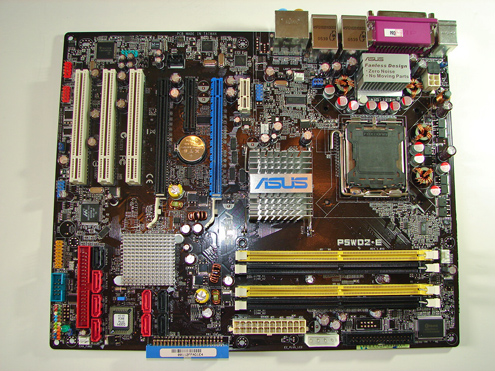
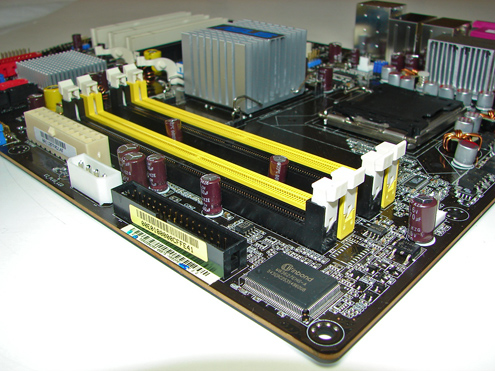
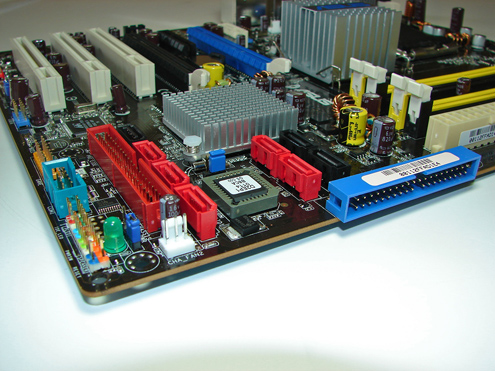
The Intel SATA II ports are conveniently located below the ICH7R chipset and above the primary IDE connector. The SATA II ports feature the new clamp and latch design. Asus did not include the new cable designs in their accessory kit, which greatly enhance the security of the SATA connections. The SATA II ports are color coded for primary and secondary operation. We found the SATA 1 and 3 ports were partially blocked when utilizing the NVIDIA 7800GTX cards in both PCI-E x16 slots.
The Marvell 88SE6141 PATA port connector and Marvell 88SE6141 SATA II RAID port connectors are located to the left of the bios chip. The Intel USB connector, IEEE1394a connectors, chassis panel, and Com1 serial port are located along the left edge of the board. The CMOS reset is a traditional jumper design located above the bios chip.
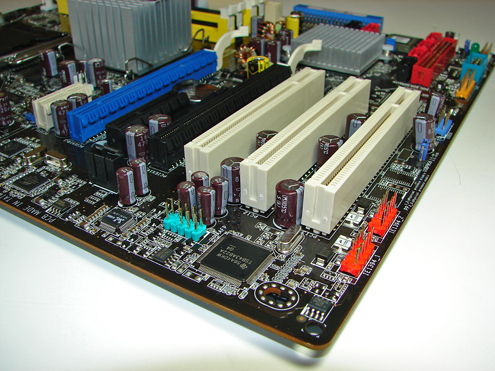
We did not have any issues installing an ATI X850 Crossfire Edition setup in the two x16 PCI Express slots. This configuration will physically render the PCI-E x4 and the first PCI slot useless. We did not have any issues utilizing either slot with video cards containing single slot cooling systems.
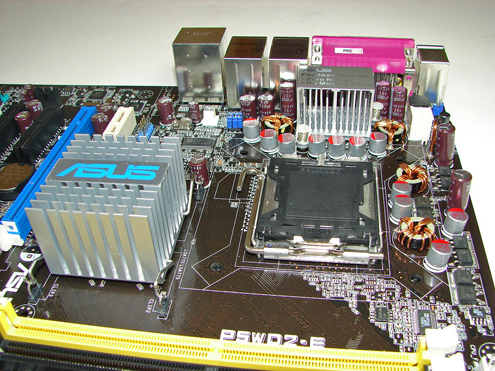
The Northbridge and Southbridge chipsets are passively cooled with heatsinks that do not interfere with any installed peripherals. In fact this system kept the chipsets cool enough that additional chipset voltage was not a factor in our overclocking tests. Asus places the eight-pin 12v auxiliary power connector at the top of the CPU socket area but out of the way of most aftermarket cooling solutions.
Originally published at https://www.anandtech.com/show/1923 (Wayback Machine).