
ASRock Z790 Taichi Carrara Motherboard Review: ASRock Rocks With White Marble
- Posted in
- Motherboards
- Intel
- ASRock
- LGA1700
- 13th Gen Core
- Raptor Lake
- Z790
- Core i9-13900K
- Z790 Taichi Carrara
- Carrara
CPU Performance, Short Form
For our motherboard reviews, we use our short form testing method. These tests usually focus on if a motherboard is using MultiCore Turbo (the feature used to have maximum turbo on at all times, giving a frequency advantage), or if there are slight gains to be had from tweaking the firmware. We put the memory settings at the CPU manufacturers suggested frequency, making it very easy to see which motherboards have MCT enabled by default.
For Z790 we are running using Windows 11 64-bit with the 22H2 update.
Rendering - Blender 3.5
Rendering - Crysis CPU Render
Rendering - Cinebench R23
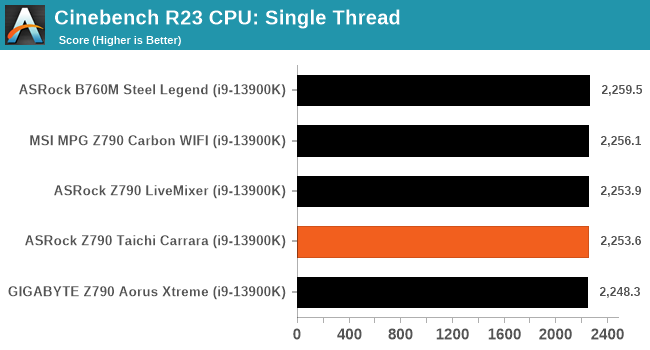
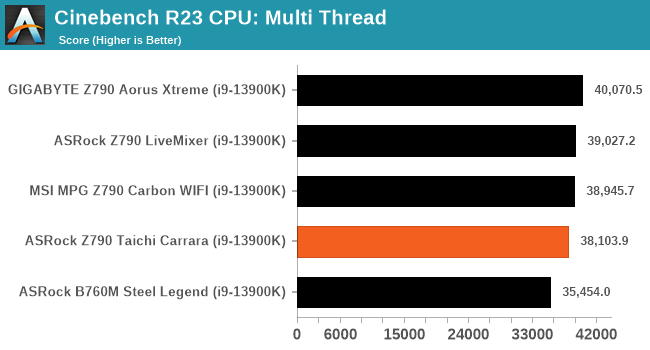
Synthetic - GeekBench 5
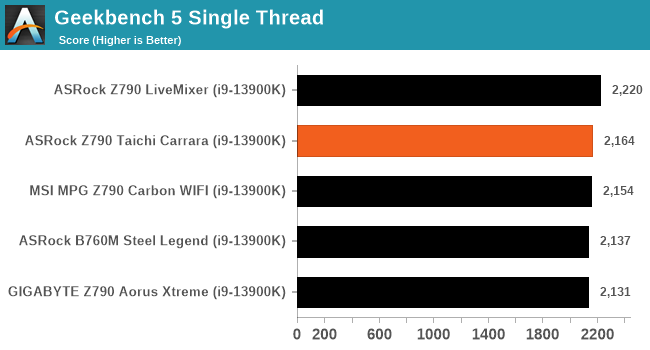
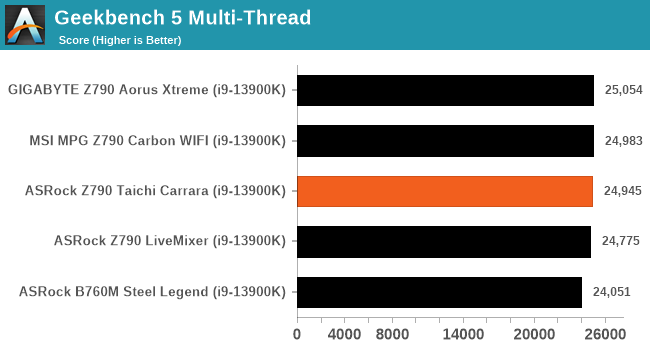
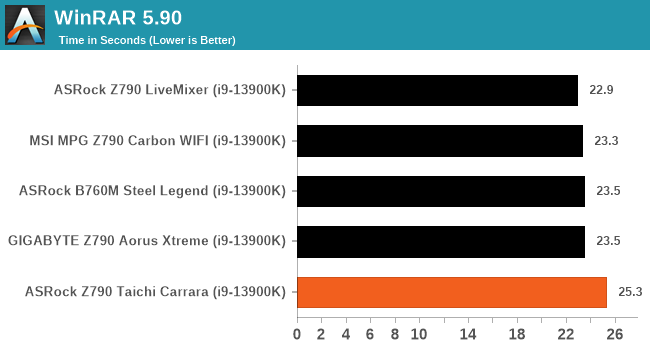
Compression – WinRAR 5.90
3D Movement Algorithm Test – 3DPMv2.1
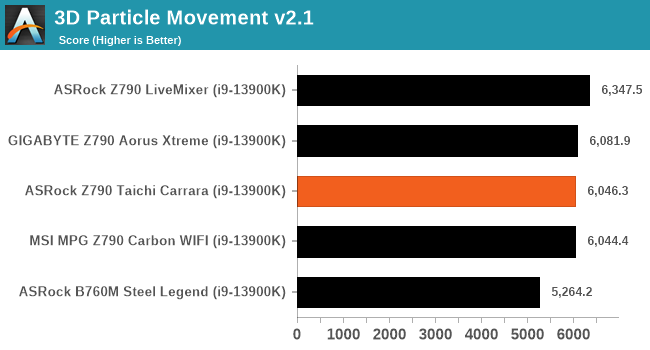
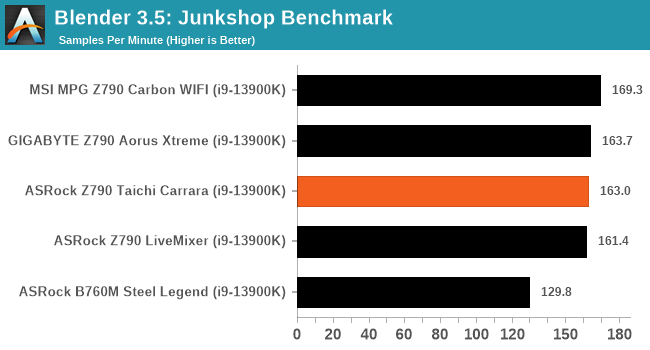
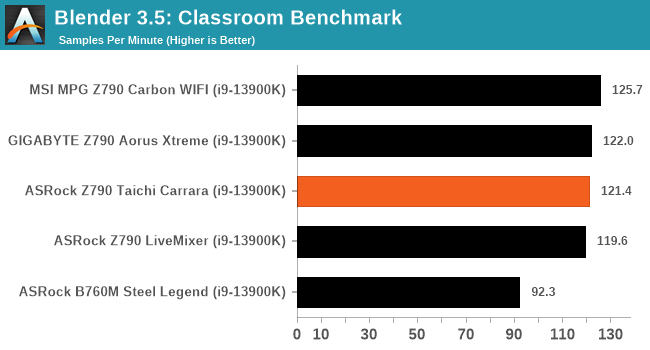
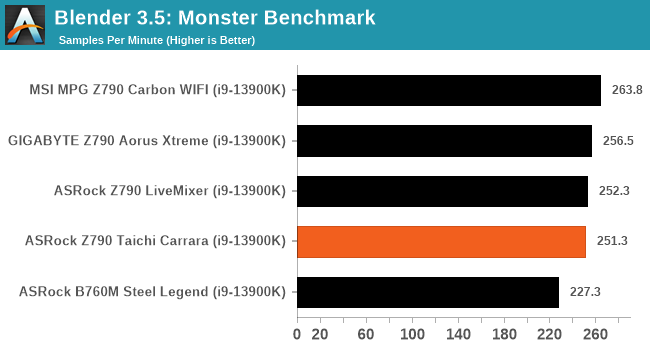
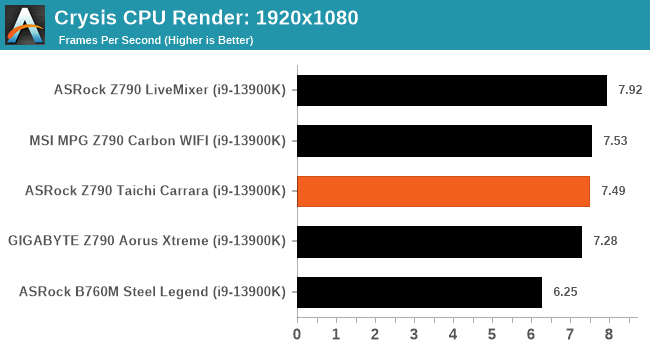
There wasn't too much difference between the boards in our compute performance section. The anomaly, the ASRock B760M Steel Legend is limited to fit within Intel's Power Limit by default and, as such, doesn't have as much power budget available as the Z790 boards do.
The Taichi Carrara was only around 4% slower on average in Blender 3.5. Still, a lot of the results showed competitive and negligible results, with the only questionable area in performance coming in WinRar 5.90, which was around 7% slower than the rest of the boards.
Originally published at https://www.anandtech.com/show/18897/asrock-z790-taichi-carrara-motherboard-review (Wayback Machine).