
ASRock Industrial 4X4 BOX-7735U UCFF PC Review: Zen 3+, RDNA2, and USB4 in a Potent Platform
Power Consumption and Thermal Characteristics
The power consumption at the wall was measured with a 4K display being driven through the HDMI port of the system. In the graph below, we compare the idle and load power of the ASRock 4X4 BOX-7735U/D5 in both modes with other systems evaluated before. For load power consumption, we ran the AIDA64 System Stability Test with various stress components, as well as our custom stress test with Prime95 / Furmark, and noted the peak as well as idling power consumption at the wall.
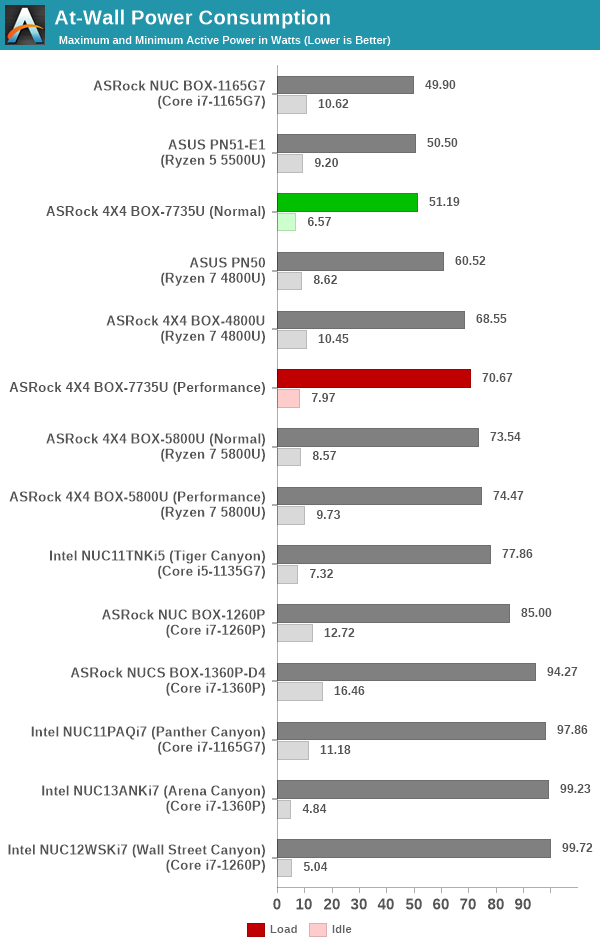
The numbers are consistent with the TDP and configured PL1 / PL2 values for the processors in the systems, and do not come as any surprise. The 28W Rembrandt-R configuration is quite effective, but ASRock Industrial's tweaking for idle power is a bit weak compared to what Intel is able to achieve with their NUCs. So, even with an excellent AMD platform (idling at 6.57W and 7.97W), the Arena Canyon and Wall Street Canyon NUCs with their 5W idling number can turn out to be more energy efficient in the long run.
Stress Testing
Our thermal stress routine is a combination of Prime95, Furmark, and Finalwire's AIDA64 System Stability Test. The following 9-step sequence is followed, starting with the system at idle:
- Start with the Prime95 stress test configured for maximum power consumption
- After 30 minutes, add Furmark GPU stress workload
- After 30 minutes, terminate the Prime95 workload
- After 30 minutes, terminate the Furmark workload and let the system idle
- After 30 minutes of idling, start the AIDA64 System Stress Test (SST) with CPU, caches, and RAM activated
- After 30 minutes, terminate the previous AIDA64 SST and start a new one with the GPU, CPU, caches, and RAM activated
- After 30 minutes, terminate the previous AIDA64 SST and start a new one with only the GPU activated
- After 30 minutes, terminate the previous AIDA64 SST and start a new one with the CPU, GPU, caches, RAM, and SSD activated
- After 30 minutes, terminate the AIDA64 SST and let the system idle for 30 minutes
Traditionally, this test used to record the clock frequencies - however, with the increasing number of cores in modern processors and fine-grained clock control, frequency information makes the graphs cluttered and doesn't contribute much to understanding the thermal performance of the system. The focus is now on the power consumption and temperature profiles to determine if throttling is in play.
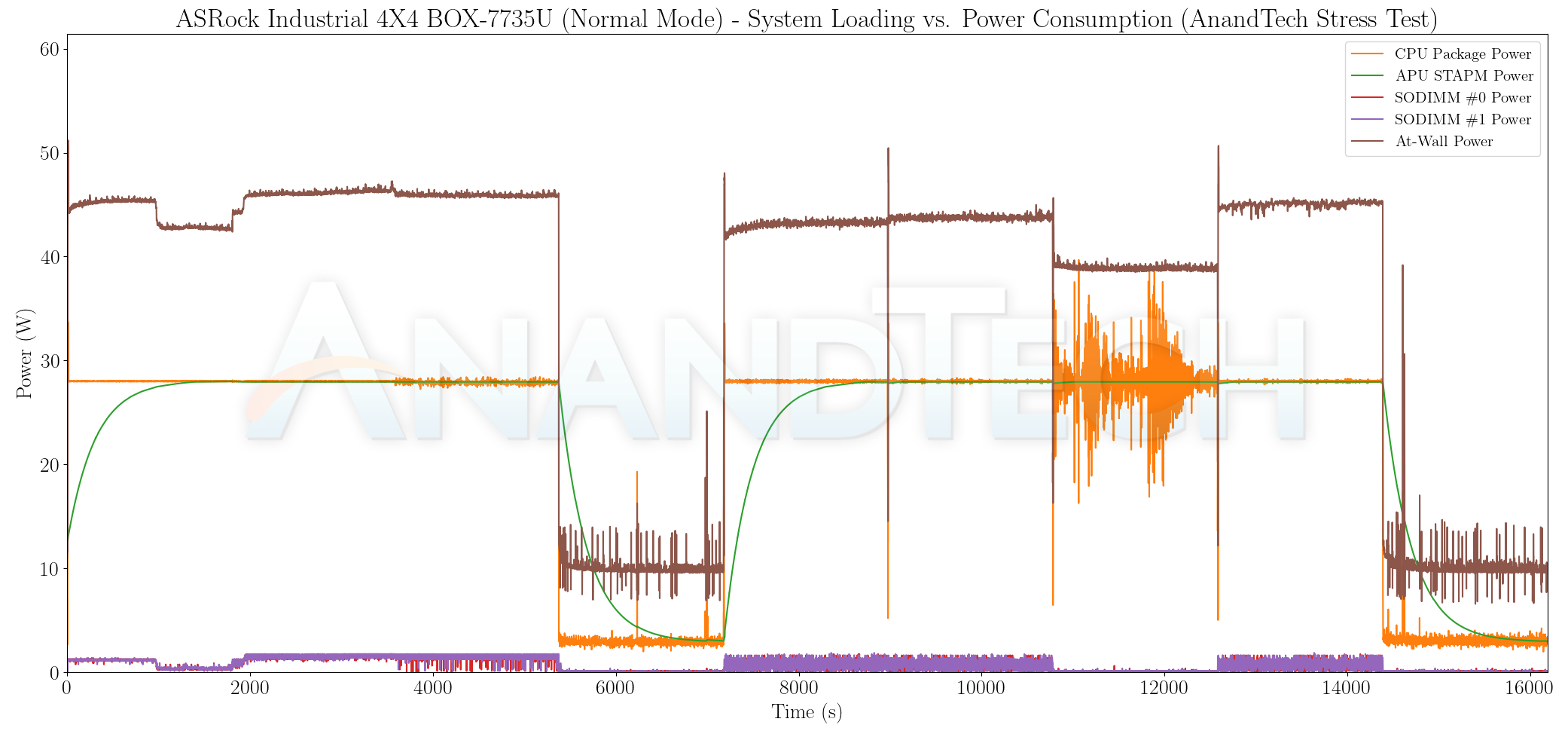
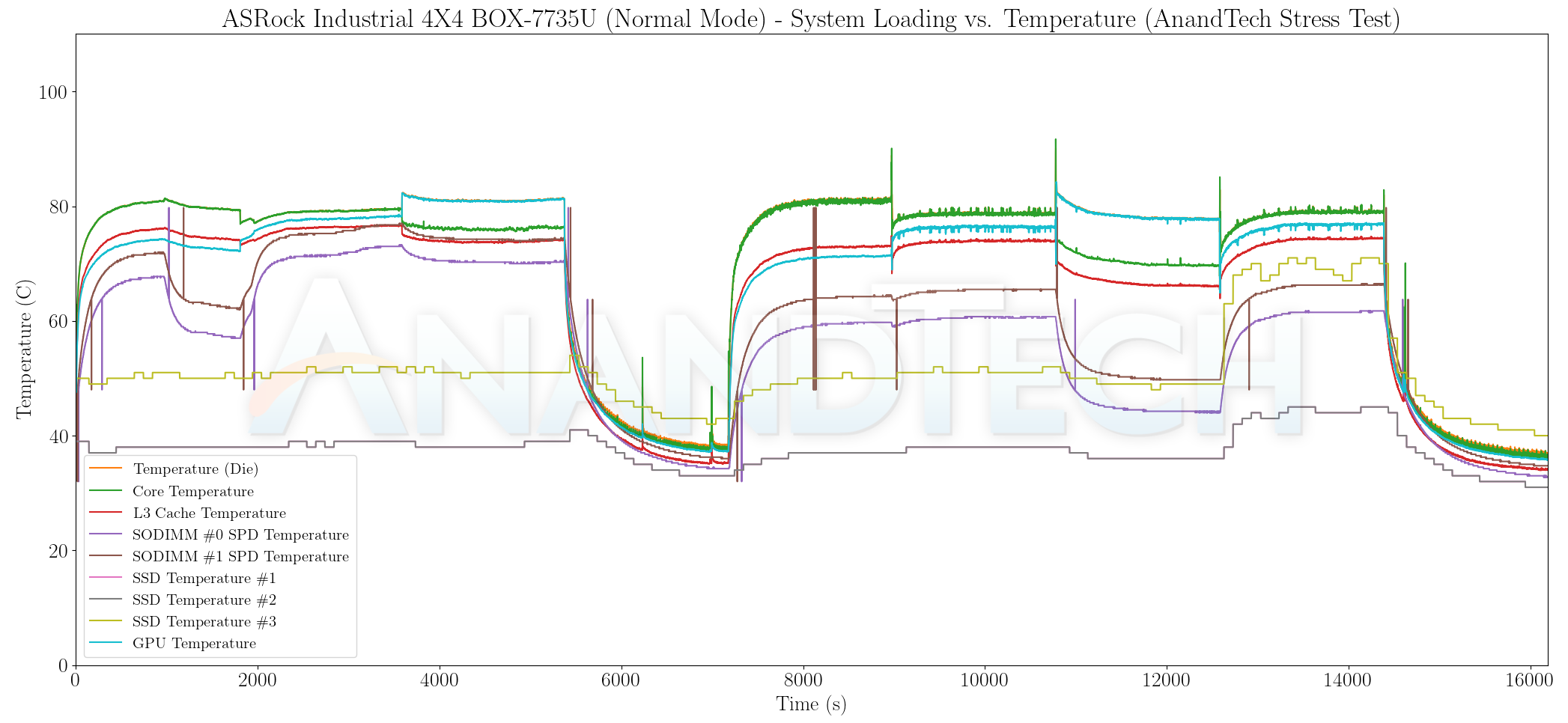
The thermal solution manages to keep the internal temperatures south of 80C with the processor configured for a 28W TDP. We see the package power remaining constant at 28W for the most part. There is some discrepancy with the internal measurements when AIDA64 attempts to activate all stress components, but it is clear that the internal power consumption by the package can't exceed the at-wall number. In any case, we see the skin-temperature aware power measurement (APU STAPM) settle nicely at 28W throughout the stress period.

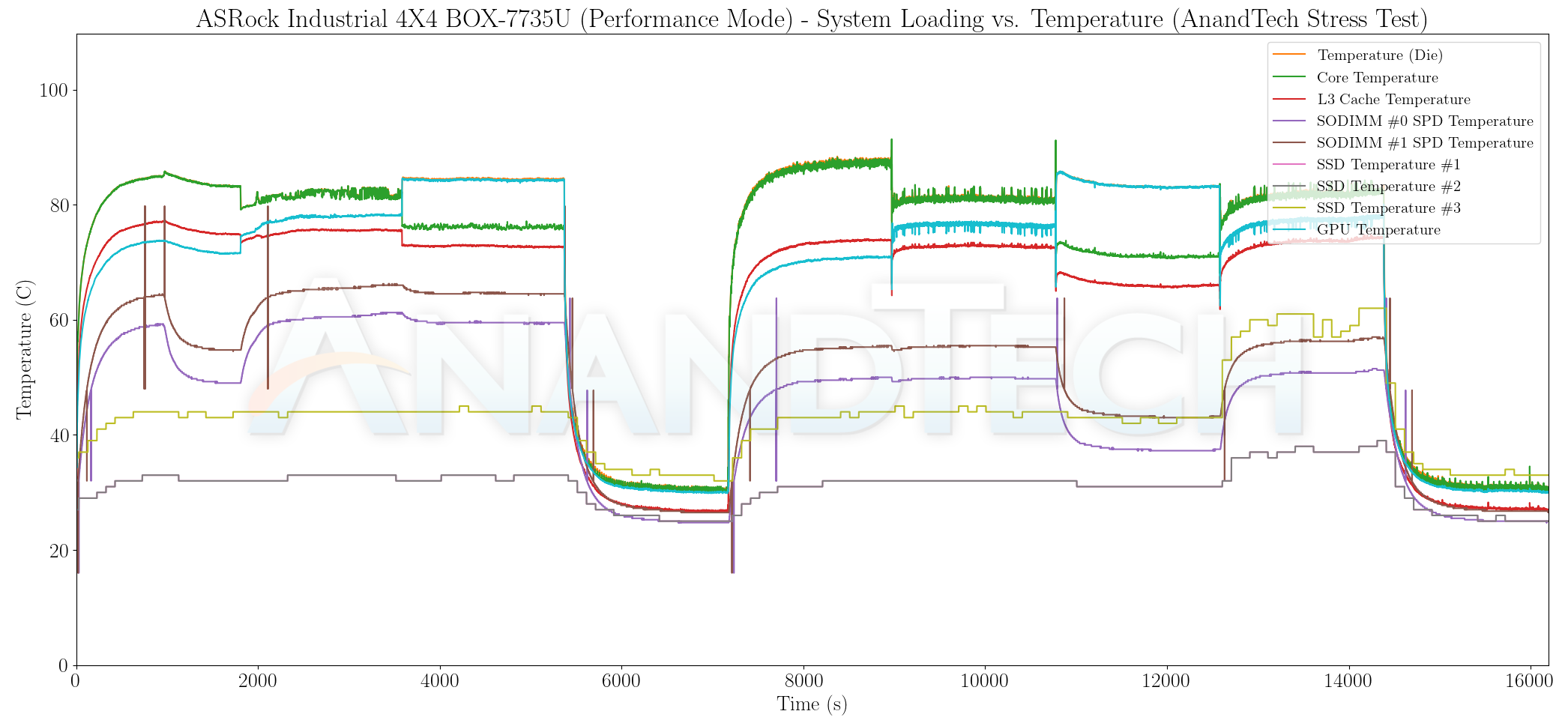
Configuring the processor with a 42W TDP results in the fan running at full tilt. However, the temperature does go slightly north of 85C. That is still below the thermal throttling region, and we don't see any effect on the package power numbers or the APU STAPM values. The at-wall numbers are also stable throughout the stress regions.
Originally published at https://www.anandtech.com/show/18794/asrock-industrial-4x4-box7735ud5-review (Wayback Machine).