
Intel NUC 12 Pro Wall Street Canyon Kits Review: Alder Lake in UCFF Avatar
- Posted in
- Systems
- Intel
- Fanless
- NUC
- Passive Cooling
- UCFF
- Mini-PC
- Alder Lake-P
- NUC12
- Wall Street Canyon
- Bleu Jour
Setup Notes and Platform Analysis
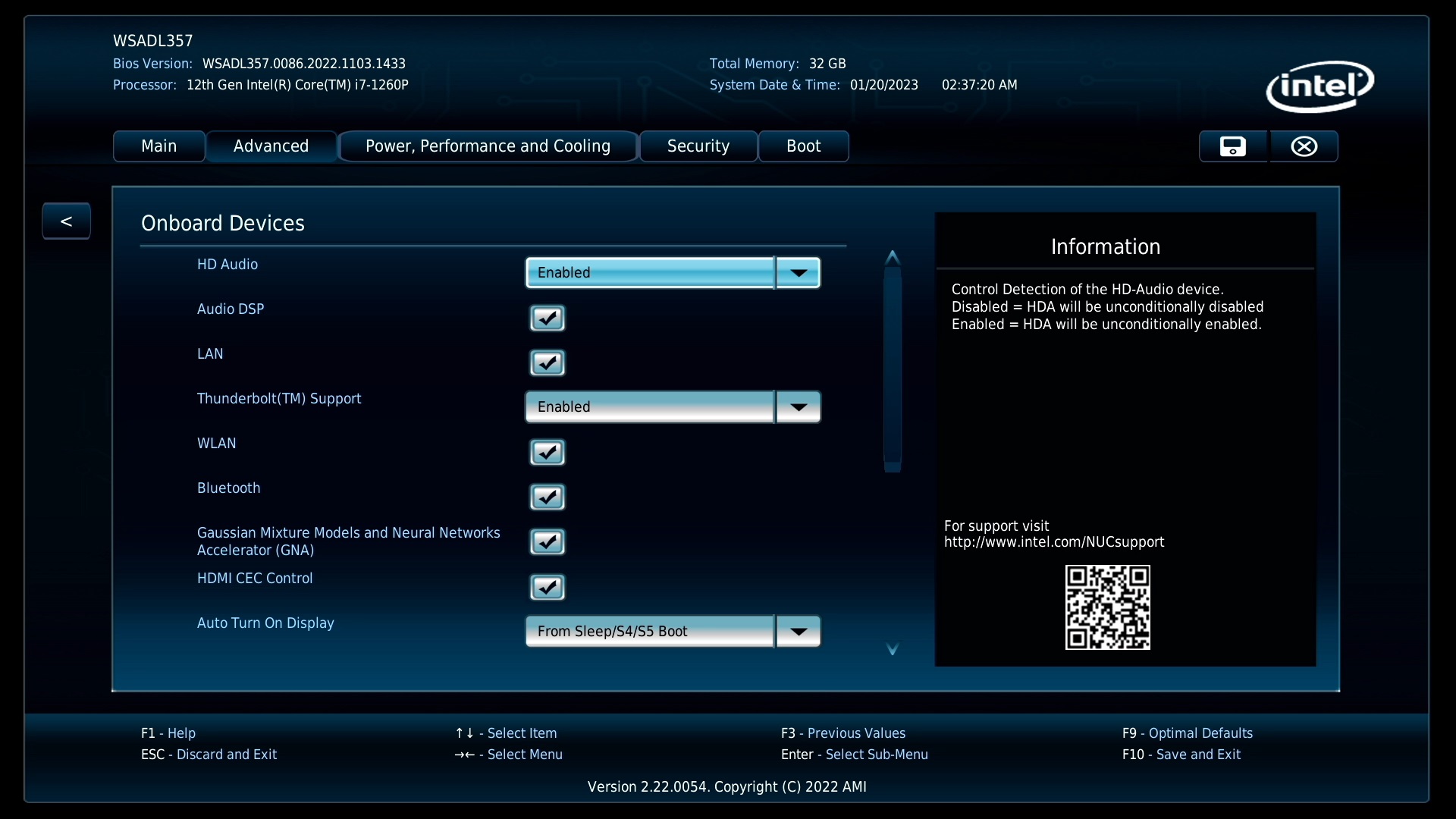
Our review sample of the NUC12WSKi7 came with all necessary components pre-installed - we only had to load up the OS to start our evaluation process. Prior to that, we took some time to look into the BIOS interface. The video below presents the entire gamut of available options for the Wall Street Canyon NUC12WSKi7.
Intel's mini-PCs have the most comprehensive and configurable UEFI / BIOS among all the ones that we have evaluated over the last several years. The NUC12WSKi7 is no exception. The home screen shows the BIOS version, processor details, and installed memory capacity and speed right away - this is of great help in checking whether the installed SODIMMs are operating at the desired speeds. Under the 'Advanced' section, we have options to enable various SATA and M.2 NVMe ports, and disable the disk activity LED if needed. Different USB ports and headers can be selectively enabled or disabled. Display emulation for headless operation as well as digital signage purposes is also available.
The NUC12WSKv7's BIOS options are brought out in the above video. It must be noted that the processor used in the system (Core i7-1270P) is vPro-enabled, and the Intel Management Engine BIOS Extensions can be used to set up AMT for remote management. One of the pre-requisites for using the MEBx is password protection of both the BIOS as well as the MEBx itself. The MEBx options utilize the same interface as the other BIOS options.
The above screen capture of the BIOS options for the Bleu Jour Meta 12 includes a drill-down into the modification of the default PL1 and PL2 values and other associated parameters. Except for the reference to the Thunderbolt ports, the options are identical to the ones of the NUC12WSKi7.
| NUC12WSKi7 vs. NUC12WSBi70Z BIOS | |||
The block diagram below presents the overall high-speed I/O distribution in the Wall Street Canyon NUCs.

The mainstream NUCs are quite straightforward, as the PCH is integrated into the package and there is not much flexibility on the board design side to get creative with the allocation of the HSIO lanes.
In this review, we compare the three Wall Street Canyon NUC kits with a host of other UCFF systems.
| Comparative PC Configurations | ||
| Aspect | Intel NUC12WSKi7 (Wall Street Canyon) | |
| CPU | Intel Core i7-1260P Alder Lake 4P + 8e / 16T, up to 4.7 GHz (P) / 3.4 GHz (e) Intel 7, 18MB L2, 28W (PL1 = 40W, PL2 = 64W) |
Intel Core i7-1260P Alder Lake 4P + 8e / 16T, up to 4.7 GHz (P) / 3.4 GHz (e) Intel 7, 18MB L2, 28W (PL1 = 40W, PL2 = 64W) |
| GPU | Intel Iris Xe Graphics (96EU @ 1.40 GHz) |
Intel Iris Xe Graphics (96EU @ 1.40 GHz) |
| RAM | Crucial CT16G4SFRA32A.C16FR DDR4-3200 SODIMM 22-22-22-52 @ 3200 MHz 2x16 GB |
Crucial CT16G4SFRA32A.C16FR DDR4-3200 SODIMM 22-22-22-52 @ 3200 MHz 2x16 GB |
| Storage | Kingston KC2500 SKC2500M8500G (500 GB; M.2 2280 PCIe 3.0 x4 NVMe;) (Kioxia BiCS4 96L 3D TLC; Silicon Motion SMI 2262EN Controller) |
Kingston KC2500 SKC2500M8500G (500 GB; M.2 2280 PCIe 3.0 x4 NVMe;) (Kioxia BiCS4 96L 3D TLC; Silicon Motion SMI 2262EN Controller) |
| Wi-Fi | 1x 2.5 GbE RJ-45 (Intel I225-V) Intel Wi-Fi 6 AX211 (2x2 802.11ax - 2.4 Gbps) |
1x 2.5 GbE RJ-45 (Intel I225-V) Intel Wi-Fi 6 AX211 (2x2 802.11ax - 2.4 Gbps) |
| Price (in USD, when built) | (Street Pricing on January 25th, 2023) US $660 (barebones) $843 (as configured, no OS) |
(Street Pricing on January 25th, 2023) US $660 (barebones) $843 (as configured, no OS) |
Benchmarks were processed afresh on all of the above systems with the latest BIOS for each. The next few sections will deal with comparative benchmarks for the above systems.
Originally published at https://www.anandtech.com/show/18729/intel-nuc-12-pro-wall-street-canyon-kits-review-alder-lake-in-ucff-avatar (Wayback Machine).