
The Ubiquiti Diaries: A Site-to-Site VPN Story
- Posted in
- Networking
- Ubiquiti Networks
- UniFi
- VPN
Teleport VPN - Ubiquiti's WireGuard
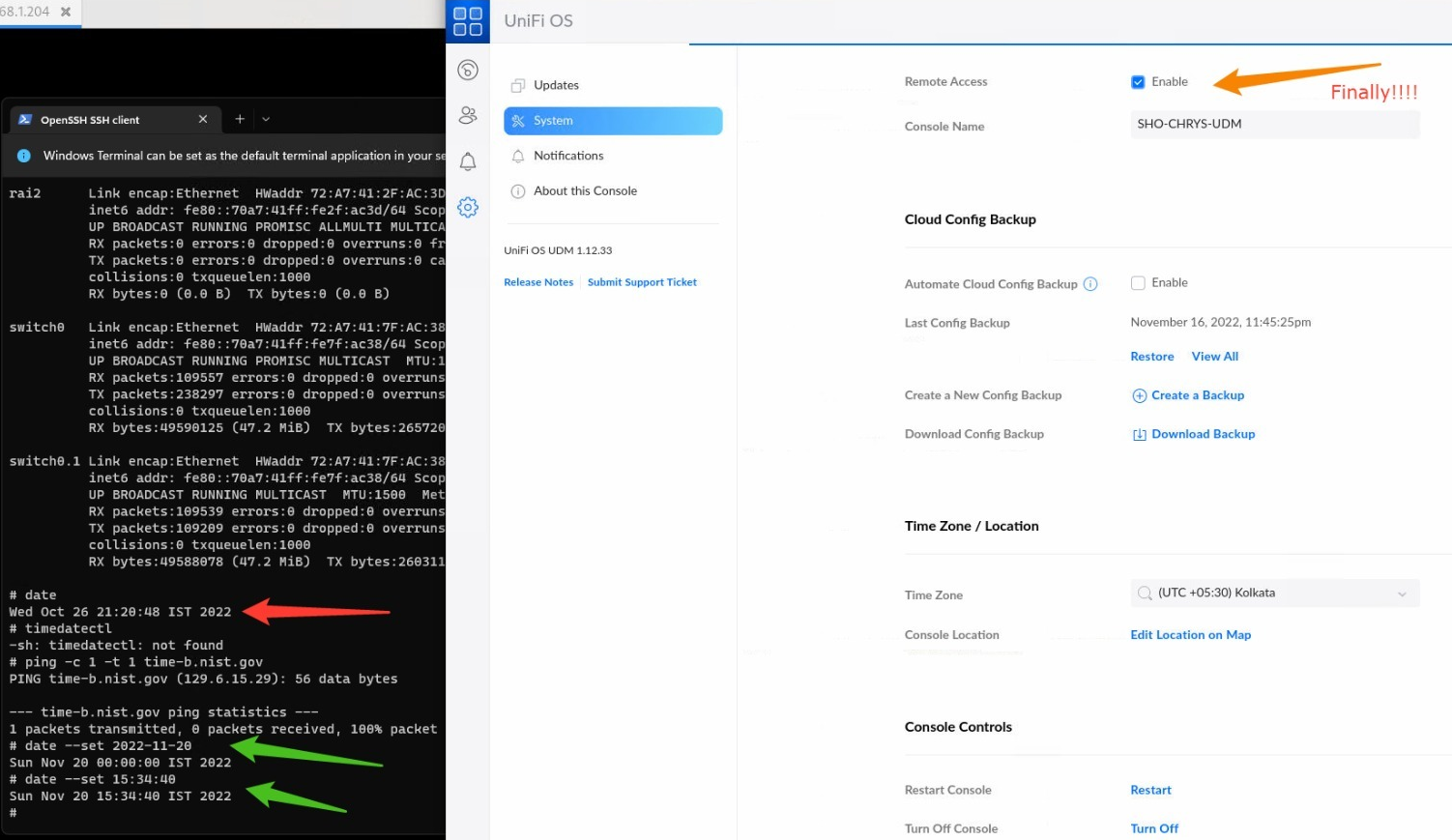
Ubiquiti recommends Teleport for VPN purposes in the UniFi Dream Machine. Activating this feature requires remote access to be enabled on the controller followed by Wifiman in the Network application. While this is straightforward enough for most setups, there are certain situations that trip up this flow. In my case, one of the power failures ended up corrupting the UDM - Internet access from within the network worked, but the web UI was inaccessible, SSH attempts timed out, and Teleport would simply give up. The unit had to be resuscitated via the recovery IP using a firmware image downloaded offline. After recovery, the UDM was accessible over the local network and Internet access worked. However, it was not visible either in the mobile app or the cloud-based management portal as remote access was disabled (and couldn't be activated despite repeated attempts). It turned out that the inability of the unit to communicate with the default NTP servers from behind the CGNAT had resulted in the date / time of the unit being set based on the firmware build date. Fixing this manually allowed the remote access feature in the controller to be activated.
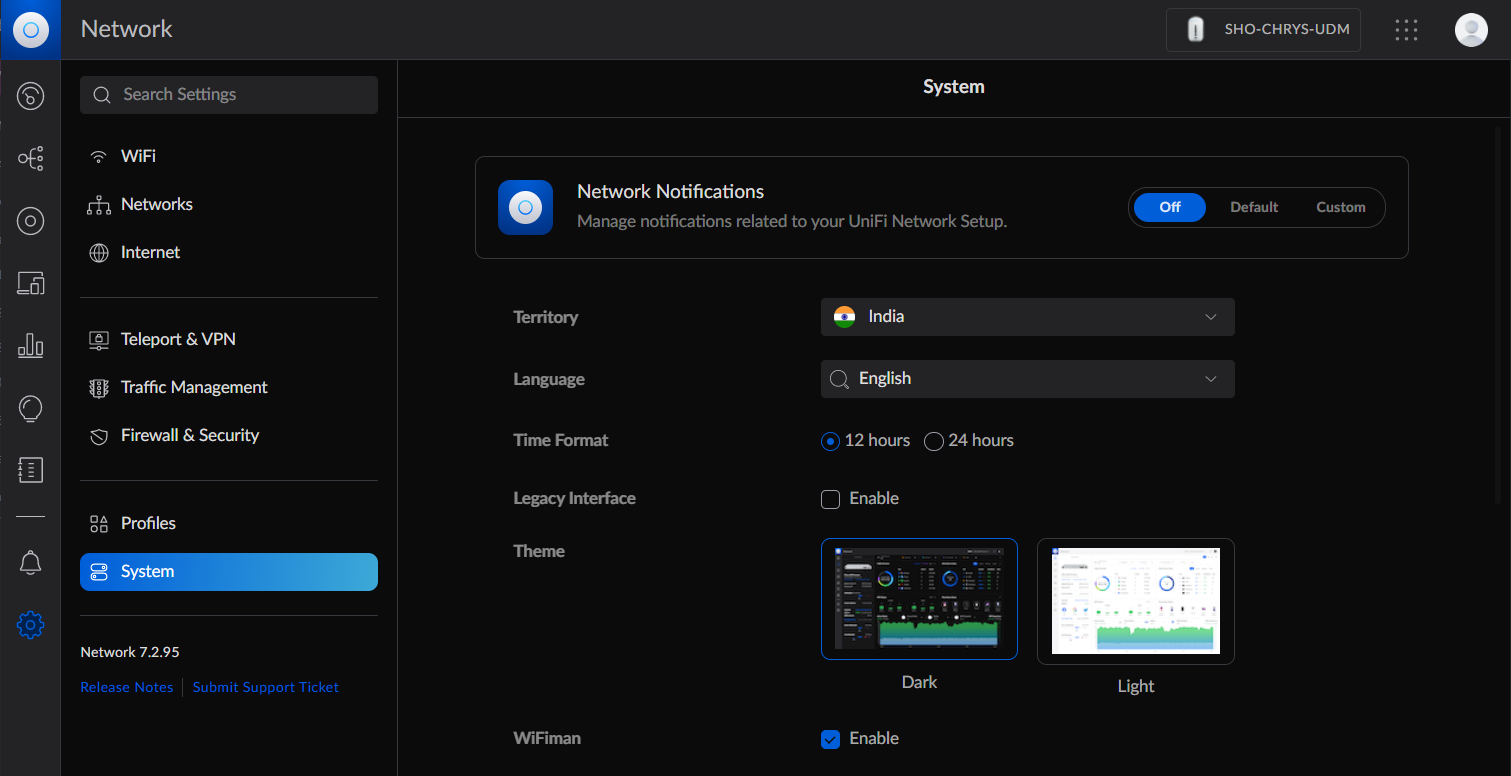
Enabling WiFiman is done in the System section of the Network application.
After taking care of these two aspects, Teleport invites can be generated under the 'Teleport & VPN' section of the web UI as well as the mobile application.
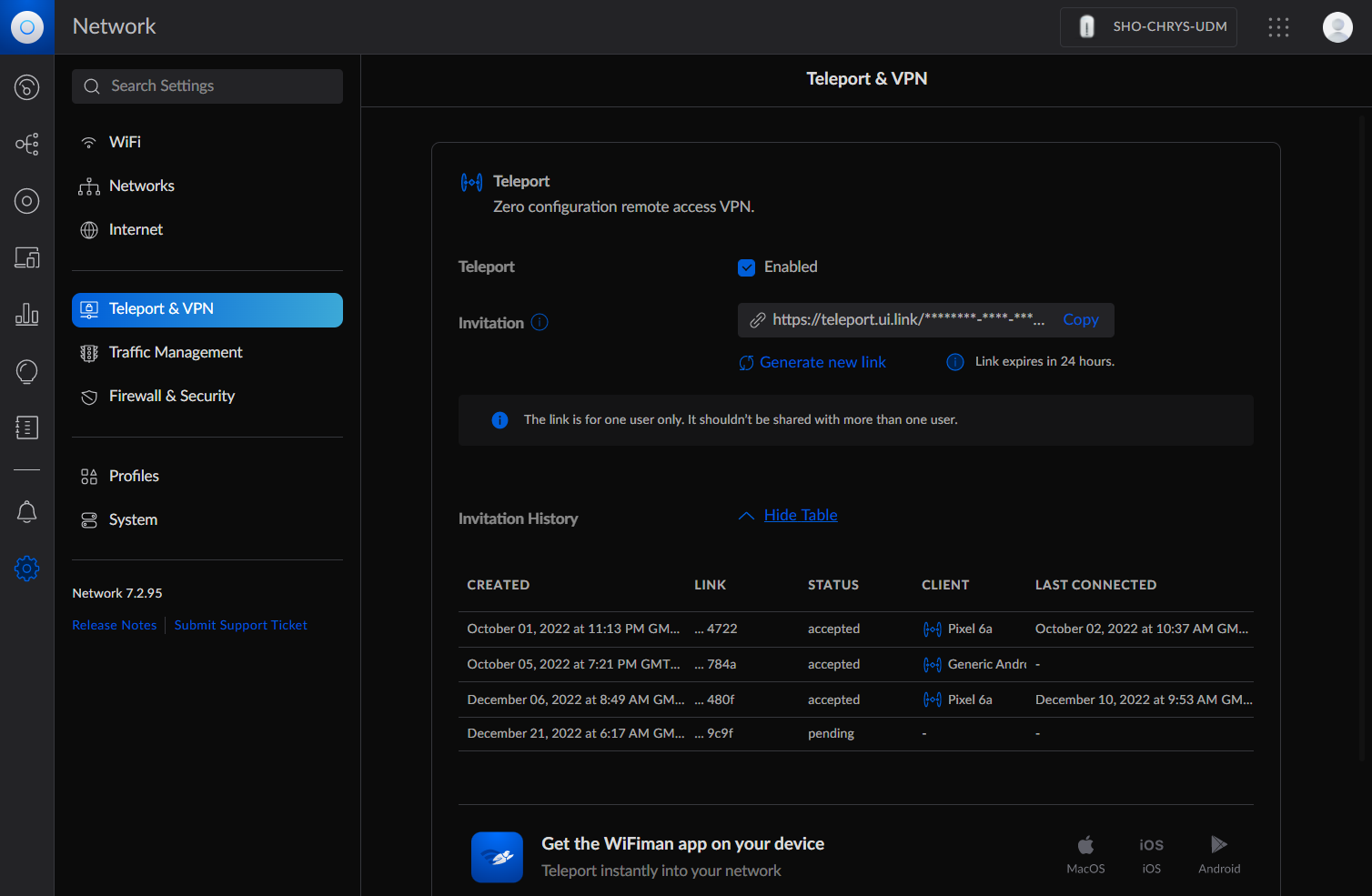
Teleport Invite Generation using Cloud Management / Local Web UI
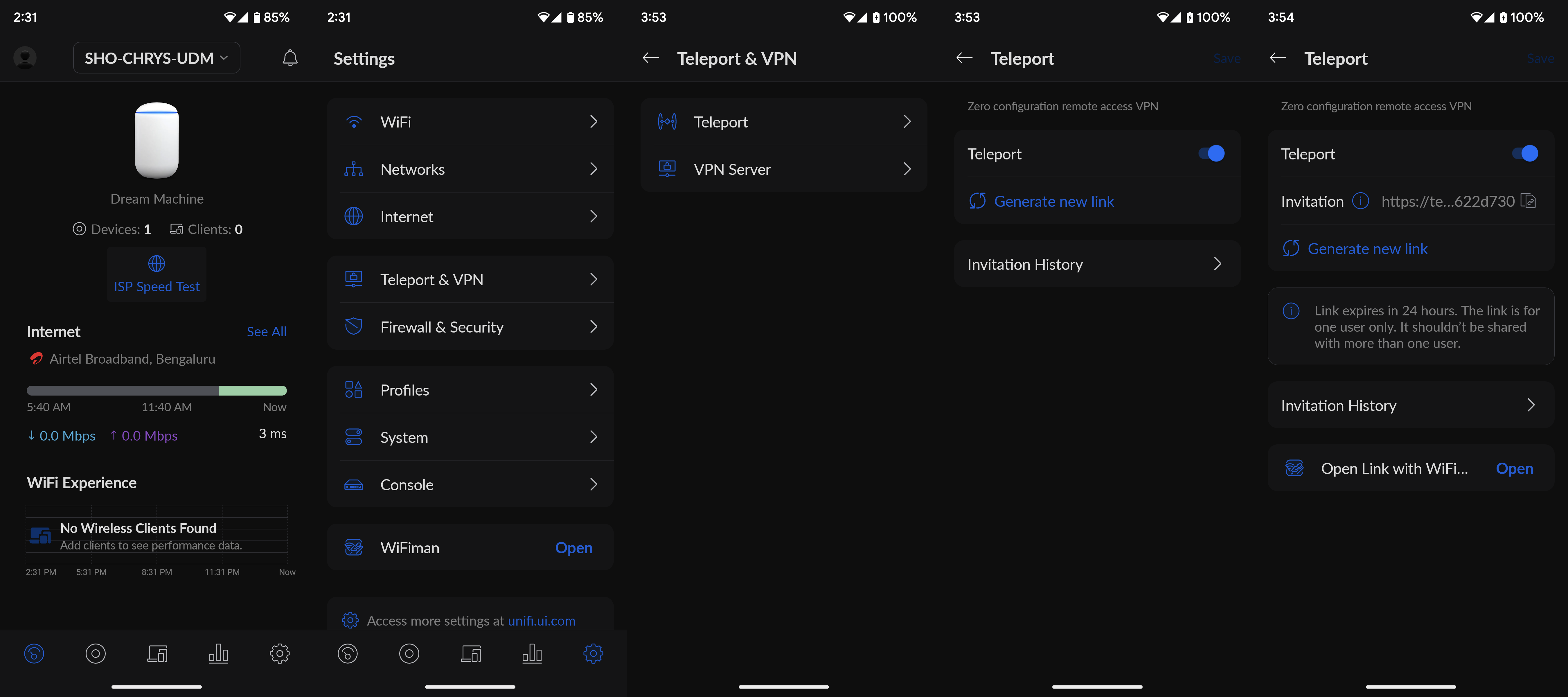
Teleport Invite Generation using the UniFi Network Android App
The advantage of using the Android app to generate the invite link is the ability to directly open it with the WiFiman app to get into the target network. Upon accepting the invite in the app, the connection is available for activation as long as the source gateway (UDM in this case) has a connection to the Internet.
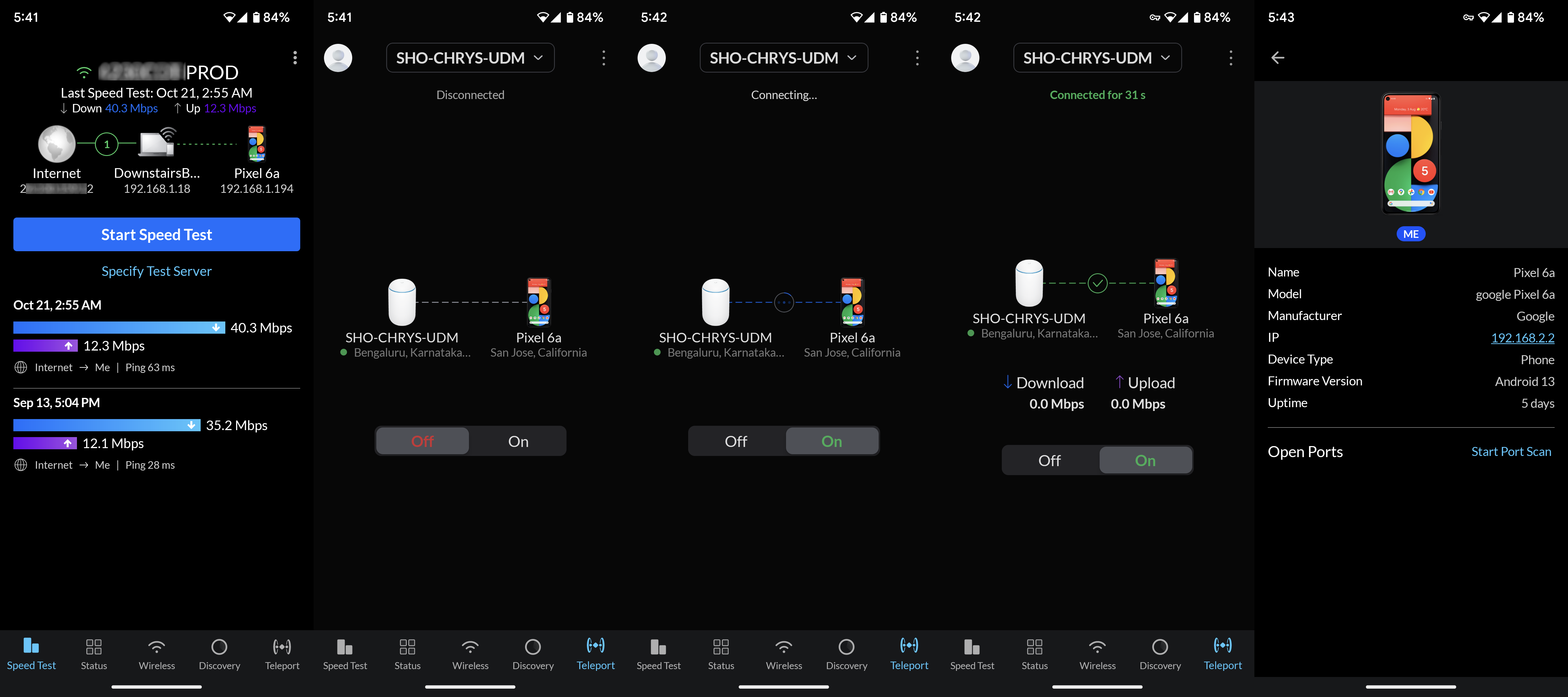
The Teleport functionality in the UDM currently forces the invited device into the 192.168.2.0/24 network. This is currently not user-configurable. In my case, this was not a show-stopper, as the UDM automatically took care of enabling seamless communication between the primary 172.16.0.0/24 subnet and the VPN subnet.
In the first few days of grappling with CGNAT, I attempted to set up a dedicated Android device to act as a Teleport client for other devices in the US to connect to. Unfortunately, except for my Pixel 6a, none of the Android devices at my disposal (I even tried setting up an old NUC with Bliss OS) could help in this aspect. Either the Teleport feature in the WiFiman app was not available for the old Android version, or, the connection proved to be extremely unstable. After a fruitless couple of days, I gave up completely on this approach.
The Teleport feature did end up serving me well beyond the attempt, though. Throughout the course of future experiments, I had Teleport as a fall-back to be able to SSH into the UDM network and configure the gateway as well as machines local to that network.
SSH over Teleport via an Android Intermediary
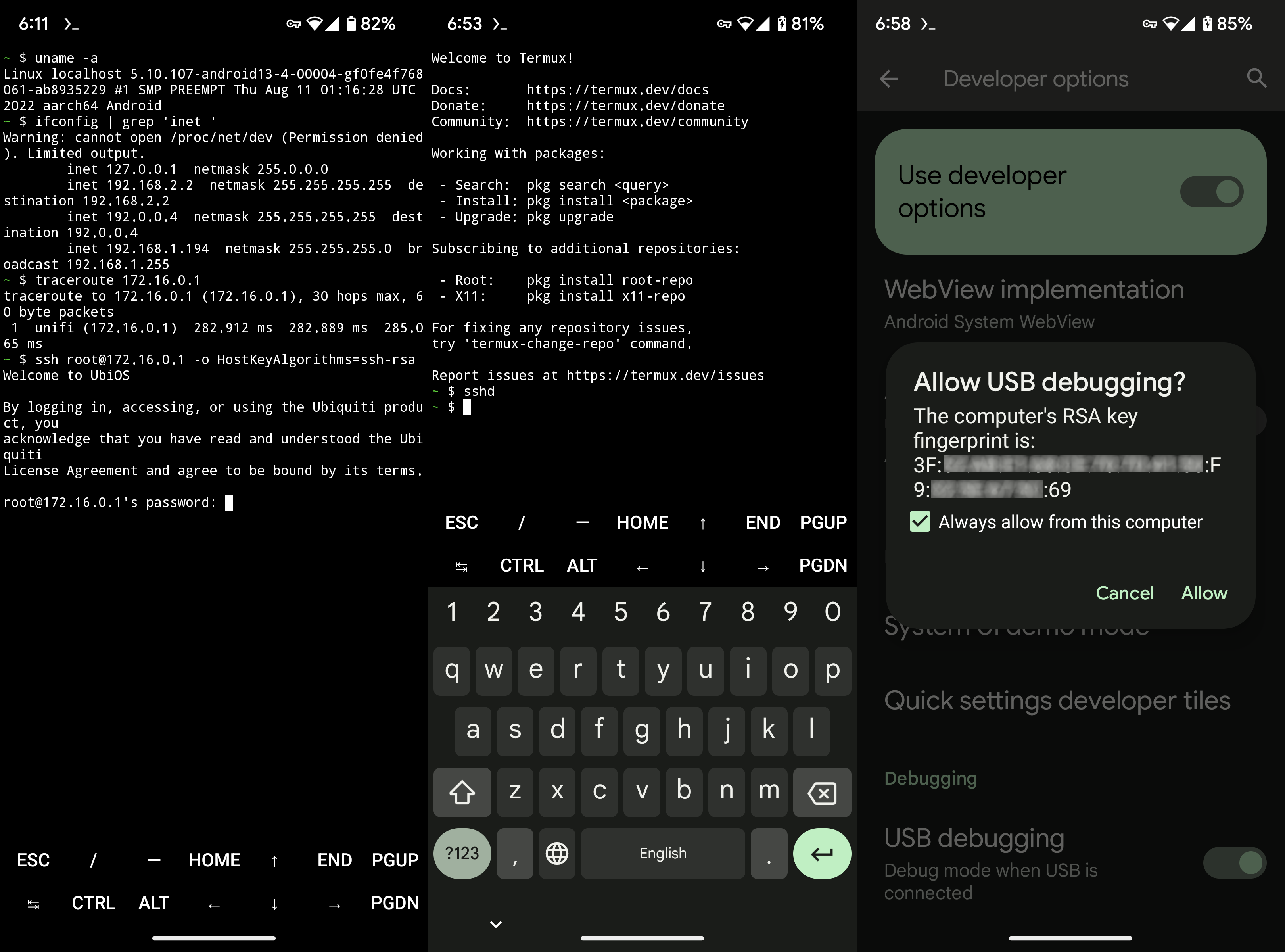
(From L to R) Clumsy SSH access, Activating SSH server on the Pixel 6a, Allowing ADB access
As a good security measure, Ubiquiti does not allow SSH access to the UDM over remote access by default, and the only safe way to achieve this is to create a secure tunnel into the target network prior to attempting a SSH login. Initially, I used the termux app to directly SSH into the UDM (after connecting via Teleport, obviously). Executing shell commands over a mobile keyboard turned out to be frustrating exercise. Fortunately, it is possible to run a SSH server on an Android phone and connect to it via ADB. With the Teleport connection active in the background, it became easy to access the UDM over SSH from a proper desktop.
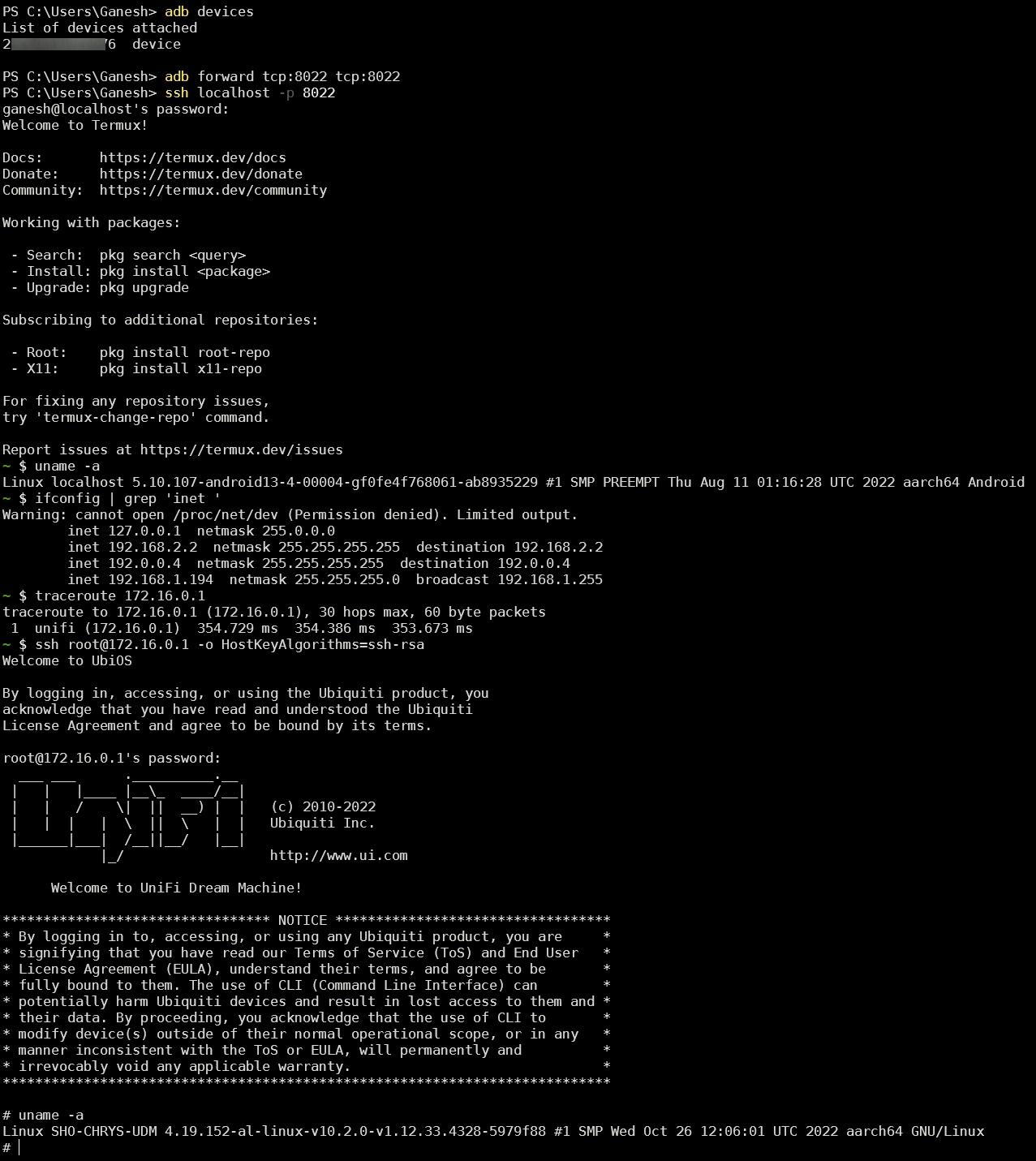
SSH over Teleport via an Android Intermediary using a PC
Prior to starting the whole exercise, one of my goals was to avoid any sort of third-party relay server or cloud service in the communication between the USG Pro 4 and UDM. However, after exhausting all possibilities within my limited networking knowledge, I regretfully started to look at options involving third-party services. <a href="https://www.vpn.net/'>Hamachi, Tailscale, and ZeroTier appeared to be popular, with the most common use-cases tending to be connection between individual systems. Of these three, Tailscale and ZeroTier had multiple write-ups and guides, with some specifically talking of site-to-site setups involving Ubiquiti gear. Armed with these guides, I took the plunge into ZeroTier first.
Originally published at https://www.anandtech.com/show/18692/the-ubiquiti-diaries-a-sitetosite-vpn-story (Wayback Machine).