Archive 1997–2024

HTPC 4-Way Roundup

3R Mstation HT-1100

The first HTPC case that we’re going to look at is from a relatively obscure case manufacturer named 3R System. These first shots of the case already have a system installed in them.


Click to enlarge.
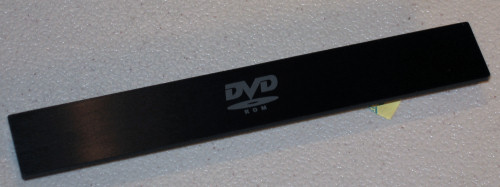
Right away, we have mixed feelings about the looks of the HT-1100. The display is a typical glossy glass black, which looks very nice, and along with the rest of the clean front bezel, this is for the most part the makings of a very attractive case. However, to stealthily concealing the optical drive, the system simply needs more work.

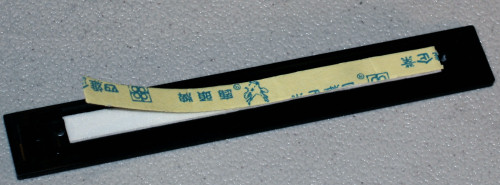
Despite trying a couple of different drives, we couldn’t get the included CD-drive bezel to line up properly. The design is simple; an included aluminum plate with double-sided tape is supposed to be placed on the front of the drive instead of the default tray cover, and then an eject button is held in place from inside the case after the drive is slid in from behind.

It fails, however, if any of the following conditions hold true:
  • The tray height does not exactly correspond with the tray opening in the front of the case.
  • The tray cover of the CD/DVD drive is permanently attached to the tray.
  • The eject button of the drive itself is permanently attached.
  • The eject button doesn’t exactly correspond with the button opening in the front.
  • The user decides to forego the use of an optical drive at all. (There’s no clean way to secure the tray cover without a drive installed.)


Click to enlarge.
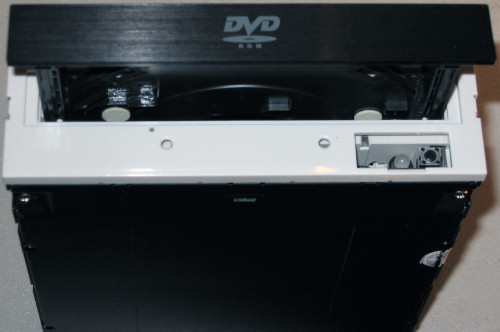
Normally we wouldn’t dwell on one particular design flaw to such a degree at the very beginning of a product’s inspection, but it is crucial in a HTPC that the front panel looks as nice as possible. Unless one chooses the same CD/DVD drive that 3R chose when designing this bezel, there’s a high probability that the front of your case will not look particularly right, as is the true for the pictures of the front of the case as we've taken them. In this shot, the cover has been applied, but as installed here, it didn't fit properly in the 5¼” drive bay.

This is not to discourage everyone from considering this case at all, however, because if one does have a proper optical drive or at least a black one that will look OK installed without the included tray cover, the front of the case will still look nice otherwise.


Click to enlarge.

A magnetically latched flip-down front panel covers the port cluster on the left side, and flash memory card reader bays on the right. Labels for the ports and bays have been painted over the brushed finish and look particularly nice.


Click to enlarge.


Originally published at https://www.anandtech.com/show/1868 (Wayback Machine).