
Gefen DVI DL: Dual Link DVI + USB KVM
- Posted in
- GPUs
Introducing the Gefen DVI DL
Fairly well-known in the home theater community for their HDMI switch boxes, Gefen was the logical choice for finding a dual link DVI KVM. The benefit of a DVI based KVM is that a lot of the issues that plagued old analog VGA KVMs are no longer a problem, thanks to the fact that DVI-I signals are transmitted in the digital domain, meaning that the signal that leaves your computer is exactly what gets displayed on your monitor. With analog VGA based KVMs, you often had image quality degradation at higher resolutions, especially if you happened to have a lower quality KVM. So, in theory, thanks to an all-digital connection, we should have no problems with just about any DVI based KVM switch. Our confidence in the DVI specification aside, we had heard very good things about Gefen, once again from the home theater community - and if anyone has a very critical eye when it comes to image quality, it is the home theater community.
Priced at $399, the Gefen DVI DL is not cheap, but neither is the monitor you'd be hooking this up to, so although we don't agree with the price premium, this product isn't exactly targeted at the low end of the market. So, after you're done buying your $600 video card and $2500 monitor, what's another $400 for the DVI DL?
The Gefen DVI DL is a fairly simple device that acts as an electrical switcher between two computers. The DVI DL will switch between two dual link DVI inputs, analog audio as well as USB 2.0. It is important to note that the DVI DL does not provide USB or DVI "emulation"; in other words, when you switch between systems, it is akin to unplugging the USB and DVI cables from one system and plugging them into the other - that's exactly what the OS "sees" when you switch using the DVI DL. Some units do provide USB emulation, but we'll address this topic later on as we talk about our experiences with the DVI DL.
The only somewhat confusing aspect of the setup deals with USB setup. The two type A ports are labeled USB Out, and this is where you plug in the USB devices that you wish to switch between computers (e.g. keyboard, mouse, etc.). You can even plug in a USB hub to these ports if you'd like (more on that later). The two type B ports are for connecting to your computers: In 1 goes to the first computer and In 2 goes to the second. Obviously, it's very important that DVI 1, In 1 and Audio 1 all go to the first computer, and all of the ports marked "2" connect to the second computer. Otherwise, you'll only be switching some of the components to the right system when you go to hit the select button.
Fairly well-known in the home theater community for their HDMI switch boxes, Gefen was the logical choice for finding a dual link DVI KVM. The benefit of a DVI based KVM is that a lot of the issues that plagued old analog VGA KVMs are no longer a problem, thanks to the fact that DVI-I signals are transmitted in the digital domain, meaning that the signal that leaves your computer is exactly what gets displayed on your monitor. With analog VGA based KVMs, you often had image quality degradation at higher resolutions, especially if you happened to have a lower quality KVM. So, in theory, thanks to an all-digital connection, we should have no problems with just about any DVI based KVM switch. Our confidence in the DVI specification aside, we had heard very good things about Gefen, once again from the home theater community - and if anyone has a very critical eye when it comes to image quality, it is the home theater community.
Priced at $399, the Gefen DVI DL is not cheap, but neither is the monitor you'd be hooking this up to, so although we don't agree with the price premium, this product isn't exactly targeted at the low end of the market. So, after you're done buying your $600 video card and $2500 monitor, what's another $400 for the DVI DL?
The Gefen DVI DL is a fairly simple device that acts as an electrical switcher between two computers. The DVI DL will switch between two dual link DVI inputs, analog audio as well as USB 2.0. It is important to note that the DVI DL does not provide USB or DVI "emulation"; in other words, when you switch between systems, it is akin to unplugging the USB and DVI cables from one system and plugging them into the other - that's exactly what the OS "sees" when you switch using the DVI DL. Some units do provide USB emulation, but we'll address this topic later on as we talk about our experiences with the DVI DL.
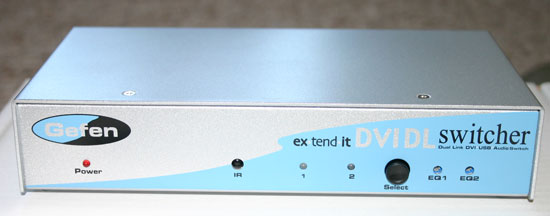
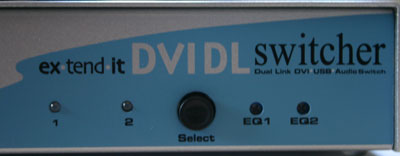
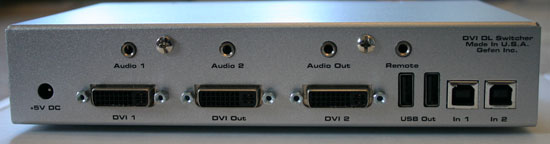
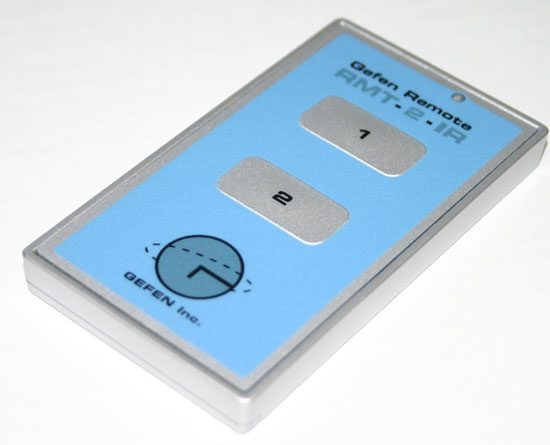
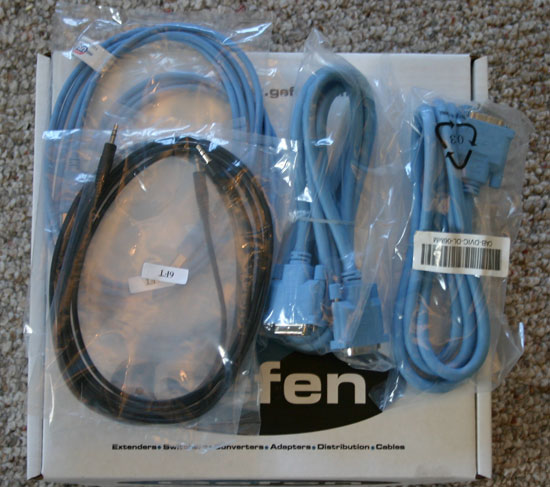
The only somewhat confusing aspect of the setup deals with USB setup. The two type A ports are labeled USB Out, and this is where you plug in the USB devices that you wish to switch between computers (e.g. keyboard, mouse, etc.). You can even plug in a USB hub to these ports if you'd like (more on that later). The two type B ports are for connecting to your computers: In 1 goes to the first computer and In 2 goes to the second. Obviously, it's very important that DVI 1, In 1 and Audio 1 all go to the first computer, and all of the ports marked "2" connect to the second computer. Otherwise, you'll only be switching some of the components to the right system when you go to hit the select button.
Originally published at https://www.anandtech.com/show/1829 (Wayback Machine).