
ATI's X8xx CrossFire Graphics Arrive
- Posted in
- GPUs
Super AA and CrossFire
By rendering the same frame on both cards with different subpixel sample patterns, the images can be blended together to provide a smoother image at any given resolution than a single card is capable of rendering. At the same time, as resolution increases and pixel size decreases, antialiasing becomes less important. This is yet more support for believing that greater than 1600x1200 resolutions should be supported on a high end setup like this.For those who will be running CrossFire solutions at 1280x1024 or even 1600x1200, Super AA will be a welcome addition to image quality. ATI already leads the industry in AA quality because they use a programmable sample pattern when antialiasing a pixel while NVIDIA uses a fixed ordered grid approach. The difference really starts to add up when SLI AA and Super AA are compared.
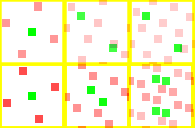
From left to right, 4xAA, 8xSLI AA/10xSuper AA, 16xSLI AA/14xSuperAA. ATI is the top row.
The more even spread that ATI is able to maintain over a single pixel gives the CrossFire solution a better result. Even though NVIDIA's 16x SLI AA has 16 geometry sample points and 4 texture sample points compared to ATI's 12 geometry points and 2 texture points, the distribution of ATI's sample points provide more efficient coverage. Incidentally, if ATI had named their modes like NVIDIA's AA modes, they would have said 20xAA rather than 16xAA.
NVIDIA's 4 texture sample points (essentially super-sampling/SSAA sample points) could provide better interior, texture, and transparent surface antialiasing. Unfortunately, their arrangement limits their usefulness in this regard. Thus we have to declare ATI the clear winner in the AA department. Of course, Super AA mode does take quite a performance hit as we will find out later. But take a look at what it can do to Half-Life 2 at 800x600 (no AA, 4xAA, 6xAA, 10xAA, 14xAA from top to bottom):
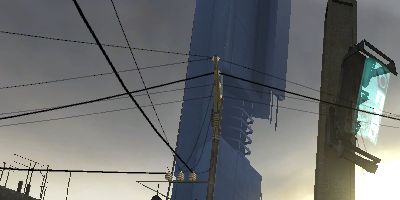
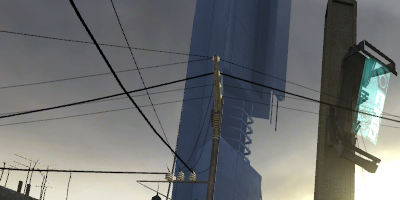
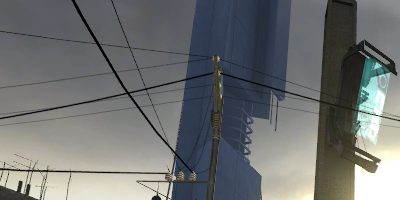
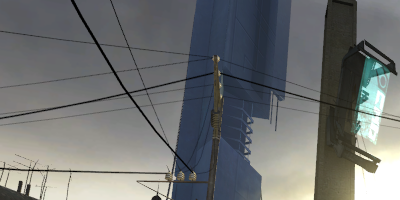
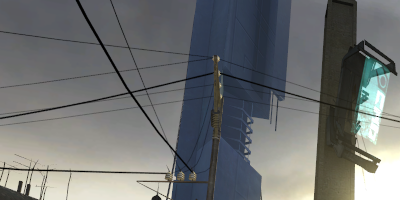
While differences beyond 4xAA are harder to spot, take a look at the antennae on the bottom-left of the images. You can see how the barely-visible parts are rendered better, particularly with the 10xAA and 14xAA modes. If you have the GPU performance to handle such features, they're a nice addition.
The down side of Super AA (aside from the performance hit) is that it will only run in full screen applications. Windowed applications are still stuck with 2x 4x 6x and no AA. Even if a Super AA mode is selected, only half the subpixel samples are used. We are not sure if this is a hardware or software limitation, but those of us who play MMORPGs in the background will need to be aware of this issue.
Originally published at https://www.anandtech.com/show/1799 (Wayback Machine).