Board Layout: ASRock 939Dual-Sata2
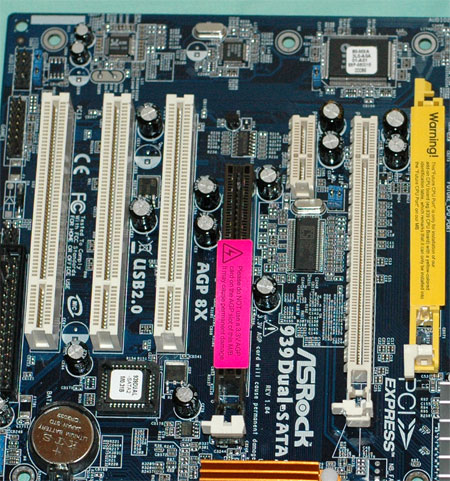
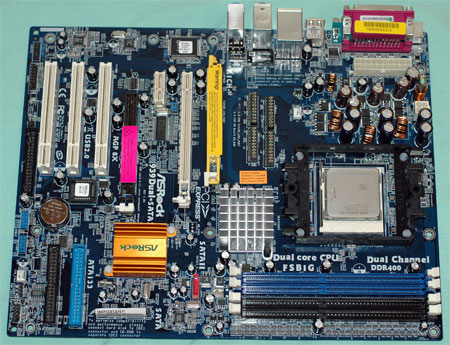
The dual support for full PCIe x16 and AGP 8X will be the most important feature for many. Here, you can see the PCIe x16, PCIe x1, AGP 8X, and 3 standard PCI slots that are housed on the ASRock 939Dual. The slot to the very right is the "Future CPU" slot designed to accept the AMD M2 and possibly other future processors.
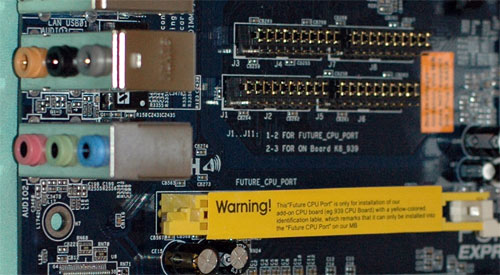
The slot is activated in a similar manner to SLI switching on the DFI nForce4 boards. That is, you have a number of jumpers to move to enable the "Future CPU" slot. Moving this many jumpers can be a chore, so ASRock includes a jumper tool in the standard accessories.
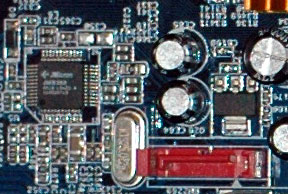
The ULi M1567 Southbridge does not support SATA2, though an upcoming M1575 Southbridge will support SATA2 with NCQ. ASRock provides the two SATA/SATA Raid connectors supported by M1567 plus a 3Gb SATA2 slot with NCQ supported by a JMicron JMB360 chip. This is certainly much more than what you would expect on a "value" board.
The 20-pin (not 24-pin) ATX connector and 4-pin 12v connector are located between the CPU socket and the IO ports on this 3-phase board. This is not the most ideal location, but with both connectors near the board edge, it works well.
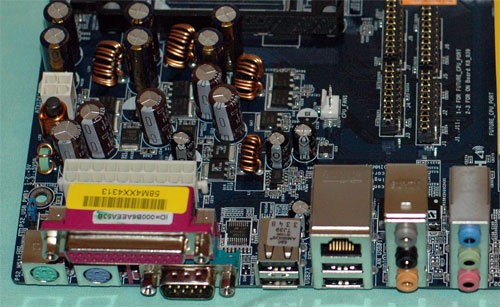
The back IO ports are complete, including LAN - but it is ULi 10/100 and not Gigabit LAN. Firewire is rarely seen on value boards, so its absence is not a surprise. If Firewire is important to you, it can be added with a PCI card.
Value boards often present challenges in board layout to the end-user. Since the selling price is usually of foremost importance, the layout is often geared to efficient manufacturing more than end-user convenience.
Click to enlarge.
The ASRock 939Dual-SATA2 is generally well laid out. Some thought clearly went into connector placement, but there are a few glaring oversights.
The floppy and IDE connectors were hard to work with in a mid-tower case in light of their bottom right location. A standard IDE cable would barely make it from a top-mounted optical drive to IDE2. The floppy at the center bottom is particularly troublesome if you still use a floppy drive. If you don't, then it's a moot point.
You can clearly see the Asus heritage in the fact that ASRock uses only passive heatsinks on the 939Dual. Certainly, this is the best solution where noise is a concern, but it does not always provide for the most efficient cooling. Our experience during testing and overclocking the ASRock was that the Northbridge became pretty warm, but not warm enough to cause a shutdown or reboot.

