
The ASRock X570S PG Riptide Motherboard Review: A Wave of PCIe 4.0 Support on A Budget
BIOS
ASRock is using a consistent and familiar UEFI firmware across its Phantom Gaming series models for AMD's AM4 socket. The GUI consists of a primarily black background with red futuristic highlights, white text, and red highlighting when hovering over an option or menu.

The ASRock X570S PG Riptide UEFI firmware has just one mode which is resemblant of its Advanced modes on models that feature an EZ Mode as well. The main part of the firmware has plenty of menus to select from including (from left to right), the Main screen, the OC Tweaker, the Advanced section, the Tool menu, a H/W Monitor panel, a Security menu, a Boot menu, and an Exit menu.
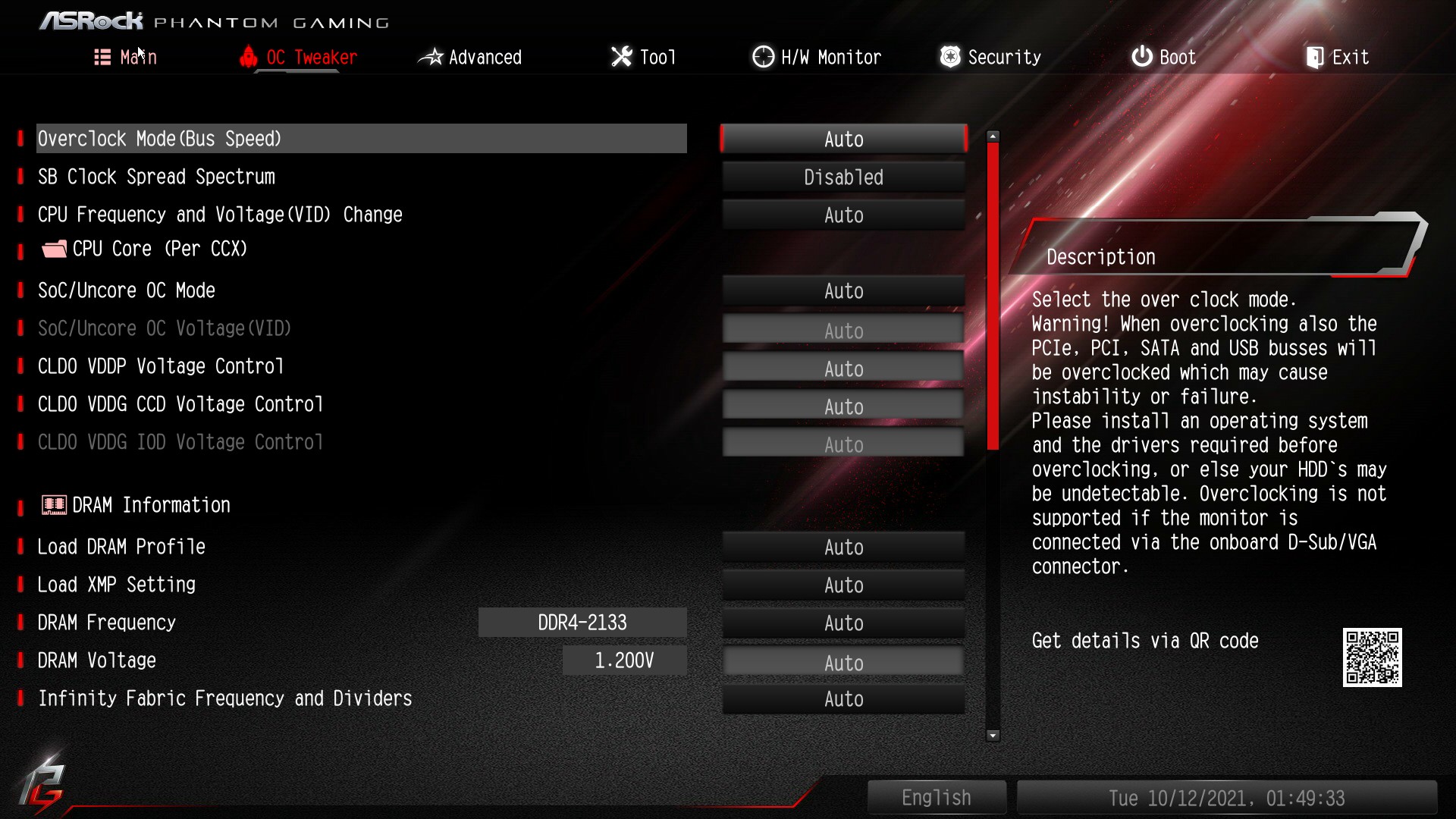
The area where users can overclock is the OC Tweaker, which has plenty of options for users looking to overclock both the memory and processors. Users with AMD Ryzen APUs can also overclock the integrated Radeon graphics, with the options greyed out on unsupported processors.
There are many options for a budget board such as this in terms of both processor and memory overclocking, although much of it is simplified for users. Users can simply alter the CPU Frequency ratio and CPU VCore voltage and overclock the processor, although there are advanced CPU options such as Loadline Calibration and other voltage options to consider.

Users can also enable X.M.P 2.0 memory profiles on compatible memory kits with a couple of clicks, or alternatively, users can do this manually. ASRock provides lots of latency options for users looking to fine-tune their kits, providing there's any give or take in terms of overclocking. Users can also alter the Infinity Fabric Clock speed (FCLK), with the idea that it operates in a 2:1 ratio to provide the most effective levels of performance. The achievable FCLK varies on the chip, but a memory speed of DDR4-3600 and FCLK of 1800 MHz is seemingly achievable for most and is the sweet spot recommended by AMD.


While the level of customization for a board at this kind of price point lacks in some key areas to what we're used to. There is a basic element of its integrated FAN-Tastic fan tuning utility, but the firmware-based Polychrome RGB utility is lacking any visual expression, instead, users have to use color codes which is abysmal in this day and age. ASRock could be better as previously mentioned, but the rest of the firmware is fine, it's responsive, it's intuitive (aside from the parts mentioned above), and with more customization on the fan control and RGB LED lighting, it would be more than adequate.
Software
Compared to other AM4 boards from ASRock we've covered, the software bundle supplied with the X570S PG Riptide is very basic. The main software applications come via the Live Update and App Shop, with a Restart to UEFI which is a functional piece of software, as well as the Nahimic 3 audio software.

The ASRock Live Update and App Shop allows users to download the latest version of the software that is compatible with the X570S PG Riptide. It also allows users to download up-to-date drivers for the board including controller drivers such as networking, as well as AMD's latest chipset drivers at the click of a button.


Unfortunately, the ASRock X570S PG Riptide doesn't come supplied with any overclocking software such as A-Tuning or the Phantom Gaming series variant. Users looking to access overclocking tools within Windows can easily download the AMD Ryzen Master tuning utility, which we've used with great success previously and is very intuitive and easy to use. ASRock does include Nahamic too which is designed to enhance a user's auditory experience, and the Restart to UEFI software is also useful for directly booting into the firmware at the click of a button.
Overall it's not a feature-packed software bundle, but it's adequate and we still believe ASRock could have shipped one of its own overclocking software with this board.
Originally published at https://www.anandtech.com/show/16973/the-asrock-x570s-pg-riptide-motherboard-review (Wayback Machine).