Panel
Samsung’s website outlines
very briefly the specifications for the 6-bit TN LTM190EX panel used in the Samsung 915N display. We went into some detail about the 8ms response time earlier, but to recap, the LTM190EX is virtually identical to the
LTM170EU used in the SyncMaster 172X (with the exception of size). Whether or not Samsung claims 16.7M colors versus 16.2M colors that most 6-bit displays list, the unfortunate reality is that this display is just like any other 6-bit display; it needs to use dithering techniques to achieve its full color spectrum. Unfortunately, the best available documentation for Samsung’s technique is available
here. Like other 6-bit LCD panels, finer detail (like small text) is easily lost and occasionally comes out blurry.
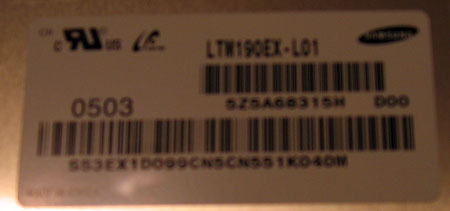
When disassembled, the display reveals more information:
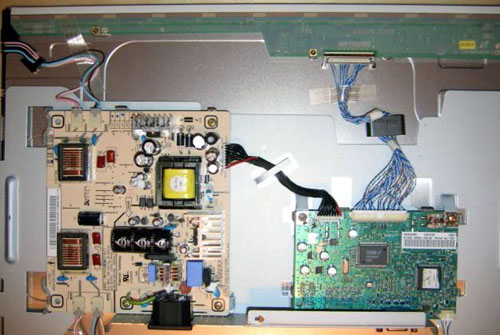
The inverter is shown on the left and the controller on the right. We can see that the display is controlled by a single DSP, which also only has a single input – the analog D-sub. Like most Samsung displays, the DSP used in this monitor is proprietary to Samsung. The LVDS interface running across the top of the monitor is shielded by a clear plastic sheath, common among Samsung panels.
User Interface
We regularly dub Samsung the interface kings, and with good reason. Samsung reuses its tried and true mechanisms for on-screen display (OSD) in the SyncMaster 915N. From the left to the right, the controls are: Menu, Left, Right, Set, Auto and Power.
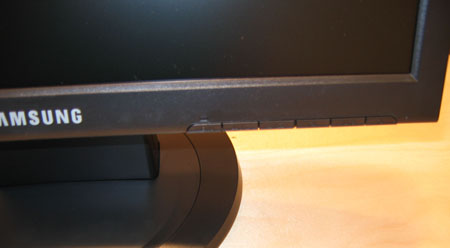
Click to enlarge.
There really isn’t anything innovative in this display’s OSD, but it works and it works well. The controls are intuitive and don’t require much usage to get adjusted. Just like previous Samsung OSDs, we commend Samsung’s use of the Auto adjustment. Most displays are easily fooled when auto adjusting, but it seems that no matter what conditions we fed the signal, the auto adjust always oriented the display correctly.
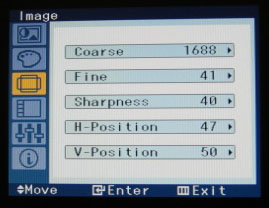
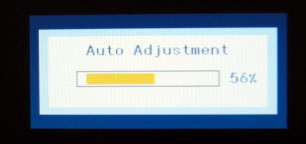
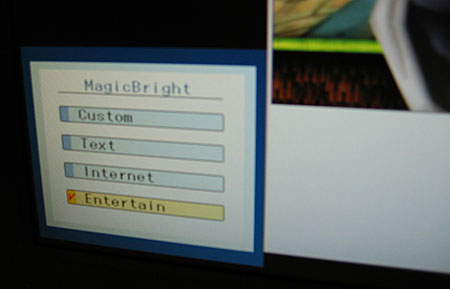
Since the 915N only utilizes an analog connection, we have access to quite a bit of fine control. Some of the better control features include a fine coarseness adjustment – something that we haven’t seen on an LCD in a long time. The Left control button also acts as the interface for MagicBright when the menu is not activated. MagicBright is something that we have looked at
severaltimes in the last several years, and there isn’t anything new here; a novel way to adjust the screen brightness and contrast – nothing more, nothing less.