
Xbox 360 - Up Close & Personal with Live, the Console and the Wireless Controller
- Posted in
- Trade Shows
Microsoft Demos the new Xbox Live
Our first demo with the new Xbox Live takes place while playing through a game. During the game, we receive a Friend Invite from Striker. Please excuse the poor quality of the picture, but you get the idea of how the invite will pop on the screen: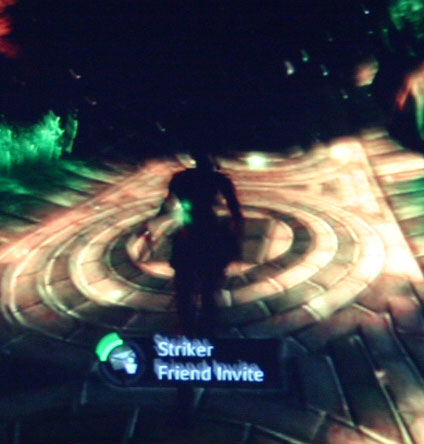
After hitting the 360 button, you are brought to the Friend Invite screen:
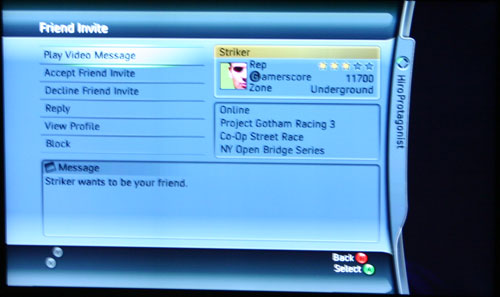
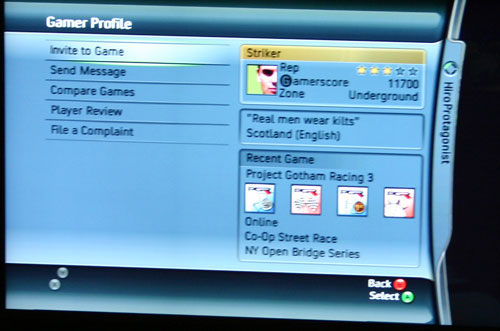
From the Friend Invite screen, you can accept the invitation, decline, reply, block, play any messages or view the person's on-line profile. A particularly interesting element of this screen is the user's Gamercard at the top right of the screen:
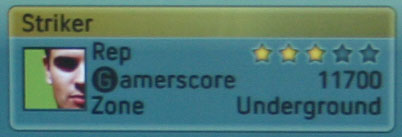
The next item on your Gamercard is your Gamerscore (GS for short); the Gamerscore is a counter of all achievements across all games that you've played (online and offline). Beating levels in Halo 2 single player, completing races in Project Gotham Racing 3 or winning online matches will all contribute to your Gamerscore.
The final item is your Zone. Currently in Xbox Live, you are matched up against players that are all members of one large pool. While that was a good idea when Live started off, now with over 1.5 million subscribers, such a broad match making system can be a bit painful at times. The problem is that you have casual gamers paired up with very competitive players, which isn't always the best idea.
Now, you'll be able to select the Zone in which you'd like to play. The Zone will determine what sort of players you are matched up with, whether it is Family players (e.g. members with kids online where you should watch your mouth), competitive players, or a zone where anything goes. You can change your Zone before any match depending on your fancy. We are a fan of the idea, but we do wonder how Microsoft will ensure that the Zones remain true to their function (e.g. what will keep vulgar folks from corrupting the innocent minds of children playing in the Family zone?).
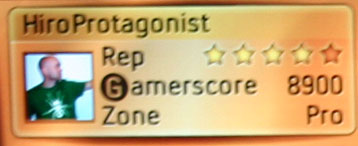
Now back to playing your game. If you are playing a game, you can also initiate an invite by hitting the 360 button. Just as before, the game will continue to play in the background (whether paused or not is determined by the developer depending on the nature of the title):
Originally published at https://www.anandtech.com/show/1690 (Wayback Machine).