
Zotac ZBOX MAGNUS ONE SFF Gaming PC Review: Desktop Comet Lake Charges Up with Ampere
GPU Performance - HTPC Workloads
Media playback and video post-processing without taxing the CPU are some of the functionalities that have been relegated to GPUs over the 10 - 15 years. The transitions to higher video resolutions and complicated video codecs have become more frequent. While the move from SD (480p) to HD (720p) took the better part of the 2000s, the transition to FHD (1080p), 4K (2160p), and now 8K (4320p) have all happened in the last decade. The rise of over-the-top (OTT) delivery platforms like YouTube, Netflix, etc. have accelerated the development and deployment of new codecs and higher resolution videos.
On Windows, GPUs expose their video decoding and post-processing capabilities via DXVA / D3D11 APIs. The DXVAChecker program provides a quick overview of the GPU features related to these aspects.
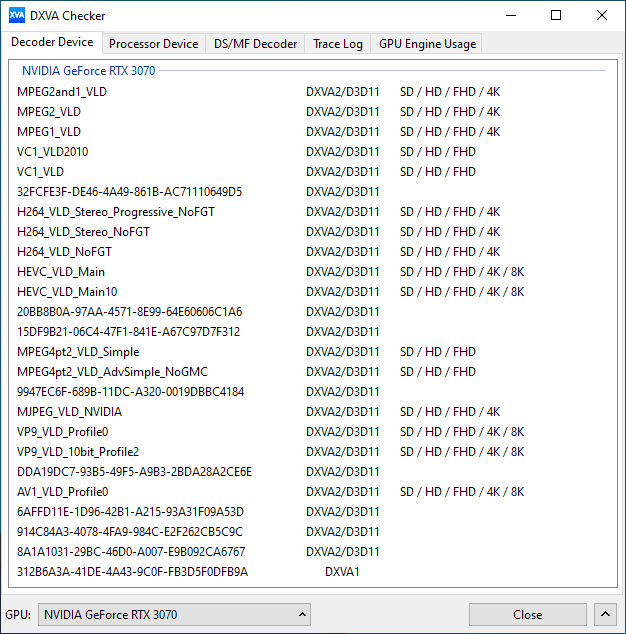
The RTX 3070 is able to decode all varieties of codecs that are currently in vogue, including AV1.
Windows has adopted an on-demand delivery of OS components for activating the usage of these APIs. Similar to the MS Store HEVC codec, the AV1 codec is also being delivered via the MS store. While open-source programs like MPC-HC can use the AV1 decoding capabilities of the GPU using the LAV Filters component, AV1 decoding with MS Edge requires the installation of the extension.
YouTube Streaming
The move to 4K and 8K, and the need to evaluate HDR support have made us choose Mystery Box's Peru 8K HDR 60FPS video as our test sample moving forward. On PCs running Windows, it is recommended that HDR streaming videos be viewed using the Microsoft Edge browser after putting the desktop in HDR mode.
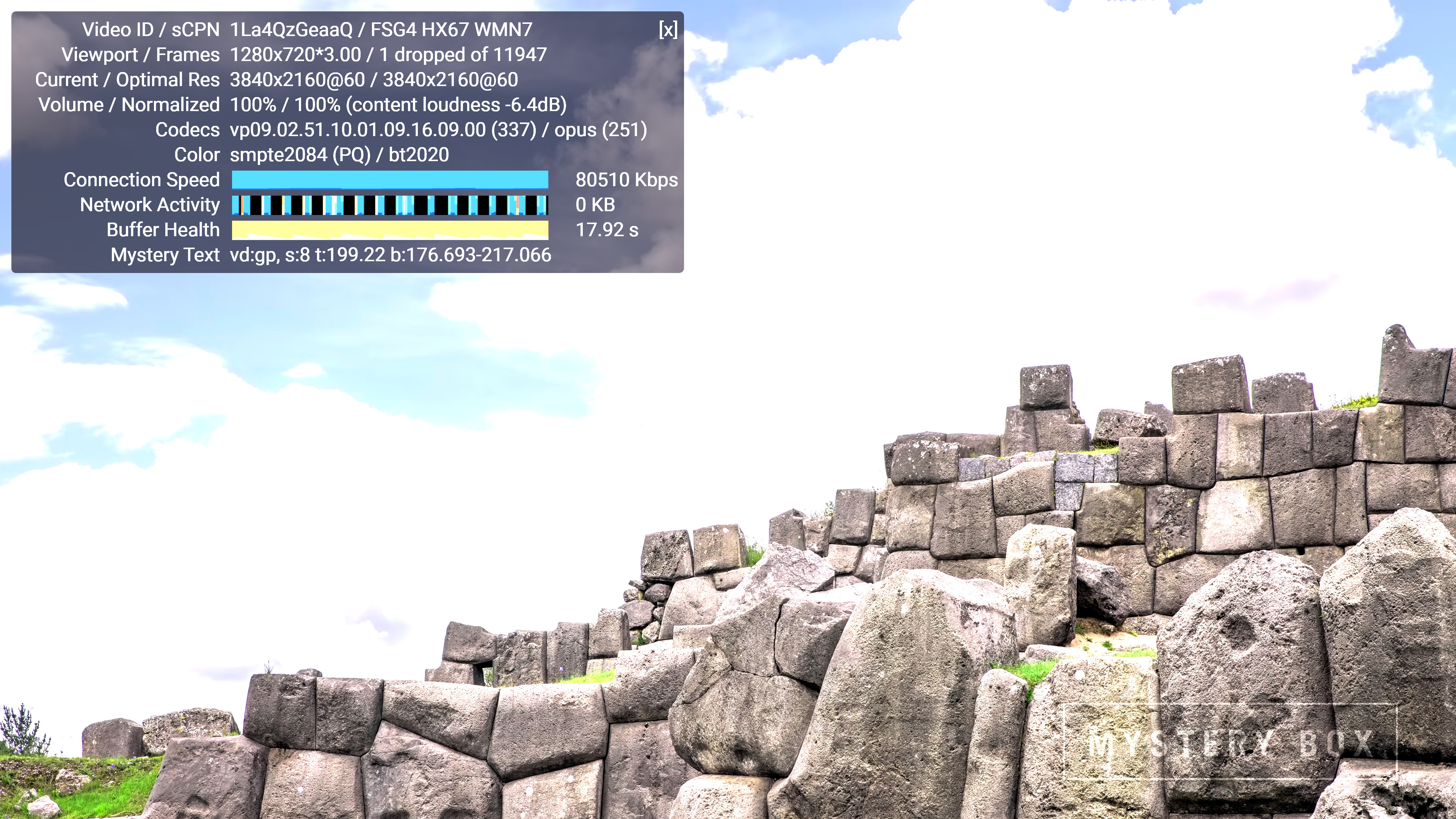
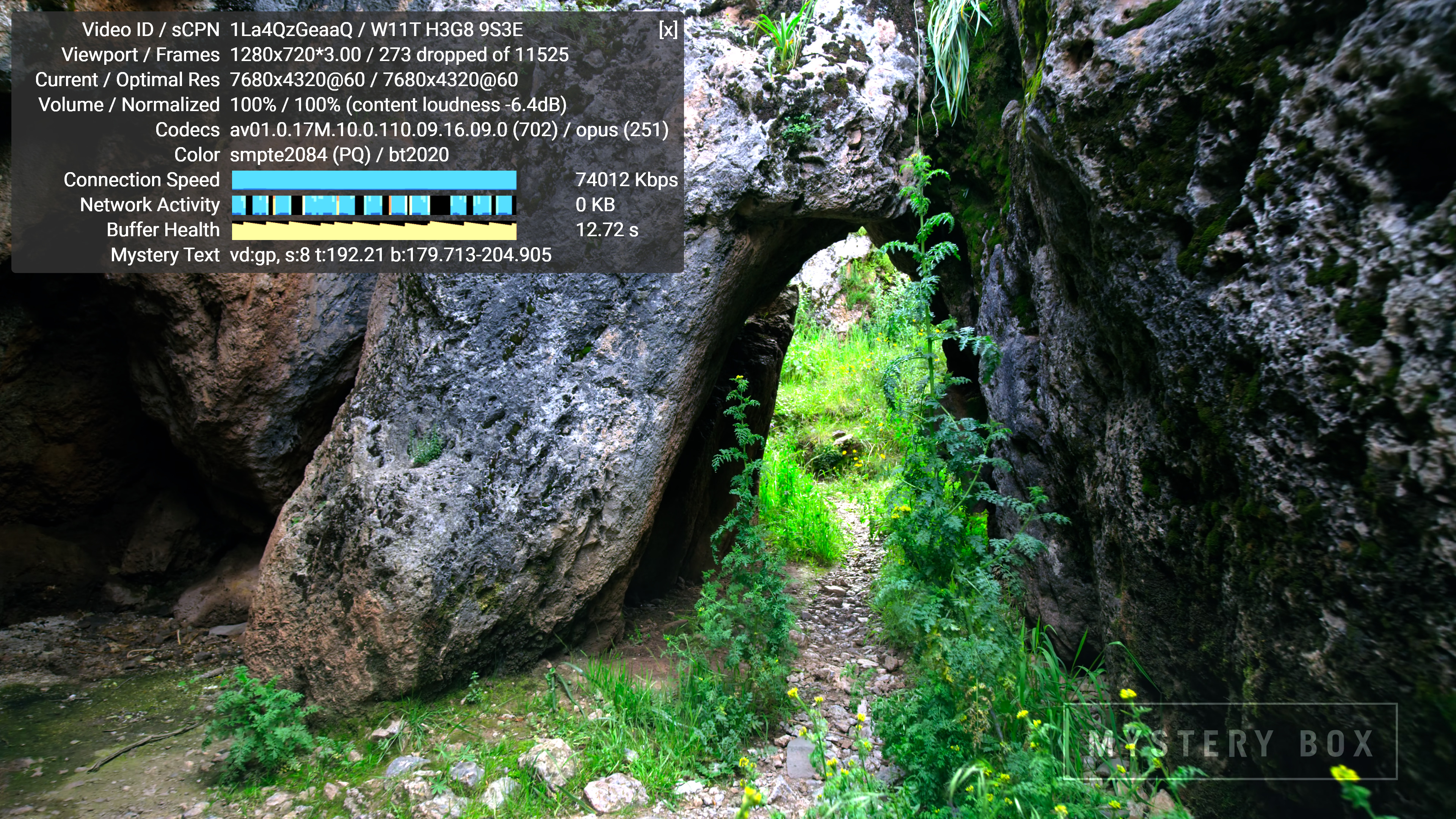
Without installing the AV1 extension, the VP9 Profile 2 4K version is played back as shown above. However, installing the extension allows flawless playback of the 8K version, as shown in the screenshot below.
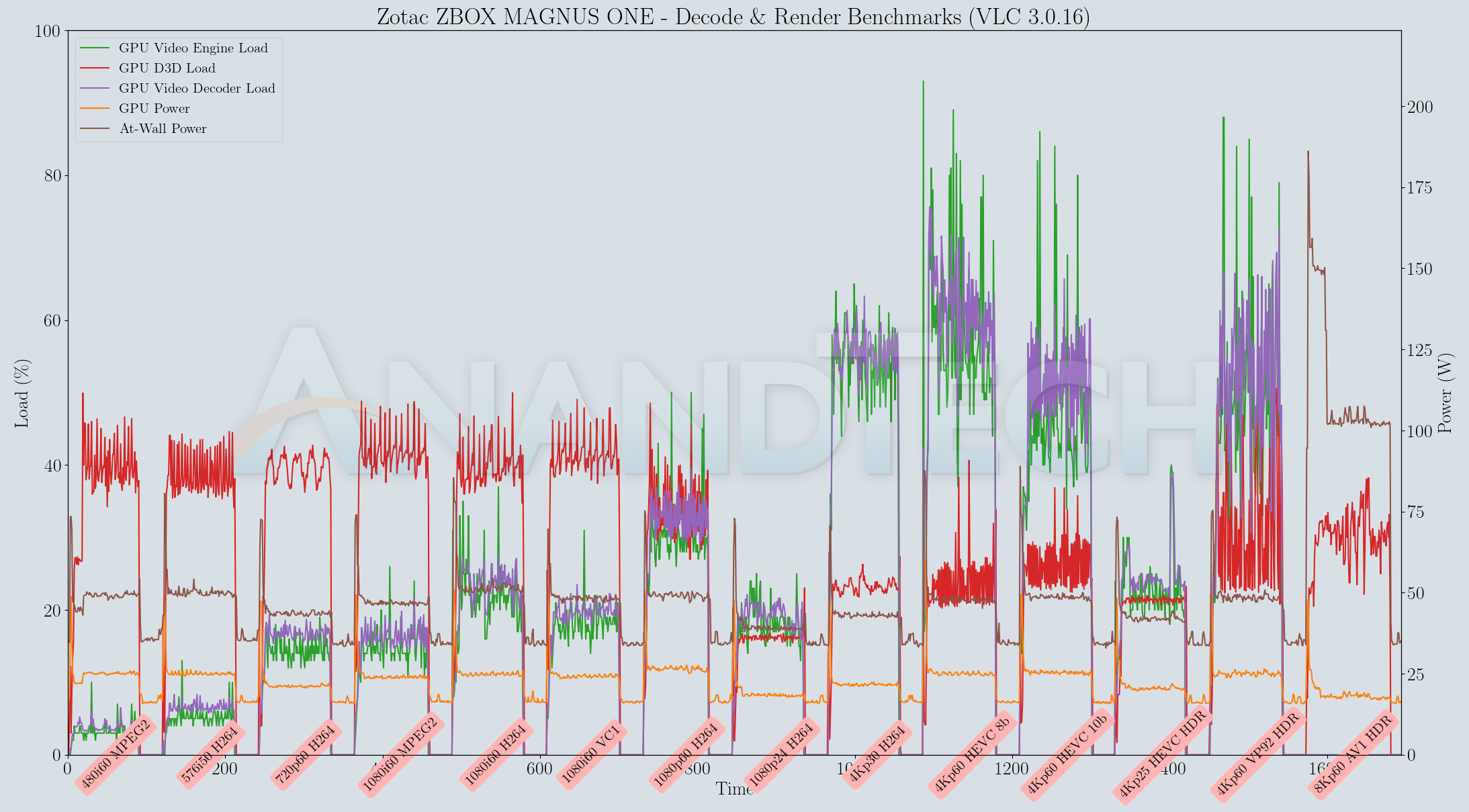
Various metrics of interest such as GPU usage and at-wall power consumption were recorded for the first four minutes of the playback of the above video. The numbers are graphed below.

The video decoder load doesn't go beyond 80% even while decoding 8Kp60 AV1 content. The at-wall power consumption is a tad high at around 130W (on an average). The playback is flawless without dropped frames in the steady state. Since we don't have any other low-power HTPCs for comparison, not much additional comment can be made regarding AV1 playback efficiency. In any case, using the MAGNUS ONE purely as a media playback machine / HTPC is probably an overkill based on just the noise factor alone.
Evaluation of local media playback and video processing is done by playing back files encompassing a range of relevant codecs, containers, resolutions, and frame rates. A note of the efficiency is also made by tracking GPU usage and power consumption of the system at the wall. Users have their own preference for the playback software / decoder / renderer, and our aim is to have numbers representative of commonly encountered scenarios. Towards this, we played back the test streams using the following combinations:
- MPC-HC x64 1.9.14 + LAV Video Decoder (DXVA2 Native) + Enhanced Video Renderer - Custom Presenter (EVR-CP)
- MPC-HC x64 1.9.14 + LAV Video Decoder (D3D11) + madVR 0.92.17 (DXVA-Focused)
- MPC-HC x64 1.9.14 + LAV Video Decoder (D3D11) + madVR 0.92.17 (Lanczos-Focused)
- VLC 3.0.16
- Kodi 19.1
Fourteen test streams comprising of various codecs and frame rates (each of 90s duration) were played back from the local disk with an interval of 30 seconds in-between. Various metrics including GPU usage and at-wall power consumption were recorded during the course of this playback.
All our playback tests were done with the desktop HDR setting turned on. It is possible for certain system configurations to have madVR automatically turn on/off the HDR capabilities prior to the playback of a HDR video, but, we didn't take advantage of that in our testing.
VLC and Kodi
VLC is the playback software of choice for the average PC user who doesn't need a ten-foot UI. Its install-and-play simplicity has made it extremely popular. Over the years, the software has gained the ability to take advantage of various hardware acceleration options. Kodi, on the other hand, has a ten-foot UI making it the perfect open-source software for dedicated HTPCs. Support for add-ons make it very extensible and capable of customization. We played back our test files using the default VLC and Kodi configurations, and recorded the following metrics.
| Video Playback Efficiency - VLC and Kodi | |||
Both VLC and Kodi attempt to do pure software decoding of the 8Kp60 AV1 stream. The resolution and frame rate are simply too much for the Core i7-10700 to handle, and the result is essentially a slideshow for that test stream. Other streams play back with hardware acceleration and consume around 50W at the wall.
MPC-HC
MPC-HC offers an easy way to test out different combinations of decoders and renderers. The first configuration we evaluated is the default post-install scenario, with only the in-built LAV Video Decoder forced to DXVA2 Native mode. Two additional passes were done with different madVR configurations. In the first one (DXVA-focused), we configured madVR to make use of the DXVA-accelerated video processing capabilities as much as possible. In the second (Lanczos-focused), the image scaling algorithms were set to 'Lanczos 3-tap, with anti-ringing checked'. Chroma upscaling was configured to be 'BiCubic 75 with anti-ringing checked' in both cases. The metrics collected during the playback of the test files using the above three configurations are presented below.
| Video Playback Efficiency - MPC-HC with EVR-CP and madVR | |||
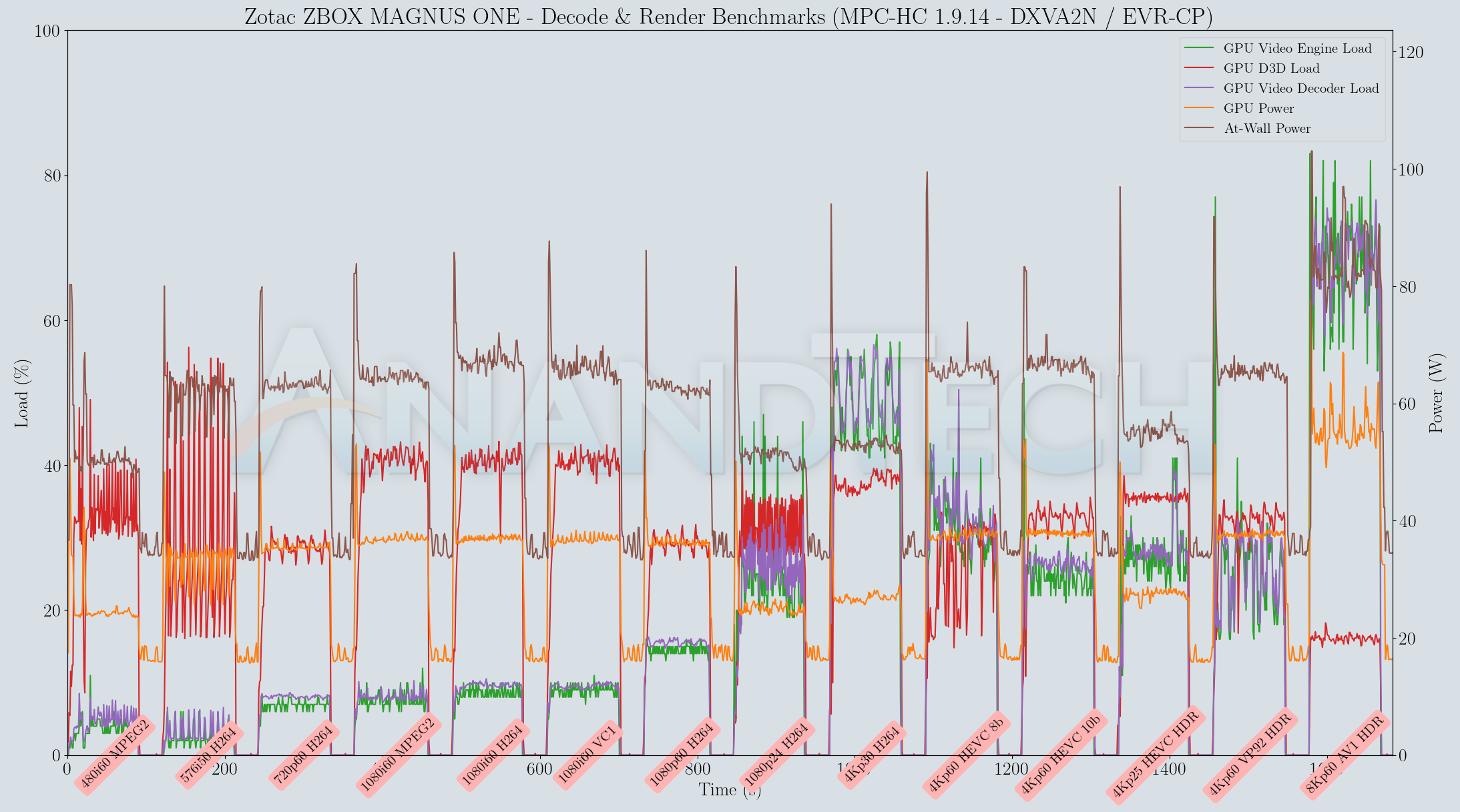
MPC-HC 1.9.14 with LAV Filters 0.75.1 is able to play back the 8Kp60 AV1 stream with perfect hardware acceleration. At-wall power consumption is a bit higher than what was obtained with VLC, but the playback is without dropped frames for all madVR configurations too.
The GPU is great for video post-processing, but it comes at the cost of power consumption and cooling requirements / noise.
Originally published at https://www.anandtech.com/show/16878/zotac-zbox-magnus-one-sff-gaming-pc-review-desktop-comet-lake-charges-up-with-ampere (Wayback Machine).