External Design
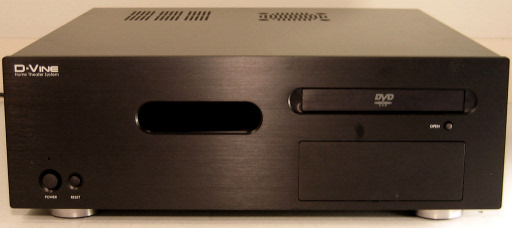
Keeping in tradition with both other HTPC cases in general and also Ahanix’s own line, the MCE601 has a very uncluttered, professional look to it, with the front only having five main areas of interest. Our particular test model came in a black finish, but there is the option to purchase the case in silver.
Click to enlarge.
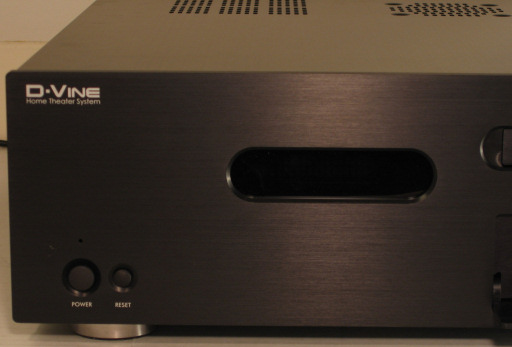
First, in the upper left-hand corner, is the writing “D-Vine, Home Theater System” in a contrasting paint, letting you know right away what the purpose of a computer like this is. In the lower left are two push buttons labeled “power” and “reset”, and a single miniscule LED light letting you know when the machine is turned on.
Click to enlarge.
Slightly left from the center of the front is the vacuum fluorescent display, the focal point of any home theater component. Ahanix, at least with this particular case, is still choosing to use a parallel interface for communication with the display, but we’ll look into that more closely later.
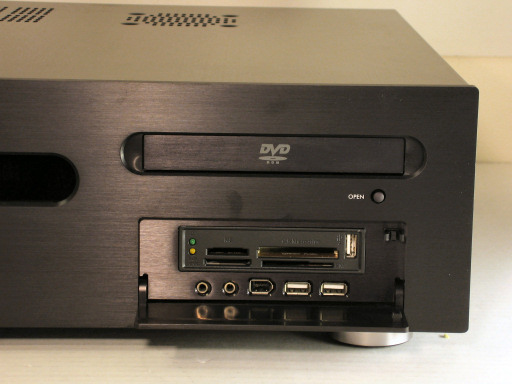
On the right side of the unit, we find the slot for the optical drive and access to the front panel ports hidden behind a simple, hinged metal door. The eject button is labeled “OPEN” with the same contrasting paint as the logo in the top left corner.
Click to enlarge.
Pushing the metal door reveals the included front ports on the MCE601: two unlabeled 1/8” audio jacks, a firewire port, and two USB ports. While front access is always a nice addition to any case, it is imperative on a unit that is designed to stay more permanently in a home theater situation. Ahanix included a 3-1/2” multi-format card reader drive with our case, and in addition to the read/write LEDs and slots for various forms of flash media, there is another USB port.
Overall, we find the latest D-Vine to follow its predecessor’s paths perfectly, in that it has a front panel with a great look for an HTPC case. Let’s move on to examine this nice-looking case from some other angles.



