
Canon Digital Rebel XT: Hardly an Entry-Level DSLR
- Posted in
- Digital Camera
Playback Features
Just like the speed advantages that we saw when we compared the 20D to the 10D, the Canon 350D is much faster than the 300D when it comes to reviewing images. It takes much less than half a second to load each image. With the original Rebel, the camera would load a low quality preview of each image followed by a high quality version.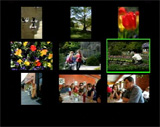 Thumbnail |
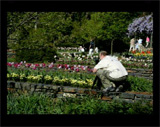 Image regular |
 Image magnified 10x |
You are able to magnify an image up to 10x by using the Enlarge/AF point selection button. While an image is magnified, the image can be scrolled vertically, horizontally, or vertically through the use of the 4-way cross keys. To view the images as thumbnails, you must press the Reduce button while an image is being viewed full screen. A 3x3 thumbnail view will be displayed. To delete an image, simply press the "Erase" button. You can then choose "Cancel", "Erase", or "Erase All".
 No Info. |
 Basic Info |
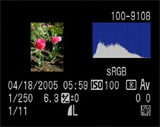 Detailed Info |
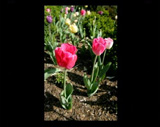
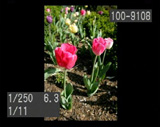
The Info button toggles the amount of information that is displayed about each image. The first option is to display no information on the screen other than the image itself. Another press of the Info button will result in the display of some very basic information including: file number, shutter speed, aperture, and image number out of the total number of images on the card. The third option contains a large amount of information including a histogram with blinking overexposed sections and the following: file number, date & time, ISO, metering, record mode, color space, shutter speed, aperture, exposure compensation, WB shift, white balance setting, image number out of total number on the card, and image size and quality.
Below, we have outlined the various options available via the Playback menu:
| Playback menu | |
| Protect | Select |
| Rotate | Select/Rotate |
| Print Order | Order, Set up |
| Auto Play | Set |
| Review Time | Off, 2, 4, 8 sec., Hold |
The Protect option allows you to mark images as "protected" so that they may not be deleted. However, formatting the card will erase all images, including protected files. The Print Order option allows you to select images for printing on a DPOF (Digital Print Order Format) compatible printer. After selecting the quantity for each image, you can specify the Print Type from "Standard", "Index", or "Both". Additionally, there are options to include a date and/or file number stamp on each print. The Auto Play option is a slideshow feature that cycles through the pictures on the flash card approximately every 4 seconds. The slideshow can be paused and un-paused by pressing the "Set" button. Review Time refers to the amount of time that the 350D will display an image immediately after it is taken. The "Hold" option means that it will display the image until either the shutter button is pressed or the camera turns itself off. Overall, the playback mode on the Rebel XT is much more enjoyable than it is on the original Rebel simply because of the speed. If you are used to the original Rebel, you will notice the enormous speed difference between the two immediately.
Originally published at https://www.anandtech.com/show/1672 (Wayback Machine).