
Lenovo ThinkStation P620 Review: A Vehicle for Threadripper Pro
BIOS and Software
As this is a custom system from a large OEM, the firmware inside is also very custom compared to consumer grade systems, and even enterprise systems. The big OEMs like Lenovo, Dell, or HP, often develop their own BIOS interfaces for the required option set, some even going as far as to enable a miniature operating system with bells and whistles, however more often than not with limited actual functionality that enthusiasts care about, typically wanting to lock that away so users can’t accidentally break it.
Lenovo to its credit does a much better job with its BIOS on the P620 than I’ve seen on a lot of other systems. Yes there is a custom interface, but it is very much just a modernized version of a simple text interface designed to look nicer with modern fonts. Unfortunately there was no screenshot option, and I've managed to get to 2021 without a capture device. So apologies for the photos of a monitor.
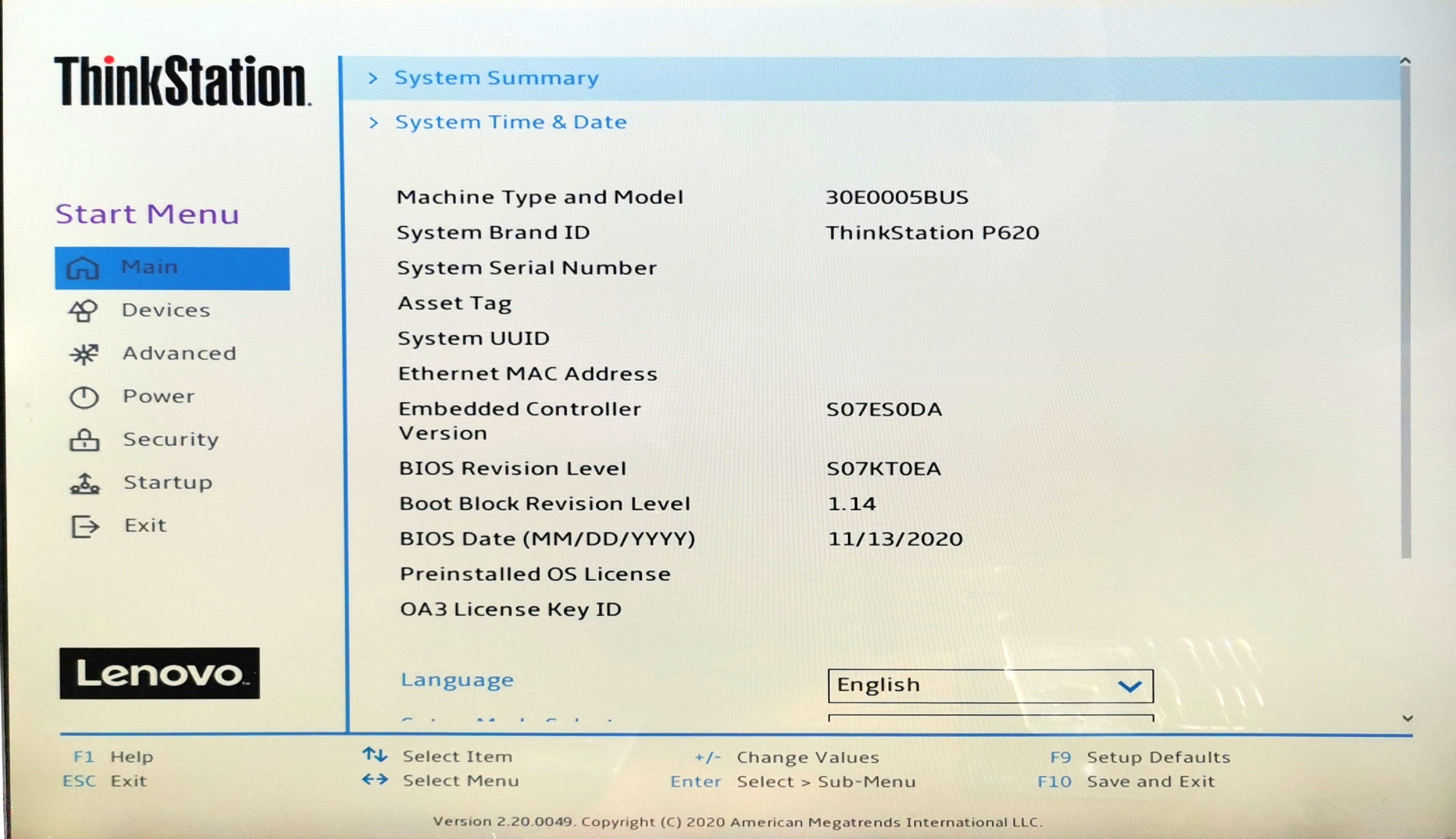
The menu options that are typically on the top of the BIOS screen are now down the side, and all the options we normally get are in the central console with a scroll down. What this design does (and why a lot of enthusiasts aren’t too fond of modern BIOS design) is that there’s a lot of extra white space everywhere, and there’s less information on a single screen. Luckily Lenovo has thought of that, and also offered a retro mode, which has exactly the same menu structure and offering as the initial fancy BIOS.

The BIOS itself gives all the standard chipset options of a regular system – enabling/disabling USB ports or networking or other IO, options to disable CPU performance modes, sleep modes, or SMT, a BIOS boot order, or choosing which PCIe slot has the primary video.

Also present in the BIOS is the professional level options, such as SR-IOV, Above 4G Decoding, RAS configuration for ECC and security, NUMA node selection, and Dash support.
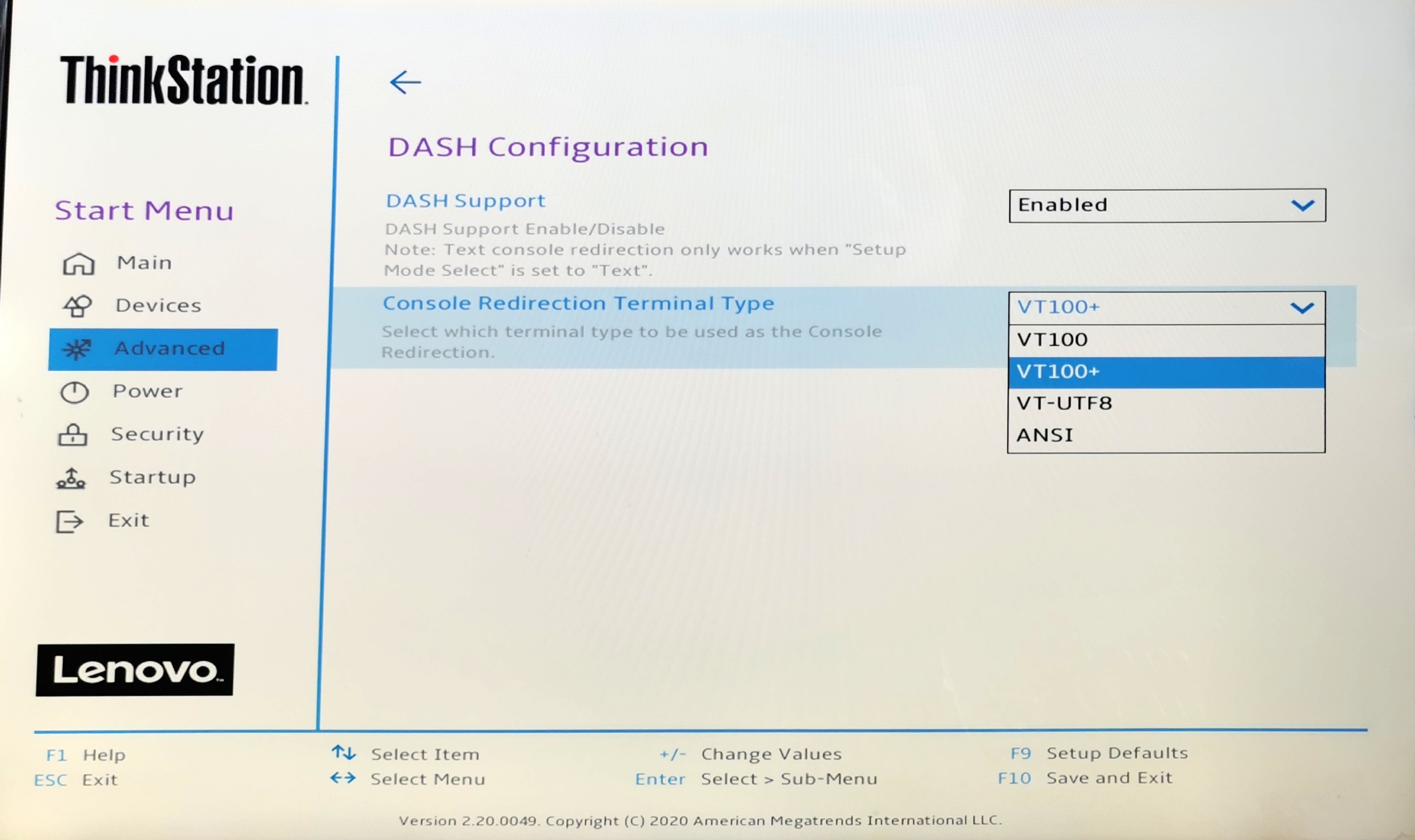
These features were disabled when we first looked at the system, so admins looking to purchase them might request Lenovo do the necessary setup in advance. For business customers, they do things like that.
The fan settings, as we’ll discuss on the next page, are in the Power section.

In the security settings, there are a number of different password options due to the Pro-level nature of the workstation. What also surprised me is that there is an option to set the password encryption algorithm. Your choices are SHA-256 (standard) or SM3 (China), the latter of which is one of the Chinese cryptographic standard hashing algorithms. The other password options enable admins to set password length, password strength, and prevent BIOS rollback.

If there’s one thing I’d like, it would be a section on the screen that states what CPU is installed, how much memory, and perhaps the CPU temperature. The idea would be that this section would be on screen at all times, rather than having to hunt it down (CPU temperature isn’t actually listed in the BIOS anyway).


For users that know their way around a BIOS, Lenovo has made it relatively straight forward and easy.
Software
Before most people grown about the concept of OEM-level bundled software, Lenovo has done it right with this one. Aside from the background image when the user starts up, there is next to none. Lenovo’s sole program option is the Commercial Vantage application, allowing the user or admin to see the warranty length, probe Lenovo for system and driver updates, and offer links to online documentation/user guides. It’s unobtrusive and I couldn’t even find it at first, as Lenovo doesn’t even put its own name on it when searching for it.

I wish more vendors offered this little software. But this is perhaps a product of the professional nature of a system, whereas commercial systems for end-users there’s typically a kickback for an OEM to supply various software with it, or they are sold with particular anti-virus software etc.
Originally published at https://www.anandtech.com/show/16482/lenovo-thinkstation-p620-review-a-vehicle-for-threadripper-pro (Wayback Machine).