
Canon PowerShot SD300: The Best Ultra-Compact in its Class?
- Posted in
- Digital Camera
General Image Quality
For these pictures, the camera was reset to its factory default setting. Then, it was set to its highest quality recording setting. The pictures were then taken in Auto mode unless stated otherwise. Portrait-style images have been rotated using Irfanview's "lossless operations". Click on a thumbnail to view the full-size image. All images are in sRGB color space.  Click to enlarge. |
 Click to enlarge. |
 Click to enlarge. |
 |
 |
 |
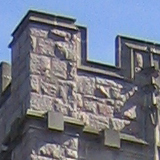
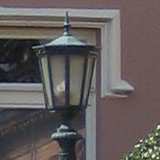
In the first sample above, the SD300 proves capable of producing images with excellent detail. We also noticed some blurring near the corners of the frame. Again, in the second sample, we were very impressed with the level of detail. However, we noticed some purple fringing along the top of the building and the branches at the upper-left of the frame. In the third sample, we have highlighted more corner blurring. We found this to be much more common in pictures taken at a wide angle than at the telephoto end of the optical zoom.
 Click to enlarge. |
 Click to enlarge. |
 (Macro mode, + 0.7 EV) Click to enlarge. |
 |
 |
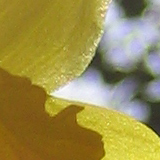 |
In the first sample above, we have cropped out a portion of the frame that reveals some JPEG artifacts. Although this was not a common problem with the SD300, it does appear in shadow areas such as this. In the second sample, our crop shows significant purple fringing around one of the subjects. We should also point out that corner blurring was not as much of an issue in this picture, since we had the camera at the telephoto end of the zoom. In the final sample, the SD300 proves that it can take some very good macro pictures. To counter the strong backlighting, we applied an exposure compensation of + 0.7 EV. With the ability to focus as close as 1.2", this camera certainly offers a lot of possibilities to the macro photographer.
Overall, we were very impressed with the SD300's image quality. The main issues were purple fringing and softness in the corners. We feel that both of these issues aren't so bad that they would compromise overall image quality. In fact, in an 8"x10" print, they would probably be hard to notice at all.
Long Exposure
 (8 seconds, ISO 50) Click to enlarge. |
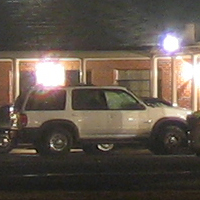 |
By enabling the "Long Shutter" option in Manual mode, the SD300 can expose images for up to 30 seconds. In our 8-second exposure above, the camera proves capable of capturing a respectable level of detail. We were expecting a less grainy image at ISO 50, but the amount of detail is decent. You can also see some purple fringing around the lights.
Movie Mode
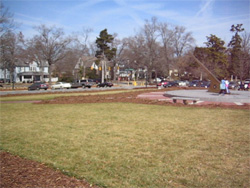
(640x480, 30 fps)
Click to view.
Originally published at https://www.anandtech.com/show/1623 (Wayback Machine).