
EasyShare DX7590: Kodak's Second Ultra-Zoom Digicam
- Posted in
- Digital Camera
Playback Features
Unfortunately, there is no obvious way to power on the camera in playback mode without extending the lens. However, it can be done by setting the Mode dial to Favorites. Then, power on the camera and press review. To move to different pictures, simply press left/right on the multi-directional joystick.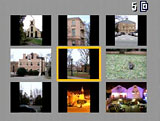 Image thumbnail view |
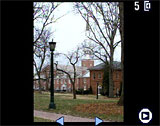 Image regular view |
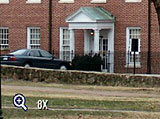 Image magnified 8x |
A thumbnail screen with 9 images can be displayed by pressing down on the joystick. In addition, an image can be magnified up to 8x in 1x increments by pressing the zoom controller in the telephoto direction. To jump back to a normal 1x display, press in on the joystick.
 Default |
 No info. |
 Detailed |
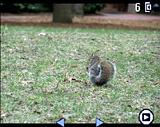
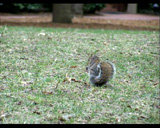
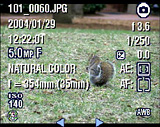
By pressing the Status button, the display can be selected from the following three types: default, no information, and detailed. The default screen will display the number of the picture out of the total number on the card/internal memory, the image location icon, a play icon, and two arrows. When the Status button is pressed, the screen is completely cleared of everything, but the image. Another press of the Status button will bring up a large array of details including file name, date, time, resolution, quality, color, focal length, ISO, flash, flash compensation, record mode, aperture, shutter speed, exposure compensation, metering, focus zone, and white balance.
An image can be deleted by highlighting it and pressing the Delete button. A Delete dialog will appear with the options "Picture", "Exit", and "All". By pressing the Share button while viewing an image, the following options will appear: Cancel Prints, Print All, Print, E-Mail, and Favorite. By selecting "Print All", the camera will tag all pictures for printing. Alternatively, you can select "Print" to set a specific number of copies for individual pictures. With the E-Mail option, you can tag images with specific email addresses so that they will be easy to locate later.
Originally published at https://www.anandtech.com/show/1612 (Wayback Machine).