
Dell UltraSharp 1905FP: Setting the Bar for New 19" LCDs
- Posted in
- Displays
Application Analysis
The core of our LCD benchmarking comes from real application analysis. We play with a lot of monitors and it gets easier for us each time to pick out problems with an LCD just by using the right application. Here are a few quick looks at some demanding full screen applications. We already ran ColorVision's OptiCal software, so all of our monitors are calibrated and adjusted to the same curves.
High Definition Video – We played the WMV9 1080p version of "Under Sea Adventure" to give our monitor a little taste of high definition video. We don't get the full experience, of course, because the monitor is not sized correctly to fit a 1080p signal; there is some cropping. Like the Samsung 193P from the 19" LCD roundup, there was a slight issue with red shift noticeable on blue images.

Click to enlarge.
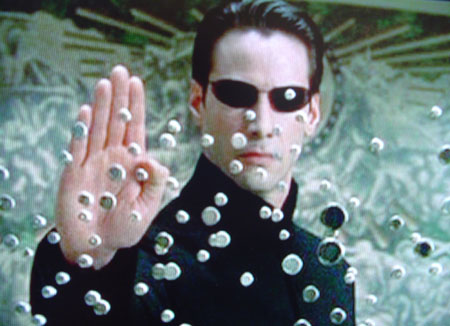
The Matrix Reload, The Matrix - We use the Matrix series to test full motion video on our LCDs. Since the Matrix isn't the best movie to test color reproduction, we typically only look for motion blur on gray-to-gray transitions or other imperfections in the signal. We noticed no imperfections in the screen regularity; and zero artifacts using the DVI connector. We very briefly used the LCD under the analog connector and did notice problems across the letterbox. Occasional artifacts would crop up near the letterbox borders, but this is undoubtedly due to interference issues with the analog cable.
WarHammer 40K, Dawn of War - When looking for a monitor's response time, we generally only consult first-person shooters for reference. However, those of you who have played a fast-paced game of Warcraft III or NeverWinter Nights will know that scrolling around for hours puts a severe tax on the monitor. We did not notice any significant problems while scrolling on our 1905FP - the game seems perfectly playable to us.
Max Payne 2 - The extreme light and dark transitions in Max Payne still provide us with the sufficient criteria to benchmark transient response time; specifically, we can focus on the light and dark extremes. Again, we get an occasional red shift here and there. Since the monitor does let us adjust the color ever slightly, we modified the color preset a nudge toward blue and green. This compensated for the red issues in most cases.
Halo, Unreal Tournament 2004 - Halo and UT2K4 have very similar results, but now, we are looking for fast motion and color correctness at the same time. After adjusting the color toward blue/green, we had to set it back when playing Halo and UT2K4. Fast motion was on par with what we expected for this game; we certainly didn't notice any motion blur, but if the Dell 1905FP is your first LCD, then you will notice a difference immediately.
Originally published at https://www.anandtech.com/show/1600 (Wayback Machine).