
Dell UltraSharp 1905FP: Setting the Bar for New 19" LCDs
- Posted in
- Displays
User Interface
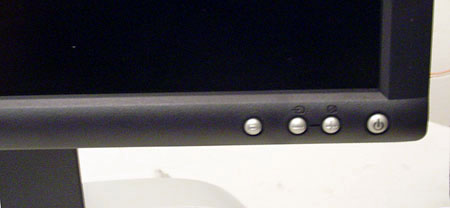
The 1905FP uses an interface familiar to anyone who has used a Dell LCD before. All input is controlled by the four buttons on the lower right corner of the monitor.
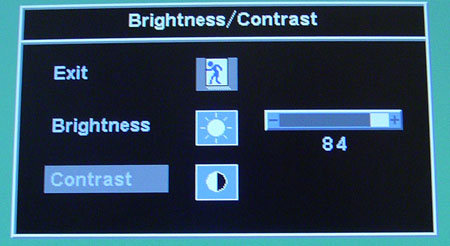
If you have seen one Dell on screen display, you have seen them all. Even the Dell 1702FP has the same look and feel as our 1905FP display.

Click to enlarge.
Using the DVI input, the monitor limits our ability to change anything other than the brightness and the color presets. We were a little surprised that the monitor gave us control of the color presets, since the digital signal should replicate accurately what the video card is rendering. To us, the red and blue presets were extremely uncomfortable. In the menu above, the items with gray boxes around them are unavailable.
Like Dell's previous performance monitors, the UltraSharp 1905FP screen can pivot 90 degrees on its side to convert the 19" 5:4 aspect ratio into a 4:5 ratio instead. Unfortunately, no pivot software or drivers came with the monitor, so we had to rely on third party tools.
There is also a slight clearance problem at the bottom of the monitor if we attempt to rotate with the screen at its lowest height setting. Fortunately, the UltraSharp 1905FP utilizes a universal joint in the back, so we only need to tilt the screen backward a little to compensate. Unfortunately, this is a little clumsy. In the end, the clearance problem isn't a big deal, but it can be a minor annoyance.
Originally published at https://www.anandtech.com/show/1600 (Wayback Machine).