
Apple's Mac mini - Tempting PC Users Everywhere
- Posted in
- Mac
Upgrading the mini
Now that you've seen the innards of the Mac mini, it's pretty obvious that there are only a few things that you can really upgrade in this machine. You can replace the hard drive; however, you're going to want to make sure that it lines up with Apple's custom connector in order to work properly.
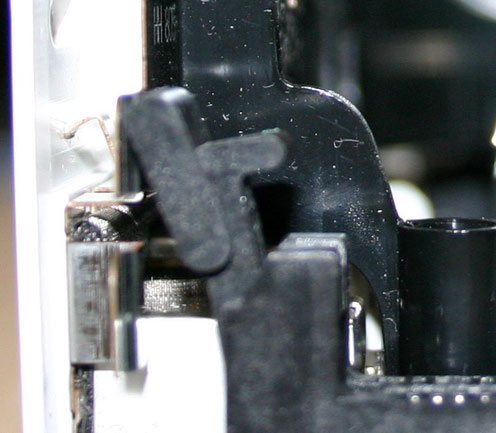
Memory installation is pretty easy, considering it uses regular desktop 184-pin DDR DIMMs (you still need to buy Mac specific memory - G4 or G5 memory will work because the motherboard is quite sensitive to the SPD on modules). The first thing I noticed was that the left latch on the memory slot can't be extended all the way. Apple definitely did their best to not waste a single centimeter in here:
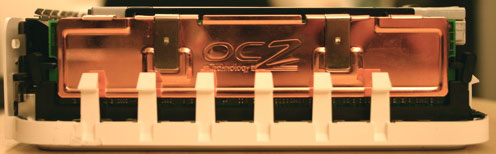
The default memory that ships with the Mac mini comes from Hynix and features no heatspreader (not that one is needed, as there are obviously no memory overclocking options on the machine). Unfortunately, all of the Mac memory that we had in the lab came with heatspreaders, but to our amazement, our OCZ G5 modules actually fit in the system. It was a tight fit as you can see below, but it worked:
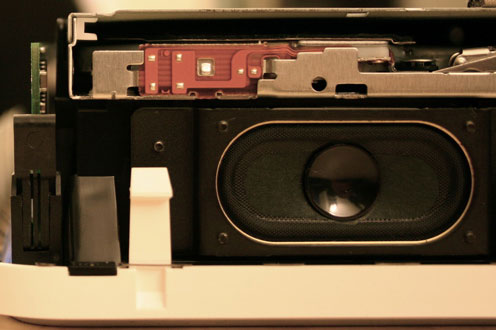
Original 256MB stick installed on the left.
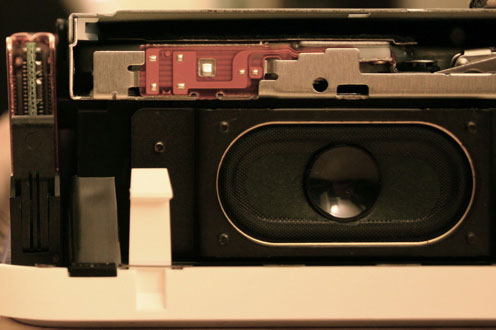
OCZ 512MB stick installed with heatspreader on the left
Originally published at https://www.anandtech.com/show/1596 (Wayback Machine).