
ASUS ROG Maximus XII Hero Wi-Fi Review: The Tale of Two Motherboards
ASUS ROG Maximus XII Hero WiFi Conclusion
With Intel’s processors going above 150 W and 200 W during their turbo periods by default, we are getting to a point now where motherboard optimized profiles are extending the times these high power modes are in operation. Out of the box, most motherboards are not running Intel recommended specifications, but instead the motherboard manufacturers own optimized settings. To that end, users have to understand even before turning on the system what their cooling requirements can be, which can be difficult.
ASUS’ solution to this question, given that they do not want to lose all the benefits that having an out-of-the-box optimized group of settings for a motherboard built beyond Intel’s specifications, is to give the user a choice on first boot: to choose Intel specifications, or ASUS’ Optimized settings. It looks a little something like this.
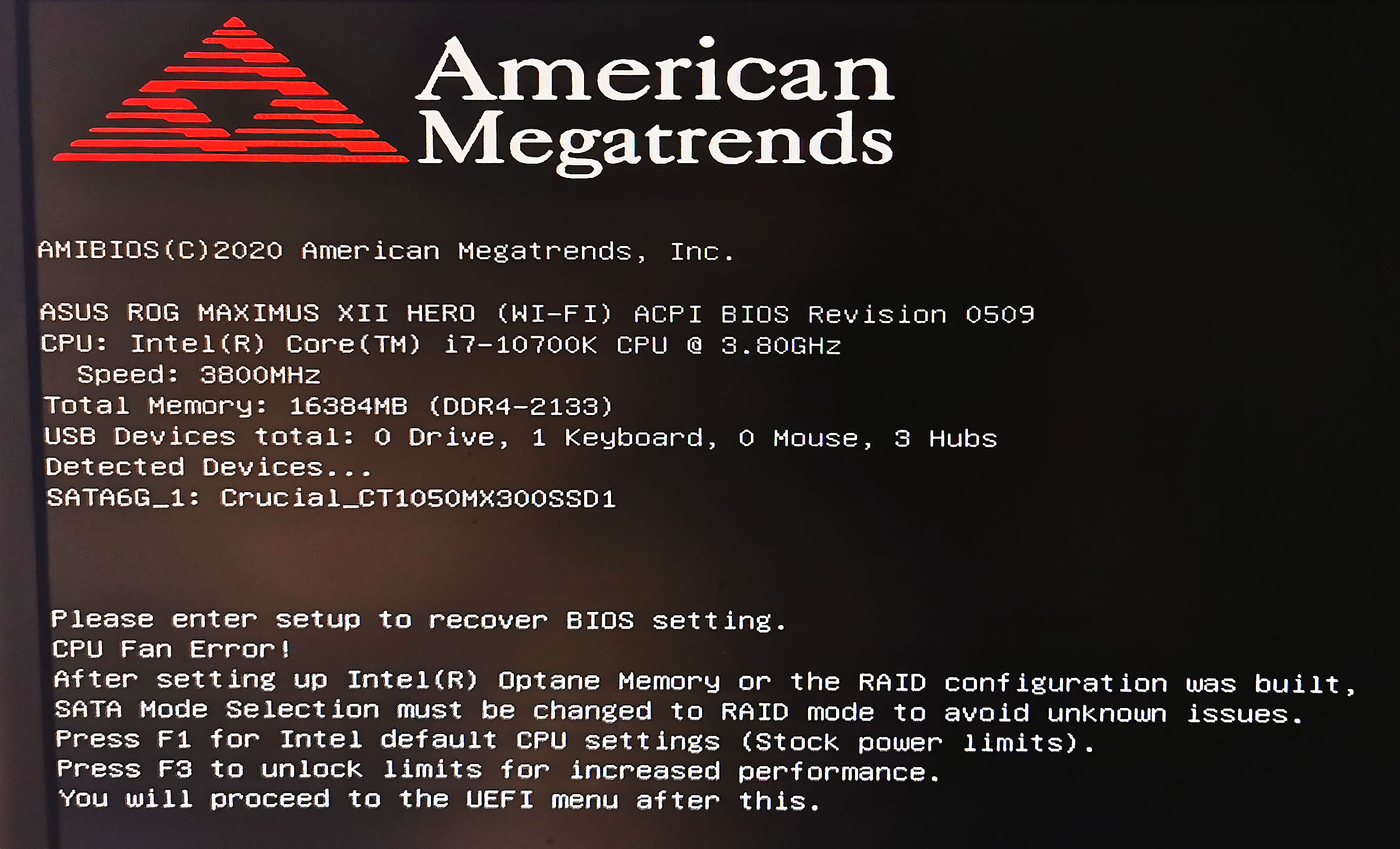
ASUS’ optimized settings in this case gave us extended turbo profiles, raising the power limits and power time for when the processor was in its turbo modes. As a result we saw a not-insignificant 2% gain in performance, at a slightly lower power, with ASUS’ Optimized settings rather than Intel defaults. In the land of motherboard operation, where most users see them as performing all the same, this becomes a factor in actual end-user performance worth noting.
As I pitched at the beginning of this review, although this is useful for the enthusiasts among us, for those that don’t know that the motherboard might be able to go beyond Intel’s settings, it might be a bit overwhelming, and they will chose Intel defaults by standard. Not all is completely lost here, given that the user still benefits from ASUS’ extended power delivery and chipset cooling. However, for $399, I wonder just how many non-enthusiasts would be stumped here.

The motherboard as it stands is an interesting bit of kit. It has fan headers coming out of every segment of the motherboard (it has eight), and offers some premium controller support, such as Aquantia 5G Ethernet, Intel’s AX201 Wi-Fi 6 module, a USB 3.2 Gen 2.2 (20 Gbps) port, plenty of additional RGB headers and support for liquid cooling, and three PCIe 3.0 x4 M.2 slots underneath the chipset heatsink for a unified cooling strategy. There’s also the enhanced SupremeFX audio and ESS ES9023 DAC as well.
In our performance metrics, the Hero scored well in power consumption, Boot Time, and was very competitive in our CPU/GPU benchmarks. We did indeed see benchmark differences when using ASUS’ Optimized settings over the Intel defaults, making it well worth enabling for all users, especially as we also saw a lower peak power reading at the wall.
For overclocking, our eight-core Core i7 chip did 5.1 GHz very easily, but started to throttle back at 5.2 GHz due to the chip overheating rather than anything on the motherboard. In our overclocked settings, the thermal readings both on the power delivery and behind the power delivery were well under 60ºC in a case, showing that this board has the strength to push a processor assuming the user has a good chip and sufficient cooling. For this generation it seems, for day-to-day overclock use, the limits are almost certainly the CPUs and not the motherboards.
At $399, the ASUS ROG Maximus XII Hero is on the expensive end of the market. There’s no immediate gimmick that makes this motherboard a must buy for a certain section of the audience, but it simply comes across as a polished design with a number of key controller upgrades that the cheaper boards lack. A polished design with a good cooling strategy is always worth looking at for the Core i7 and Core i9 unlocked processors, which is what this board will end up paired with.
Originally published at https://www.anandtech.com/show/15833/the-asus-rog-maximus-xii-hero-wifi-motherboard-review (Wayback Machine).