
December 2004 HTPC Case Roundup
- Posted in
- Cases/Cooling/PSUs
Ahanix D.Vine 5
We had our first look at Ahanix in the HTPC market with their D.Vine 4 case in our introduction to HTPC cases back in October. We only looked at it briefly as a sort of feature check on HTPC cases as we talked about what to look for in HTPC cases in general. Then, about a month ago, we compared another Ahanix model to the new Intel BTX form factor to gauge thermal and sound conditions. Again, we only took a brief look at the case's features, since the review was to compare BTX to the ATX form factor. We now have a chance to look a bit more in-depth into the last Ahanix model, the D.Vine 5 HTPC chassis by Ahanix and see its full potential as an HTPC case.External Design
The D.Vine 5 looks a bit like the D.Vine 4 with its brushed aluminum front bezel. It stands slightly shorter than its predecessor at about 5.7" as opposed to the D.Vine 4's 7" height. At the left, we see the "D.Vine Home Theater PC" logo printed in a contrasting color, which keeps the look of the bezel pleasing to the eyes. At the bottom left corner of the bezel is where the Power and Reset buttons as well as the Power LED reside. The Power button is noticeably larger than the reset button, which helps users distinguish between the two when in total darkness. Otherwise, each button is clearly labeled. Also, both buttons are easy to press and give off a clicking sound to assure the user that they have been pressed successfully.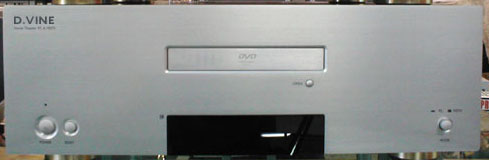
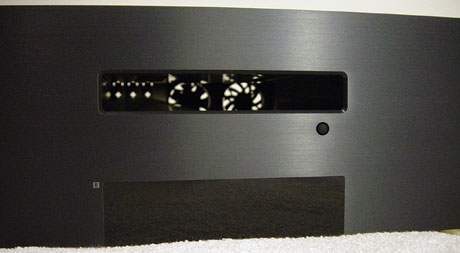
The middle section of the bezel is occupied by a single optical drive slot and an integrated LCD display. The D.Vine 5 comes with an aluminum optical drive bezel replacement, which matches the case's bezel and will replace the optical drive's factory tray bezel. Under the drive tray slot to the right is a small, round drive eject button, which is labeled "OPEN". The integrated Vacuum Florescent Display is the same 2x16 display with a parallel port interface used in the D.Vine 4. It also features an IR receiver, which can be used with almost any PC IR remote with Windows Media Center Edition.
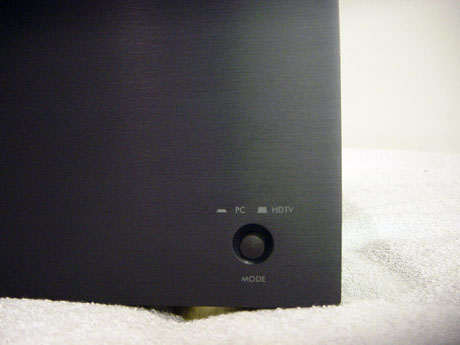
At the bottom right corner of the bezel, we notice a two-position button that is labeled "MODE". The down position enables "PC" mode while the up position enables "HDTV" mode. This button would most likely control the once optional EiOS HDTV receiver, which was planned to be bundled with the D.Vine 5. EIOS has gone out of business since then and is no longer in production. Ahanix has also removed the mounts for the EiOS HDTV receiver and they will not be found on 90% of the units on the market today.
Originally published at https://www.anandtech.com/show/1577 (Wayback Machine).