
Intel Ghost Canyon NUC9i9QNX Review: NUC 9 Extreme Realizes the SFF Dream
HTPC Credentials - Display Outputs Capabilities
The
| NUC9i9QNB Display Outputs | ||
| HDMI | 2x Thunderbolt 3 | |
| Version | 2.0a | DisplayPort 1.2 |
| Max. Video Output | 3840x2160 @ 60Hz | 4096x2160 @ 60Hz |
| HDCP | Yes (2.2) | |
| HDR | Yes | No |
| HD Audio Bitstreaming | Yes | |
The BIOS of the NUC9i9QNX also allows for switchable graphics. The ASUS Dual GeForce RTX 2070 MINI 8GB GDDR6 in our review configuration supports a maximum of four displays using three additional display outputs (the DisplayPort output supports multi-stream transport and can drive additional displays down the chain). The end implication is the ability of the system to simultaneously drive a total of 7 independent displays. The table below lists the display outputs of the RTX 2070 card in our review sample.
| ASUS Dual GeForce RTX 2070 MINI Display Outputs | |||
| DVI-D | HDMI | DisplayPort | |
| Version | Dual-Link | 2.0b | 1.4 |
| Max. Video Output | 2560x1600 @ 60Hz | 3840x2160 @ 60Hz | 7680x4320 @ 60Hz |
| HDCP | Yes (2.2) | ||
| HDR | No | Yes | |
| HD Audio Bitstreaming | No | Yes | |
Supporting the display of high-resolution protected video content is a requirement for even a casual HTPC user. In addition, HTPC enthusiasts also want their systems to support refresh rates that either match or be an integral multiple of the frame rate of the video being displayed. Most displays / AVRs are able to transmit the supported refresh rates to the PC using the EDID metadata. In some cases, the desired refresh rate might be missing in the list of supported modes.
Display Refresh Rates - NUC9i9QNB
Our evaluation of the NUC9i9QNX

The gallery below presents screenshots from the other refresh rates that were tested. The system has no trouble maintaining a fairly accurate refresh rate throughout the duration of the video playback.


Display Refresh Rates - ASUS Dual GeForce RTX 2070 MINI
Our initial HTPC evaluation was followed up by using the

The gallery below presents screenshots from the other refresh rates that were tested. Similar to the Intel HDMI output case, the system has no trouble maintaining a fairly accurate refresh rate throughout the duration of the video playback.


UHD Blu-ray Playback Support
UHD Blu-ray playback is currently supported when using the HDMI port driven by select Intel GPUs. It also needs SGX support. The NUC9i9QNX ticks all required items, as shown by the CyberLink Ultra HD Blu-ray Advisor tool in the screenshot below.
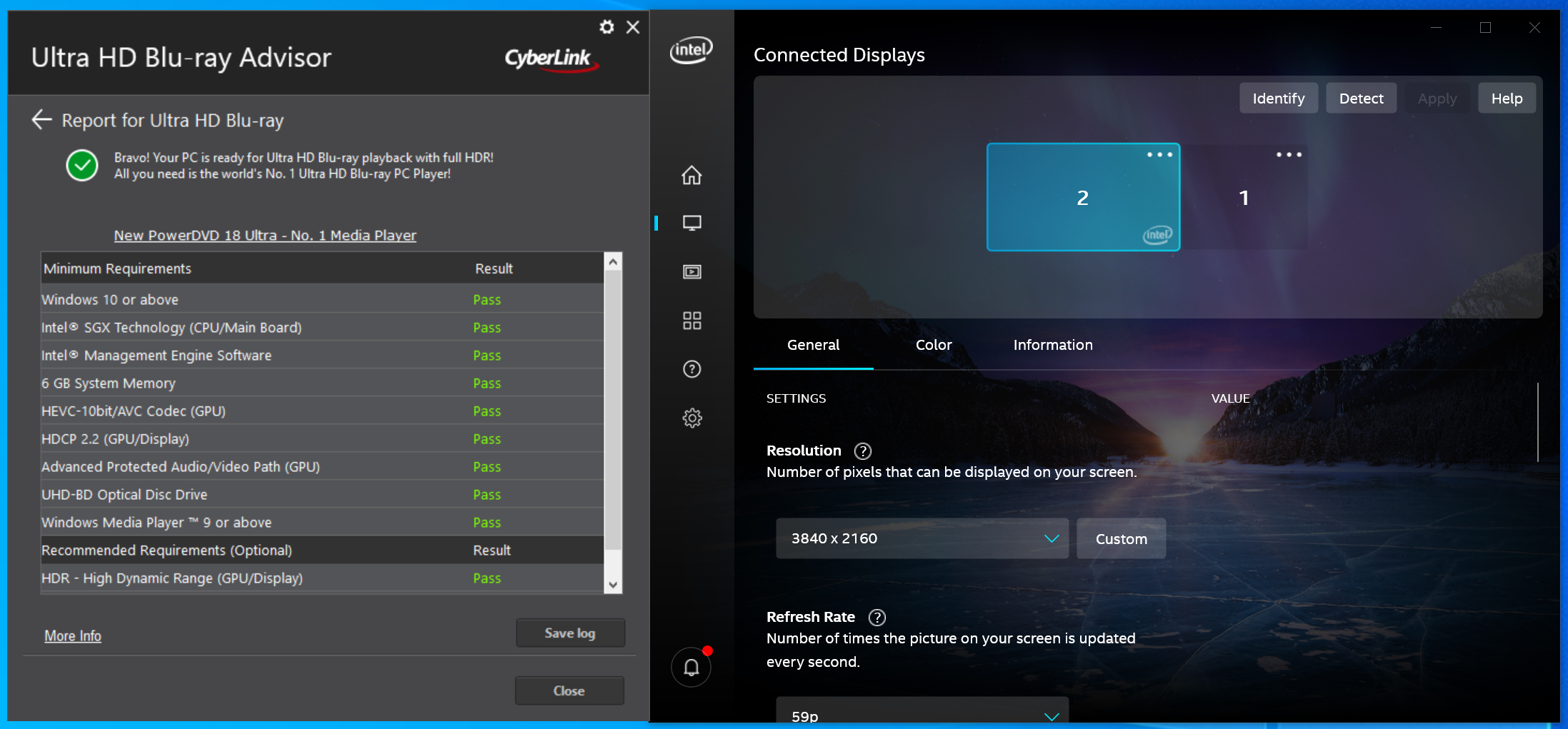

Using CyberLink's latest PowerDVD 20, we were able to successfully play back a UHD Blu-ray, as shown above.
Originally published at https://www.anandtech.com/show/15720/intel-ghost-canyon-nuc9i9qnx-review (Wayback Machine).