Mid-Range SFF Gaming System
One area that we didn't address yet is the potential to go with a small form factor (SFF) system. This especially makes sense for those who attend LAN parties, not to mention the college students that lack space for a large system in their dorm rooms. Many people think that SFF systems are really expensive, but that's not necessarily true. All told, the cost of going with a SFF setup is about $50 more than going with a standard desktop system. There are drawbacks, but first, let's list our SFF configuration, again using an Athlon 64.
| Mid-Range SFF AMD Athlon 64 System |
| Hardware |
Recommended Component |
Price |
| Processor |
AMD Athlon 64 3500+ 512K 2.2 GHz (939) 90nm |
285 |
| Memory |
Mushkin Dual Pack 2x512 PC3200 2.5-3-3 |
159 |
| Video Card |
Albatron GeFORCE 6800 GT 256MB GDDR3 |
374 |
| Hard Drive |
Seagate 160GB SATA 7200RPM 8MB Model ST3160023AS |
93 |
| Optical Drive |
NEC DVD+/-RW Drive Model 3500A |
72 |
| SFF Case |
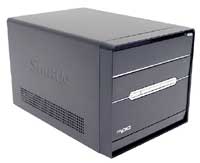
Shuttle XPC SN95G5 (AMD socket 939) |
299 |
| Display |
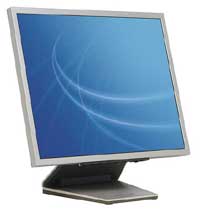
Samsung 172X 17 LCD |
429 |
| Speakers |
Logitech Z-640 5.1 |
52 |
| Keyboard |
Logitech Internet Keyboard |
17 |
| Mouse |
Microsoft IntelliMouse Optical |
24 |
| Bottom Line |
|
1804 |
Click to enlarge. |
The total price of our SFF configuration ends up being almost $300 more than the Mid-Range system, but there are reasons for this. We have included a 17" LCD with our SFF recommendation, which is the lion's share of the price increase. After all, what's the point of getting a space-saving, portable case if you're going to pair it with a bulky CRT? That adds an extra $200 to the price, so if you disagree and feel that CRTs and SFFs can peacefully coexist, you can put together a Mid-Range SFF system for $1600. As with the high-end setup, we strongly recommend that anyone looking for a quality LCD get a model that had a DVI-D interface. Unfortunately, one knock against the Samsung 172X is that it is an 18-bit display, which uses dithering/interpolation to "reproduce" 24-bit color. This doesn't matter too much in games, and the 12 ms response time convinces us to go with it anyway, but we're not entirely happy with the options in the 17" LCD segment. Besides the display, remember that a SFF case includes the motherboard and a custom heatsink for the CPU in addition to the case and power supply. So, the $300 cost of the Shuttle XPC takes the place of about $225 of desktop hardware - $250 if you want an aftermarket HSF for your system.
Click to enlarge. |
The one thing that you do sacrifice with a SFF is expansion options. Where most desktop cases can support three or four 5.25" drives, two external 3.5" bays, and three or more internal 3.5" hard drives, the Shuttle XPC that we have used is limited to one 5.25" drive and one 3.5" drive externally, along with one 3.5" internal mount for your hard drive. It is also limited to one AGP slot and one PCI slot, but with all of the included features, the lack of PCI slots is not likely to be an issue. RAM expansion options have been cut back to two DIMM sockets, so even with 1 GB DIMMs, you would max out at 2 GB of RAM. None of these issues are deal-breakers, however, and when paired with a 6800 or X800 graphics card, you have a lot of performance packed into a small, quiet chassis.
We have only included a SFF recommendation for a socket 939 Athlon system, but you could do the same with any other platform. Nearly every motherboard manufacturer has at least one SFF system available, and usually they have several. If you don't upgrade components frequently, SFF cases can be a convenient replacement of the standard "boring" home or office computer.


