
ATI Radeon Xpress 200: Performance, PCI Express & DX9 for Athlon 64
- Posted in
- CPUs
BIOS Features: ATI Bullhead
It is rare that we would want to show the BIOS options for a chipset in more than basic features, but the options available to the reviewer are unusually complete on the ATI Bullhead.ATI chose the AMI BIOS, which is used by Asus and many other manufacturers on their AMD Athlon 64 motherboards.
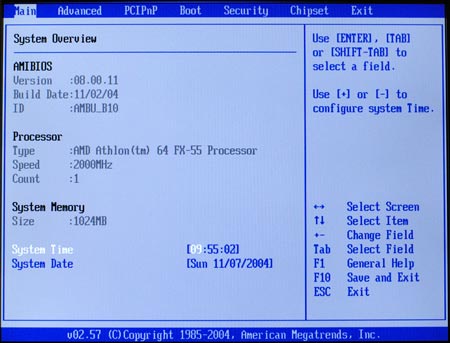
Since the ATI RX480 is designed for qualification, you may not see the same range of tweaking options on shipping boards. However, it is worth showing some of the more interesting options from the BIOS, just so readers will know that they can be implemented on an ATI RX480/RS480 board.
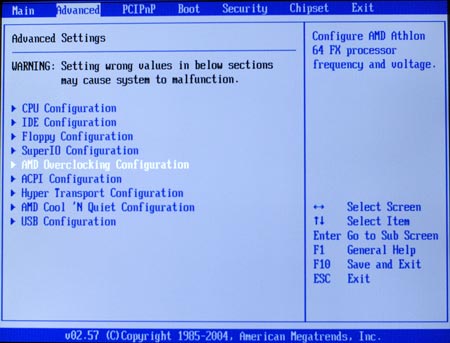
Many tweaks can be found in the Advanced Menu. This includes many of the features of interest to overclockers.
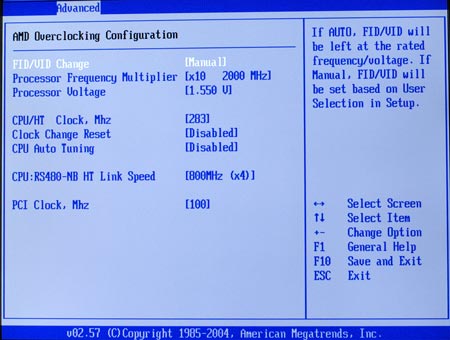
As you can see, the AMD Overclocking section has adjustments for Ratios, CPU voltage, clock speed, Hyper Transport Speed, Auto-Tuning, and PCIe clock.
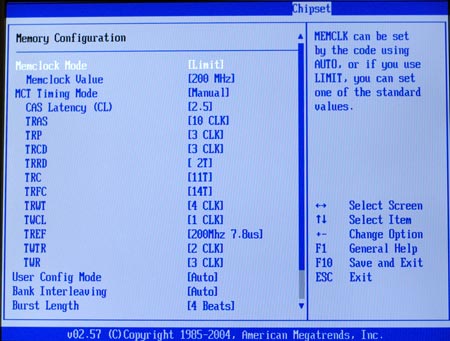
Memory timings and voltage are found in the Chipset, Northbridge menu.
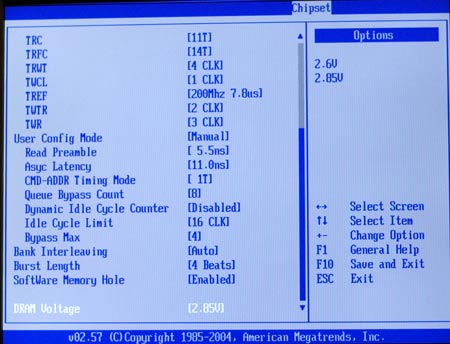
Memory tweaks even include a User Config mode with additional memory adjustments. The Memory controls are among the best that you will ever see in an Athlon 64 BIOS.
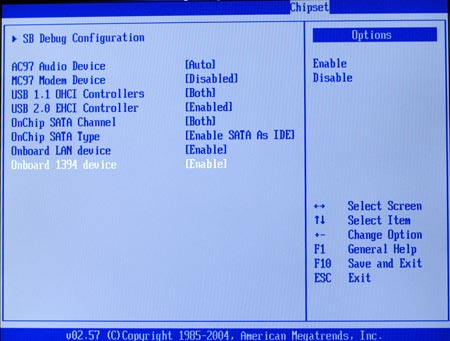
The Southbridge controls include a range of options for the integrated peripherals...
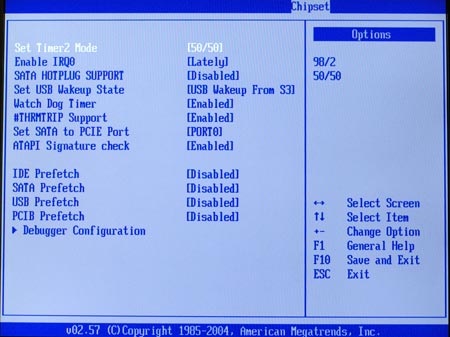
...and a Southbridge Debug Configuration menu.
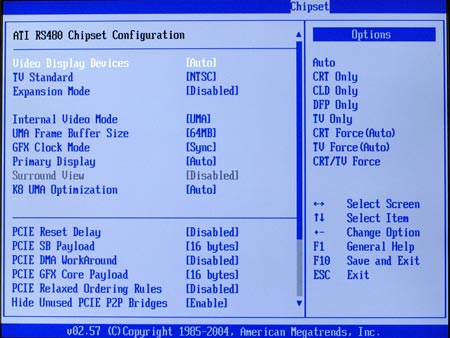
For RS480 chipsets, you will also find an RS480 menu under chipsets. Options in the RS480 allow control of the integrated graphics and graphics related options like SurroundView.
The point, of course, is that ATI supplied the ATI Bullhead loaded with the kinds of options that reviewers need to get the most out of the RX480/RS480 chipset. With a full range of options and wide adjustment ranges, we couldn't wait to see where we could take the Bullhead in overclocking.
Originally published at https://www.anandtech.com/show/1537 (Wayback Machine).