
Microsoft Windows XP Media Center Edition 2005: Feature and Performance Investigation
- Posted in
- Smartphones
- Mobile
Recording TV in 2005
Recording TV hasn't changed much with MCE 2005, although there are still some features we'd like to see. The biggest feature that's still missing is the ability to save the timeshift buffer, so if you're watching a TV show and half way through it decide that you'd like to record it, it will only start saving after you hit the record button, regardless of the fact that the rest of the show is physically on your hard drive in Media Center's buffer. It's not uncommon for a set-top PVR to lack this feature but it's a feature that ATI has had in their DVR products for a while, and something that shouldn't be too difficult for Microsoft to implement - and incredibly useful at that.
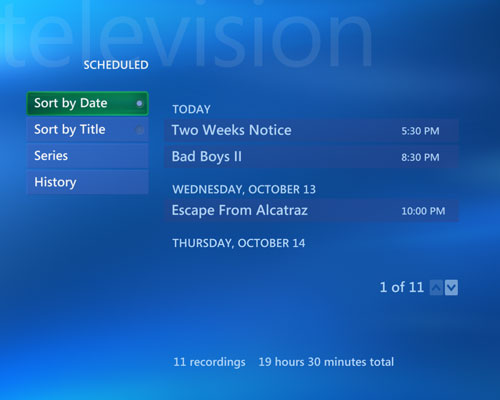
It's very easy to see what you've got scheduled to record through the Scheduled option under the Recorded TV menu.
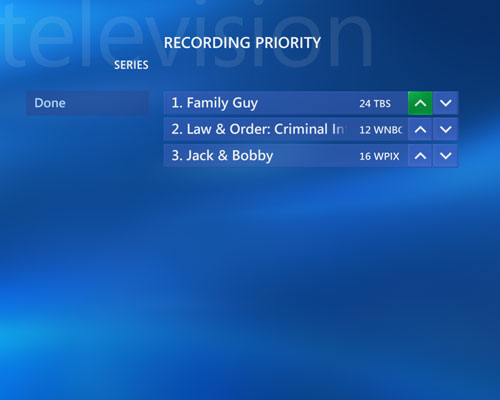
Media Center does support prioritizing of series recordings, but the settings for recording priority are buried beneath many layers of menus - My TV > Recorded TV > Scheduled > Series > Change Priorities. Once you get to the menu, it's simple to figure out how things work - the up arrows increase priority and the down arrows will decrease priority. Then in the event that there is a conflict and you're not around to manage it, Media Center will use your priorities to determine what to record and what gets the boot.
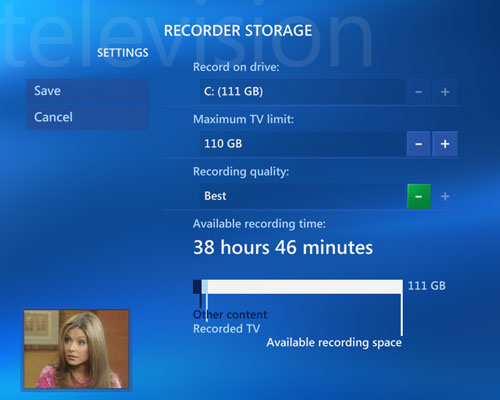
The recording settings haven't changed in 2005, using the Recorder Storage settings screen you can set MCE to record to a separate drive to improve multitasking performance.
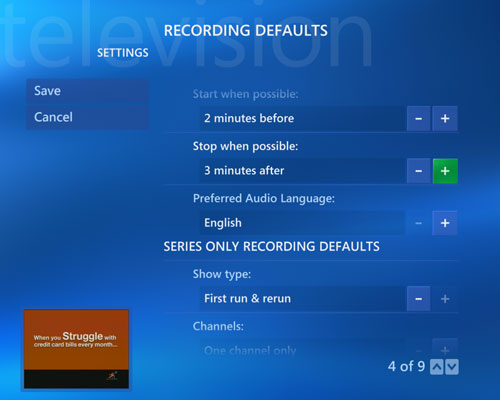
Just like in MCE 2004 you can automatically pad all recordings by starting the recording early and letting it go longer whenever possible for those pesky shows that never seem to start or end on time.
Originally published at https://www.anandtech.com/show/1508 (Wayback Machine).