
Microsoft Windows XP Media Center Edition 2005: Feature and Performance Investigation
- Posted in
- Smartphones
- Mobile
A New Setup Tool
With MCE 2005, Microsoft has included a video that helps you adjust your monitor/TV
settings for the best picture quality with Media Center.
Through Media Center's Display Calibration Wizard, you are coached through
adjusting the positioning of your screen, aspect ratio, brightness, contrast
and color balance.
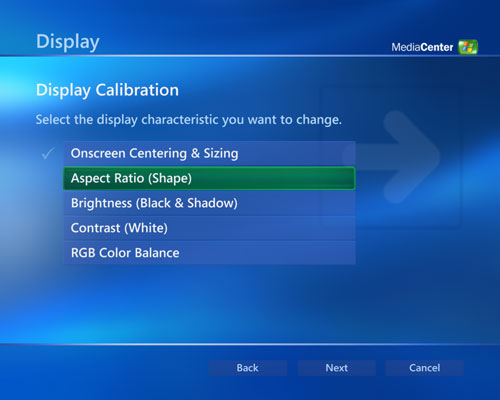
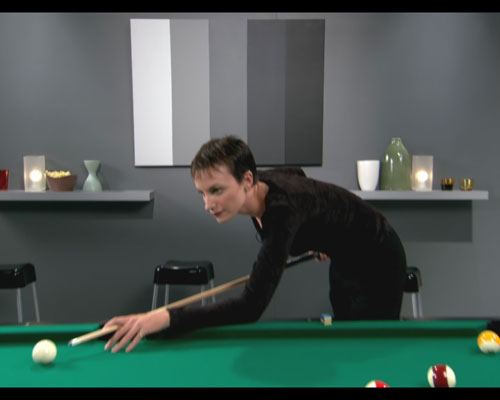
The wizard lets you properly center your screen by displaying a video of a few "friends" playing pool. In a frame within the video there's another video giving you an indication of what you should see on your screen; you adjust what you see on your screen until it matches what's displayed in the box.
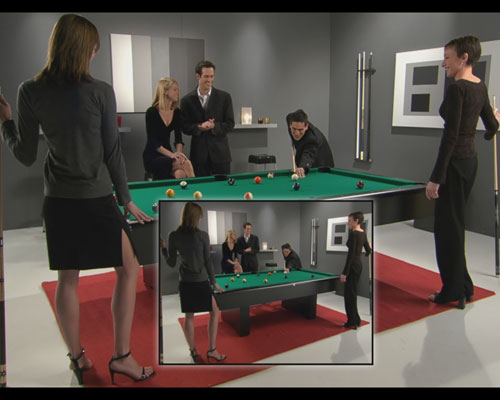
Configuring your aspect ratio is a bit misleading as Media Center tells you to look for the Geometry controls on your display, which aren't exactly related to what you would normally think of when you think aspect ratio (e.g. 4:3 or 16:9 aspect ratios). What the video segment in this clip does do a good job of however is giving you a good reference point to make sure that your display isn't being stretched.

Media Center even tells the user to look to make sure that the cube of chalk looks square and that the billiard balls look round, both things that will be distorted if you are running in a stretched viewing mode. Other than telling you to change your resolution or use the geometry controls on your display, the Display Calibration Wizard does an otherwise poor job of educating the uninformed about how to choose the right aspect ratio setting on their display.
The brightness test is a very useful one and relatively easy to interpret:
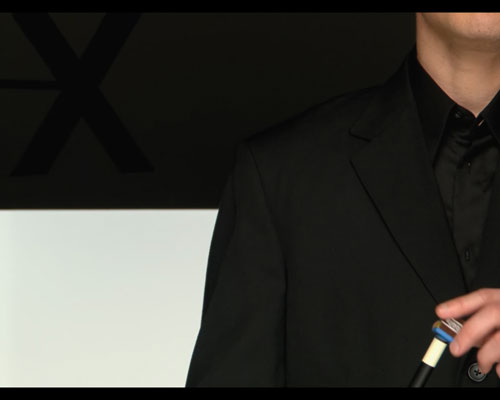
... as is the contrast test:
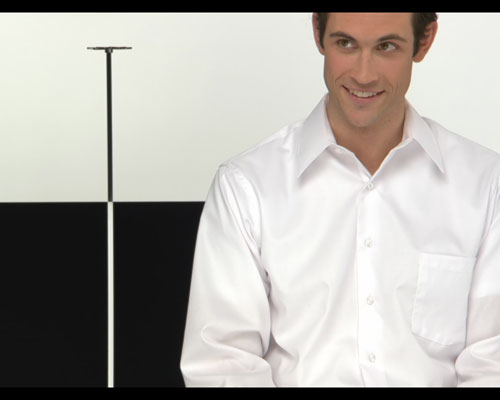
In both situations, the wizard tells the user what to look for and what a properly calibrated display should look like.
Finally the color balance configuration gives you a set of gray bars to remove all red, green or blue tints from.
The Display Calibration Wizard is a nice addition for entry level users as well as those users who are not yet ready to graduate to using something like Video Essentials to configure their display. It's a valiant and appreciated effort on Microsoft's part.
Originally published at https://www.anandtech.com/show/1508 (Wayback Machine).