
Shuttle SB81P: Intel's 915G
- Posted in
- Systems
Shuttle SB81P: BIOS
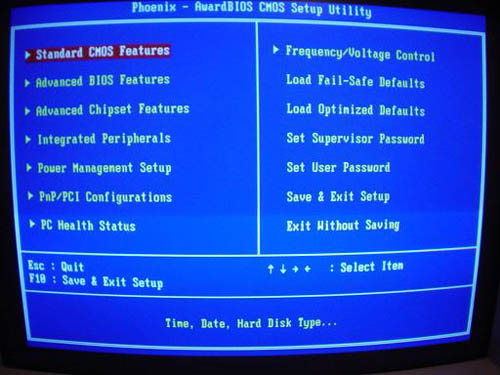
As with the majority of motherboards in the world, the Shuttle FB81 motherboard utilizes a Phoenix Award BIOS.
Shuttle had extreme overclocking enthusiasts in mind when they wrote the SB81P BIOS. This BIOS allows FSB adjustments up to 355MHz in 1MHz increments. A 355MHz FSB (that's just over a 1.4GHz quad pumped FSB) is an impossibly high threshold to reach with modern day Pentium 4 Prescott processors. In other words, Shuttle is providing you with a FSB ceiling high enough to fit any earthly demand that you could desire. With some recent Prescott processors reaching unbelievably high FSB speeds, this feature will fit those extreme overclocker's needs perfectly. Unfortunately, overclocking leaves much to be desired with the SB81P, as you will soon read about in the FSB Overclocking section of this review.
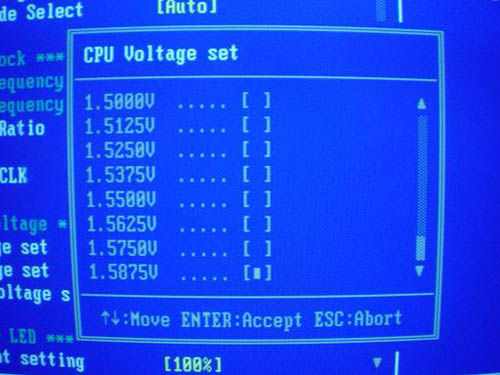
The SB81P's Vcore adjustments are quite good, scaling up to 1.5875V in 0.0125V increments. Remember, default Vcore for an S755 Prescott processor is 1.3875V, unlike previous 0.13-micron Pentium 4 processors hovering around the 1.50V mark.
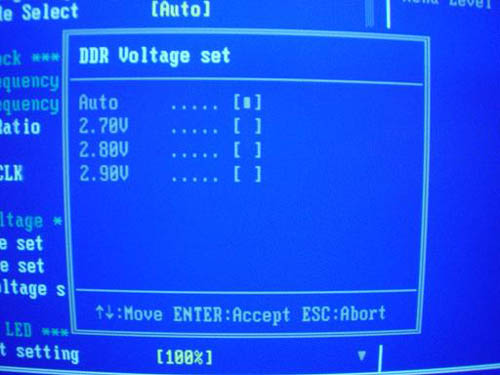
We were disappointed to see that the VDIMM adjustments maxed out at 2.9V. While the SB81P isn't a great FSB overclocker, you'd be able to squeeze out some solid performance gains via memory overclocking, which a 2.9V restricts a bit. We would have like to have seen 3.2V as the VDIMM ceiling. Don't get us wrong - 2.9V isn't a horrible rating, but it could be better.
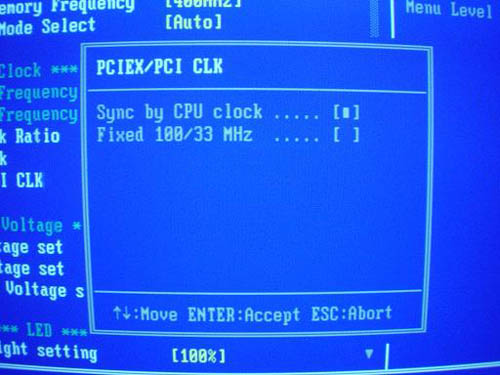
For some reason, Shuttle doesn't allow PCI or PCIe frequency adjustments in the SP81P BIOS. This is unfortunate, but for most enthusiasts, it is a minor setback, as PCI/PCIe tuning isn't really all that common or necessary anyway. However, like all Intel chipsets, there is a PCI/AGP lock present (in this case, a PCI/PCIe lock).
|
|
|


Clearly one of the most important features of an SFF is how noisy it is, so having the ability to control your fan speed is simply too important. Fittingly, one of the great aspects of the SB81P (and indeed, practically every Shuttle SFF that we've ever used) is its fan speed control options. As shown above, the SB81P BIOS allows fine-tuned adjustments in 10% increments from 0-100 for both the CPU and System fans. This is exactly the type of stuff that we've always loved and have come to expect from Shuttle. Additionally, you have the option of using the "Smart Fan" control located in the same menu as the other 10% increments. Smart Fan dictates how fast your fan should spin based on the program(s) that you're running. This option is very useful if you constantly switch between programs that take up few resources and programs that take up lots of resources.
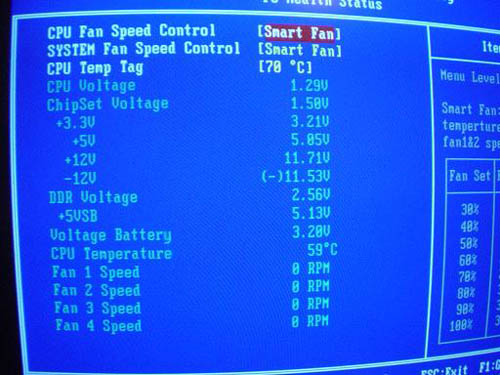
The SB81P PC Health section includes a fairly standard array of monitoring options. These include System/CPU Fan Speed Control options, CPU Temp Tag, Vcore, VDIMM, PSU voltages (all rails), battery voltage, and CPU temperature. Overall, this section contains a well above-average set of features.
Originally published at https://www.anandtech.com/show/1478 (Wayback Machine).