
Konica Minolta DiMAGE Z2 & Z3: What is the difference in performance?
- Posted in
- Digital Camera
General Image Quality
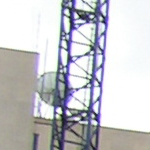
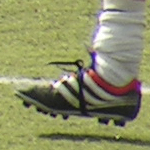
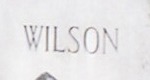
Unfortunately, we did not have the Z2 and Z3 available for testing at the same time. Therefore, we were unable to take pictures of the same subjects (with the same conditions) with each camera. Below, we have assessed general outdoor image quality separately for each camera. For these pictures, both cameras were reset to their factory default setting. Then, they were set to their highest quality recording setting. The pictures were then taken in Auto mode unless otherwise stated. Click on a thumbnail to view the full-size image. The crops below the thumbnails are 100%.| Z2 Images | ||
 Click to enlarge. |
 Click to enlarge. |
 Click to enlarge. |
 |
 |
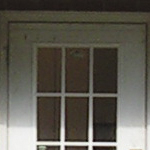 |
| In our first crop, we can see that although the subject is properly focused, the image has a fuzzy appearance to it. In addition, it looks like there are JPG artifacts on the blade of grass on the right side. | In this shot, we were looking for chromatic aberration and we only found a bit at the upper left corner. The rest of the image shows the same softness that the first image did. | Here, chromatic aberration is not a problem, but we can see JPEG artifacts around the lines of the door in the shadow. |
 Click to enlarge. |
 Click to enlarge. |
 Click to enlarge. |
 |
 |
 |
| For this shot, we set the camera to "Sports action". As you can see, the Z2 did a good job of freezing the action. However, the image is fuzzy and there is chromatic aberration visible in several spots. | Again, there are JPEG artifacts around lines in this picture. The artifacts are especially visible on the lettering (if you are having trouble seeing the artifacts, turn up the contrast on your monitor). The rest of the image has a fuzzy quality. | Taken in "Super Macro" mode, this image was average in image quality. We spotted some chromatic aberrations along some edges. Also, this image contained the same soft, fuzzy look that most of the pictures had. |
For the Z3, we left the camera on its default Anti-shake setting of "Display + Exposure".
| Z3 Images | ||
 Click to enlarge. |
 Click to enlarge. |
 Click to enlarge. |
 |
 |
 |
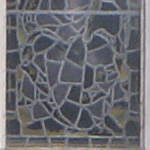
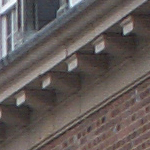
| The main thing to notice here is that the Z3 produces images that are less saturated than the Z2. Otherwise, the image looks pretty good. | Notice the horizontal lines across the crop of this image. We found this issue to be prominent in shadow areas with the Z3. Another note is the absence of chromatic aberrations compared to the Z2. | Again, we have these lines through the image. This time they are vertical (since the image is rotated). This crop also demonstrates the massive loss of detail in the shadow areas on the right side of the frame. In addition, the main subject has a fuzzy appearance and a small amount of JPEG artifacts are visible throughout the image. |
 Click to enlarge. |
 Click to enlarge. |
 Click to enlarge. |
 |
 |
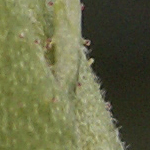 |
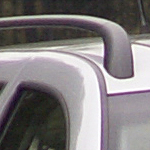
| Here, we were relatively impressed with the quality of the subjects, but we have to mention the recurring lines in the shadow areas of the background. Also, we are disappointed with the visibility of JPEG compression along sharp lines. | It's the same story here. As the crop shows, the subject is well exposed and sharp. However, if you look at the background (particularly the left side), the shadow areas are overtaken by horizontal lines. | We can't really complain about the macro capabilities of the Z3. With the ability to focus as close as 0.4" in combination with the Anti-shake system, we found it very easy to take sharp and detailed macro pictures. |
In general, we were not impressed with either camera's general image quality. We found the Z2 to produce images with more vibrant colors than the Z3, but both cameras had an overall soft/fuzzy appearance. Although both cameras had trouble reproducing detail in shadow areas, the Z3 was the worst. In some of our Z3 samples, detail is almost non-existent in these areas. Also, we spotted unsightly lines across these shadow areas. We were surprised to see both cameras displaying visible JPEG artifacts, considering that we were shooting at the highest quality (FINE). It would be great if Konica Minolta offered a raw mode on these cameras, since these compression artifacts are unacceptable. Overall, we preferred the look of the Z2's images. Right out of the camera, they are more colorful and they have more shadow detail, giving the images a depth that the Z3 could not reproduce. The Z2 showed some chromatic aberrations in comparison to the Z3. However, we feel that they do not detract a substantial amount from the general quality.
Anti-shake (Z3)
The comparison pictures below were handheld on the Z3 at approximately 120mm (35mm equivalent). Anti-shake Off Click to enlarge. |
 Anti-shake On Click to enlarge. |
As you can see, the Z3's A.S. (Anti-shake) system does a pretty good job stabilizing the image at this focal length. As we expected, we found A.S. to be less effective at higher focal lengths than at lower ones.
Z2 - Movie Mode
 Clip 1 (640x480, 30 fps) Right click to download. |
 Clip 2 (640x480, 30 fps) Right click to download. |
Although the movie mode on the Z2 looks promising, "Clip 1" demonstrates the most significant problem that we found. There is a very noticeable A/V sync problem here. After first discovering the problem, we tried changing several movie settings to see if it would help. The audio lag appeared in every combination of settings that we used. Of course, we made sure that the firmware was up to date (1.02). Interestingly, v1.02 was released to address audio problems with regard to playback with the included software. Given that we are not the only ones who have experienced this problem, we would expect Konica Minolta to take some action to fix it.
"Clip 2" above demonstrates two other problems that we had with the movie mode. First, the optical zoom is simply too loud. It overpowers any ambient sound in the scene. The second problem is that the camera has trouble focusing fast enough to keep up with the zoom. If it weren't for the audio lag problem, the movie mode would still be quite usable despite the noisy zoom and slow focus. However, given that there are so many issues, we were really disappointed with the Z2's video functionality.
Z3 - Movie Mode
 Clip 1 (640x480, 30 fps) Right click to download. |
 Clip 2 (640x480, 30 fps) Right click to download. |
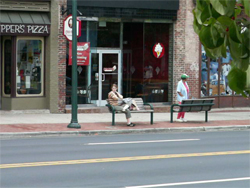
"Clip 1" demonstrates two things. Firstly, it shows that audio lag is not a problem on the Z3. We are happy to hear/see that the sound is synced perfectly with the video. Secondly, the camera had some trouble producing a bright image using the ambient indoor lighting in our room. Even when we adjusted the E.C., there did not seem to be a difference. When we tried the "Night movie" option in ambient indoor lighting, the results were a little better, but not nearly as bright as the Z2. In the second clip, you can hear that Konica Minolta took care of the loud zoom from the Z2. The optical zoom is essentially silent. Overall, we were very happy with the movie mode on the Z3. The only thing that could be a problem for some people is the focusing lag. When performing a substantial optical zoom (as in Clip 2), the camera takes a few moments to focus the lens. We don't think most people will find this to be a big issue.
Originally published at https://www.anandtech.com/show/1462 (Wayback Machine).