
Acer Aspire 2020 - Centrino desktop replacement
- Posted in
- Laptops
Features - Software
The browser, email, volume, Bluetooth, and wireless buttons displays special desktop fonts when activated or deactivated (there is no deactivate function for browser, email, and volume buttons). Bluetooth simply displays "Bluetooth Enabled" or "Bluetooth Disabled" for about 1 second, and wireless does the same. Note that any font displayed will only appear for about 1 second.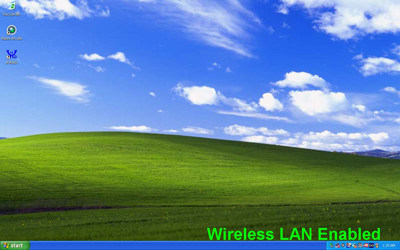
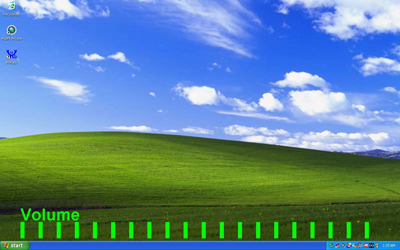
The volume toggle is a bit different, since there are 20 bars that indicate the volume level. This value corresponds with the main volume setting of the system. The only issue that we have here is when you are at "volume level 10" - you only see 10 bars. Bars only appear to indicate the volume level you have selected. We would prefer to see empty bars as well, since this would help the user determine the relative position of the volume value.
Similar to the implementation of the card reader on the Envy M:860, the Aspire 2020's card reader is actually a USB device that only connects to the motherboard when a flash drive is inserted.

Click to enlarge.
Originally published at https://www.anandtech.com/show/1452 (Wayback Machine).