
Gigabyte 802.11g VPN Wireless Router
- Posted in
- Networking
"Smart Setup"
Setting up the BR404W for a wired connection was simple and straight forward. One feature that Gigabyte touts and actually works quite well is the "Smart Setup". Connect an Ethernet cable to one of the router's LAN ports and enter the IP address of 192.168.1.254 in a web browser. Enter the default user name and password, and the router will attempt to detect the type on network you are on automatically. If the router's WAN port is connected to a DHCP enabled network, a message box stating that this is displayed will automatically configured itself to DynamicIPAddress Mode. After an automatic reboot, the WAN configuration is complete. The downside to this is when the router is to be configured for a static IP while on a DHCP enabled network. A forced DHCP configuration and reboot is required before you can configure the IP manually.When connected to a PPOE network, a login screen for your username and password will be presented. Lastly, if the router does not detect any of the aforementioned networks, it will default to manual IP configuration. A static IP configuration screen is presented to enter the networking information.
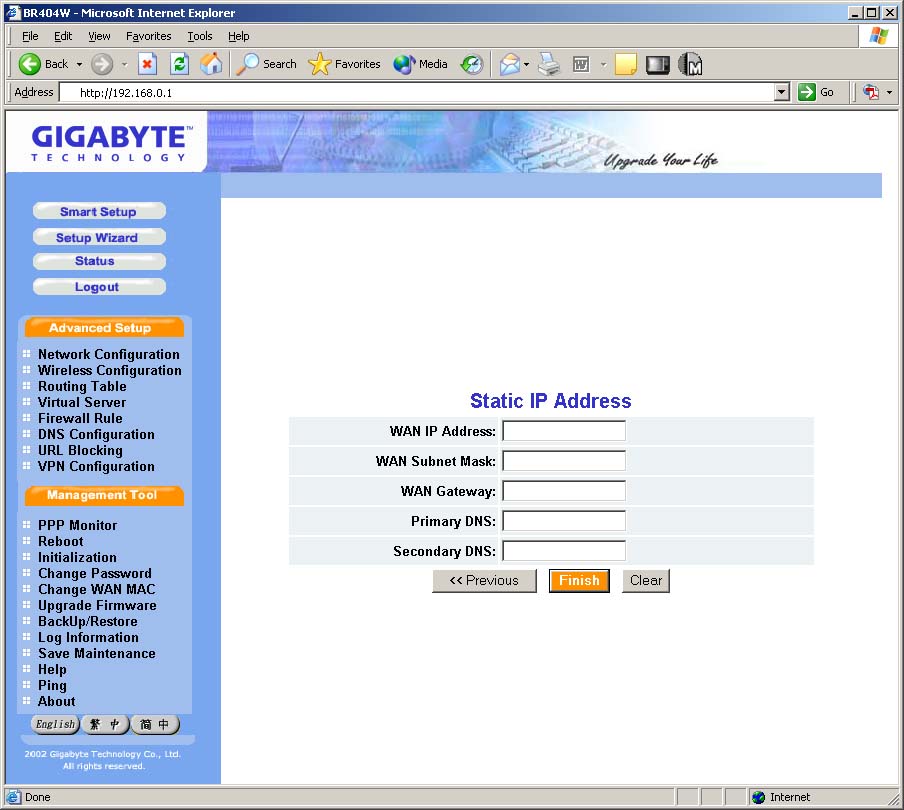
Click to enlarge.
Originally published at https://www.anandtech.com/show/1440 (Wayback Machine).