
Weekly Buyer's Guide: Entry Level System - August 2004
- Posted in
- Guides
Networking
Recommendation: Onboard networkingPrice: $0
Nothing more than onboard networking is needed for an entry level system like the one that we're building today. Pretty much every onboard network controller is the same nowadays, so there's usually no need to worry about Internet speed/download issues. This is why a 10/100 solution like the one onboard the A7N8X-X (and NF7-S Rev.2 if you so choose) will suffice for your Internet needs. Gigabit or 802.11a/b networking just isn't necessary unless you have a home network that transfers a lot of data to and from multiple computers, or if you already have an AP (Access Point) set-up in your home for wireless Internet. Though, if you're interested in setting up some sort of home gateway, you may want to look into dual Ethernet and GbE.
Storage
Recommendation: Seagate 80GB 7200RPM ST380013AS (8MB cache) ATAPrice: $71 shipped
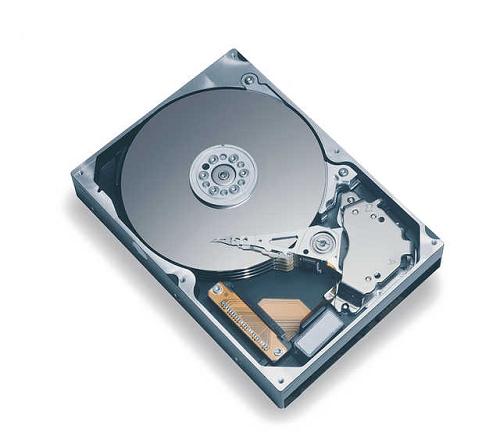
Seagate's Barracuda series is renown for their quiet operation and silent seeking (that grinding sound coming from your case). We are finally recommending Seagate drives because we've seen continued requests for emphasis on silent operation from entry level and mid-range users over the last few months, and are now convinced that there is enough demand for this type of capability.
Alternative: Seagate 120GB 7200RPM ST3120026A (8MB cache) ATA
Price: $87
The additional capacity that you get with a 120GB drive over the 80GB drive, which we recommended as our first choice, can be exceedingly useful if you're someone who stores endless emails in Outlook, plays lots of games, listens to lots of MP3's, or simply needs additional space for the next 12 or more months down the road. However, 120GB is mostly excessive if you're the only person using your computer. Though, this may not be the case if you have family or friends consistently storing information on this system. In that scenario, the additional capacity that the 120GB Seagate affords is quite practical.
Optical Storage
Recommendation: Sony 52x32x52 CD-RWPrice: $29 shipped
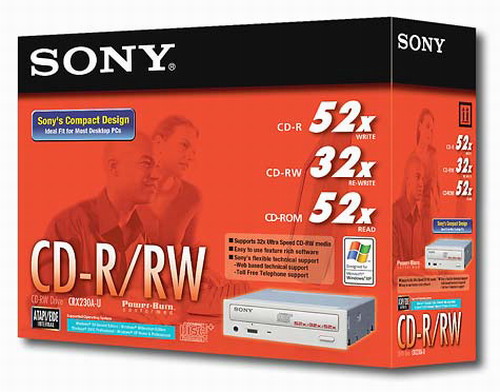
There aren't too many differences between CD-RW's nowadays, save for reliability among various manufacturers. For the most part, Sony has done a good job with their high-end CD-RW drives and we have had great success with them in the past, which is why we decided to recommend them today. You can burn music CD's in mere minutes, and even a full 700MB or 800MB (with the appropriate media) can be burned in a matter of 15-20 minutes depending on the type of files that you're burning. At $31 shipped, you really can't go wrong with this solution.
Alternative: Lite-On 52x32x52x16 Combo CD-RW/DVD-ROM drive
Price: $43 shipped
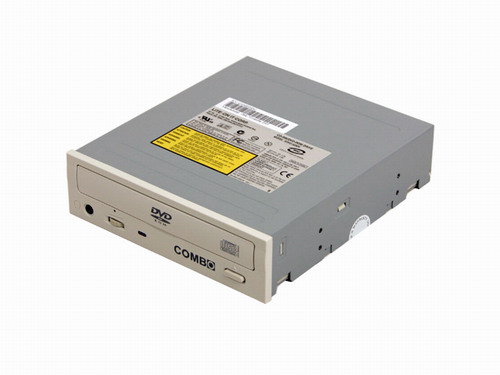
If you want to be able to watch DVDs in addition to having burning capability, then you can always opt for a combo drive. Its function essentially integrates CD burning and DVD watching into one drive. The added benefit is that you're getting a better price for this combo drive versus purchasing an additional drive. On the other hand, the price difference isn't all that huge ($10-$15) if you were to buy a separate drive; plus, that second drive allows you to watch DVDs while you burn CDs, which isn't possible with the combo drive. In the end, the decision is up to you as to how you want to configure your optical storage.
Listed below is part of our RealTime pricing engine, which lists the lowest prices available on storage from many different reputable vendors:
If you cannot find the lowest prices on the products that we've recommended on this page, it's because we don't list some of them in our RealTime pricing engine. Until we do, we suggest that you do an independent search online at the various vendors' web sites. Just pick and choose where you want to buy your products by looking for a vendor located under the "Vendor" heading.
Originally published at https://www.anandtech.com/show/1429 (Wayback Machine).