
The ASRock DeskMini A300 Review: An Affordable DIY AMD Ryzen mini-PC
HTPC Credentials - Display Outputs Capabilities
The
| ASRock DeskMini A300 Display Outputs | |||
| HDMI | DisplayPort | VGA | |
| Version | 2.0a | 1.2 | N/A |
| Max. Video Output | 3840x2160 @ 60Hz | 4096x2160 @ 60Hz | 2048x1536 @ N/A |
| HDCP | Yes (2.2) | N/A | |
| HDR | Yes | No | No |
| HD Audio Bitstreaming | Yes | N/A | |
Supporting the display of high-resolution protected video content is a requirement for even a casual HTPC user. In addition, HTPC enthusiasts also want their systems to support refresh rates that either match or be an integral multiple of the frame rate of the video being displayed. Most displays / AVRs are able to transmit the supported refresh rates to the PC using the EDID metadata. In some cases, the desired refresh rate might be missing in the list of supported modes.
Custom Resolutions
Our evaluation of the

We tested out various display refresh rates ranging from 23.976 Hz to 59.94 Hz. Of particular interest is the 23.976 Hz (23p) setting.

The gallery below presents screenshots from the other refresh rates that were tested. The system has no trouble maintaining a fairly accurate refresh rate throughout the duration of the video playback.


High Dynamic Range (HDR) Support
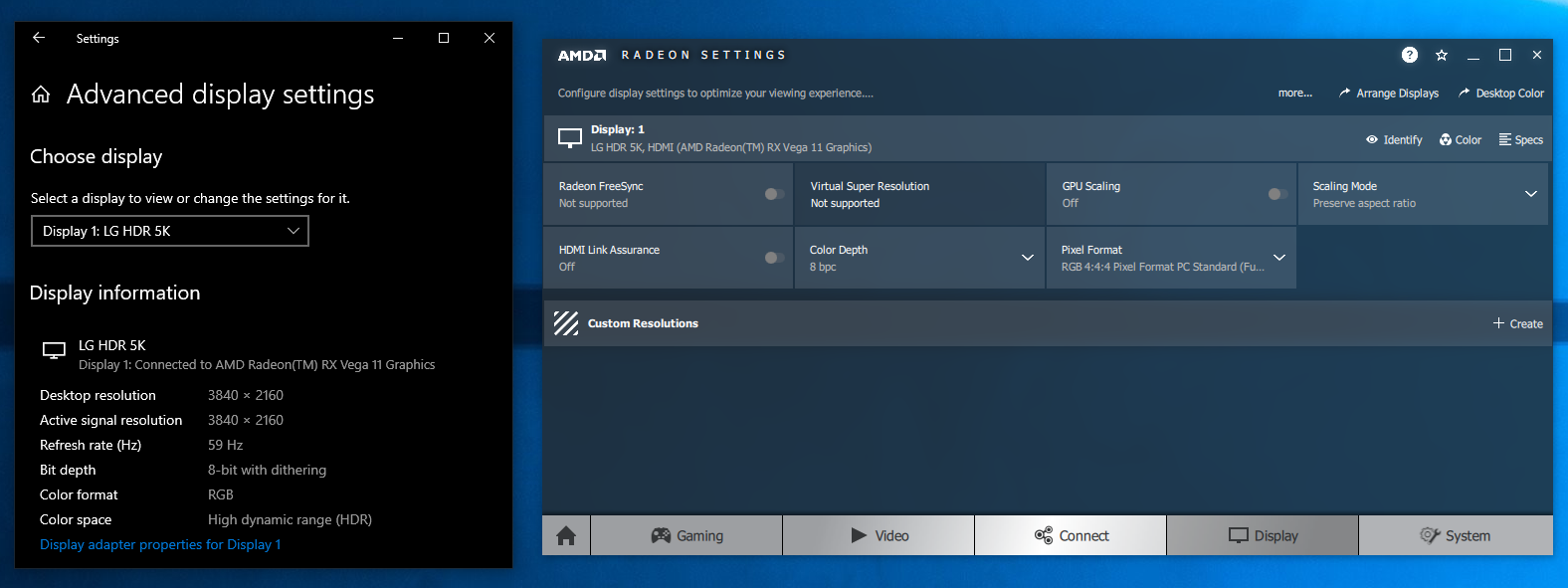
The ability of the system to support HDR output is brought out in the first line of the madVR OSD in the above pictures. The display / desktop was configured to be in HDR mode prior to the gathering of the above screenshots.

By default, the DeskMini A300 drives a YCbCr 4:4:4 signal to the display in HDR mode. This is in contrast to the sub-samped (4:2:2 or 4:2:0) formats used by other GPUs. 4:4:4 ensures that the desktop doesn't have any chroma sub-sampling artifacts leading to fuzzy display of text content. The Readeon Settings application allows for easy configuration of any desired pixel format. We were also able to configure a RGB 4:4:4 full level signal (0-255) in the HDR mode.
AMD systems do not support the Software Guard Extensions (SGX) feature needed to play back UHD Blu-rays. Hence, we didn't bother running the CyberLink UHD Blu-ray Advisor Tool in the DeskMini A300.
Originally published at https://www.anandtech.com/show/14251/asrock-deskmini-a300-review-an-affordable-diy-amd-ryzen-minipc (Wayback Machine).