
The ASRock DeskMini 310 Mini-PC Review: A Cost-Effective Mini-STX Platform
Power Consumption and Thermal Performance
The power consumption at the wall was measured with a 4K display being driven through the HDMI port. In the graphs below, we compare the idle and load power of the ASRock DeskMini 310 with other low power PCs evaluated before. For load power consumption, we ran the AIDA64 System Stability Test with various stress components, and noted the maximum sustained power consumption at the wall.
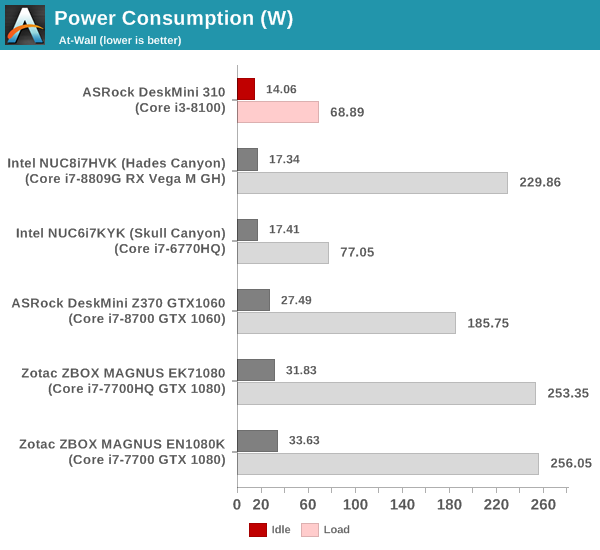
The DeskMini 310 is surprisingly power-efficient despite the presence of a Core i3-8100 65W TDP desktop CPU.
Our thermal stress routine starts with the system at idle, followed by four stages of different system loading profiles using the AIDA64 System Stability Test (each of 30 minutes duration). In the first stage, we stress the CPU, caches and RAM. In the second stage, we add the GPU to the above list. In the third stage, we stress the GPU standalone. In the final stage, we stress all the system components (including the disks). Beyond this, we leave the unit idle in order to determine how quickly the various temperatures in the system can come back to normal idling range. The various clocks, temperatures and power consumption numbers for the system during the above routine are presented in the graphs below.
| ASRock DeskMini 310 System Loading with the AIDA64 System Stability Test | |||
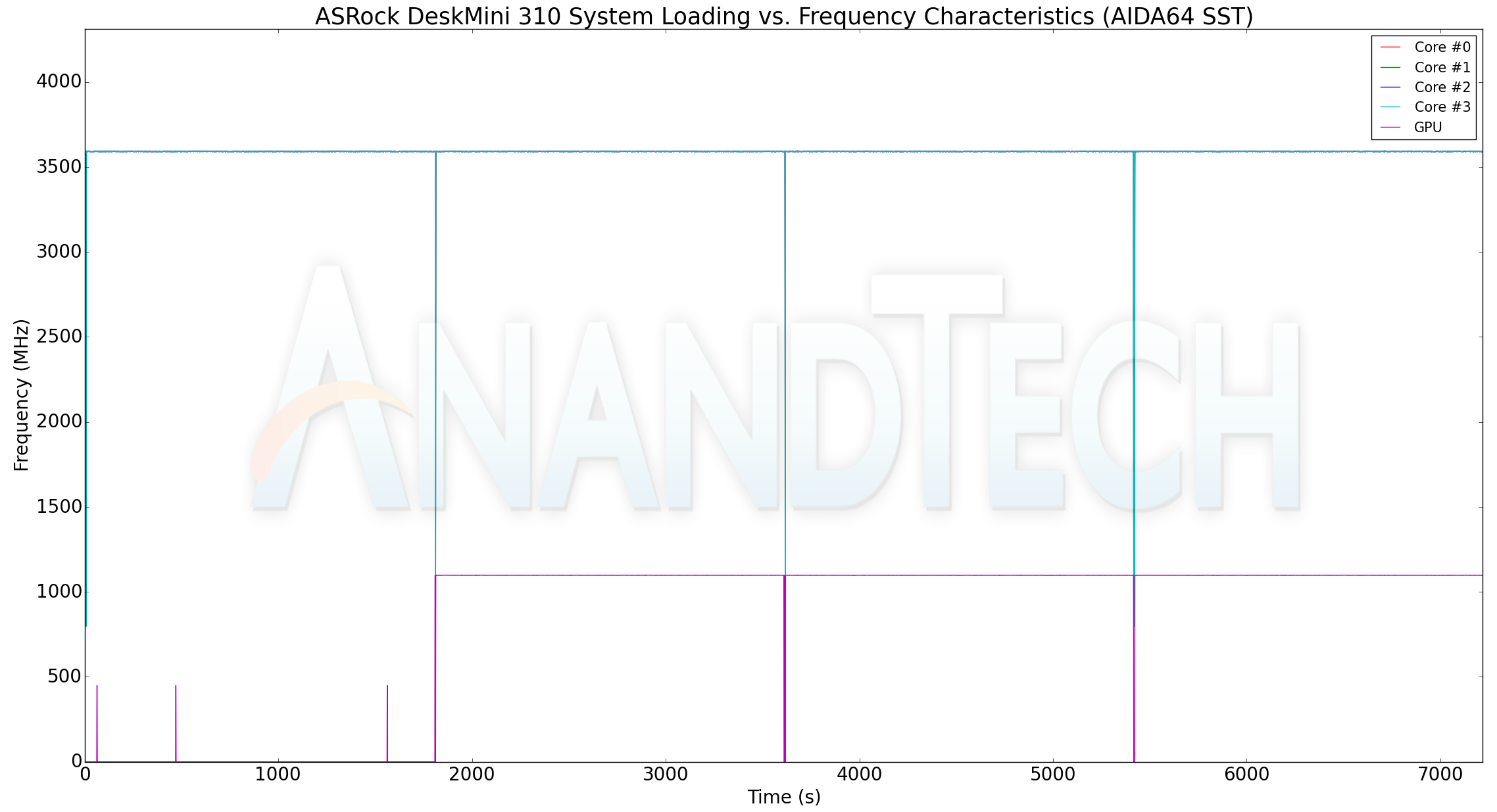
The DeskMini 310 doesn't throttle when subject to the AIDA64 system stability test with stress on various combinations of components. Temperatures stay below 70C and the at-wall power consumption never exceeds 60W. The package power peaks at 35W. As we will see in our custom stress test, the DeskMini 310's BIOS does allow higher power dissipation numbers for the package.
Our custom thermal stress routine starts with the system at idle, followed by 30 minutes of pure CPU loading. This is followed by another 30 minutes of both CPU and GPU being loaded simultaneously. After this, the CPU load gets removed, allowing the GPU to be loaded alone for another 30 minutes. The various clocks and temperatures in the system as well as the power consumption numbers (both internal and at-wall) are presented below.
| ASRock DeskMini 310 System Loading with Prime95 and Furmark | |||
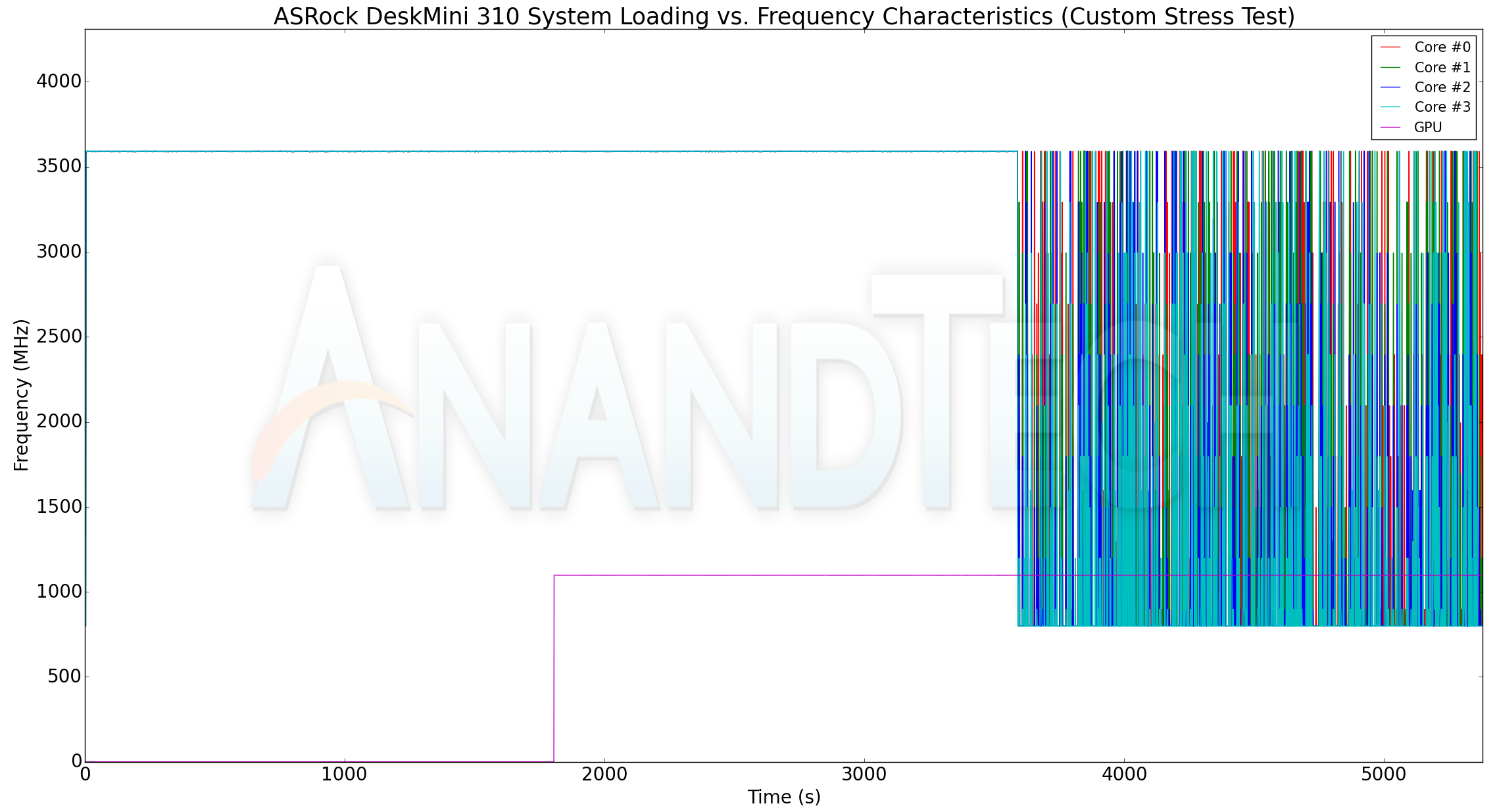
The thermal solution is easily able to support the maximum clock frequency (3.6 GHz) for all the four cores. The GPU also cranks up to 1.1 GHz with the GPU active. The maximum internal temperature observed is only 71C for the cores. The power consumption numbers present an interesting story. It appears that the CPU starts off with a 35W power budget for the package, which then goes up to 42W (and the temperature flattens out around 71C at this power point). With only the GPU active, the package power drops to 40W. The peak at-wall power consumption seems to be around 71W.
Originally published at https://www.anandtech.com/show/14089/asrock-deskmini-310-review (Wayback Machine).