
Overclocking Buyer's Guide - August 2004
- Posted in
- Guides
SATA Hard Drive
SATA Recommendation: Dual Western Digital Raptor 74GB 10,000RPM SATAPrice: $386 shipped
As Anand found in his first review with the new storage benchmarking system, there is Western Digital Raptor and there is everything else. It is hard to argue with the choice of the top Raptor drives in a system geared to get the most possible from your computer.
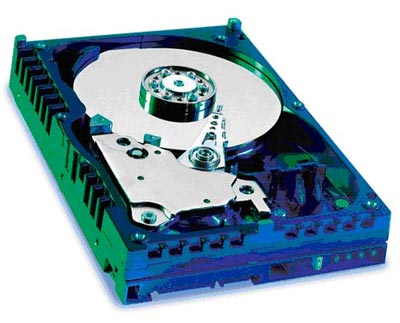
The problem with the top Raptor drives is that they are still relatively small as hard drives go, so we are recommending two drives in a RAID 0, RAID 1, JBOD, or just plain 2-drive setup. Anand has shown there is little performance advantage to RAID 0, but striping is still useful for improving boot times. It can also improve performance in multi-tasking situations, which are admittedly rare on the desktop. RAID 1, on the other hand, is useful in protecting against hard drive failure, which is always a risk when pushing a system to its limits with overclocking. Frankly, many overclockers keep a second hard drive with known good images to restore hard drives that end up in data corruption in overclocking attempts, which is another great use for the second Raptor hard drive.
The storage capacity for two 74GB WD Raptor drives is a generous, but rational, 148GB of fast access storage. Compared to SCSI solutions with similar performance, the 2 Raptors are a virtual bargain. The 74GB Raptors have double the storage of the legendary 36.7GB Raptors, an increase in speed, and the same 8MB buffer. We are also pleased to see a price drop in the 74GB Raptors of almost $50 for the pair in the past two months.
The 5-year warranty for the Raptor drives makes this investment in high-speed storage a little easier to handle. All Drives will fail at some point because they have moving parts, but you have warranty reassurance for 5 years that attest to the quality of these WD Raptor hard drives. Previously, 10,000RPM speeds or a 5-year warranty were features only found on enterprise/SCSI drives, but they have now reached our high-end system desktop.
All of the Overclocking recommended and alternative motherboards, even the DFI Socket A board, have built-in capabilities for SATA or SATA RAID, so it is relatively easy to enjoy this level of performance on any of the four recommended and alternate motherboards.
For overclockers, there is, however, a flip side to using SATA drives. Many motherboards that are favorites with overclockers do not overclock as high with SATA drives as they do with IDE. This primarily applies to Intel chipsets that integrate SATA in the chipset and virtually require a fixed 33.3 PCI bus for SATA drives. At high overclocks, the SATA lock often seems to get compromised and slight drift means no SATA hard drive. You should keep this in mind with some other motherboards, but the two Intel Asus boards recommended in this overclocking guide seem more immune than most boards to high FSB SATA failure.
Listed below is part of our RealTime pricing engine, which lists the lowest prices available on SATA storage from many different reputable vendors:
If you cannot find the lowest prices on the products that we've recommended on this page, it's because we don't list some of them in our RealTime pricing engine. Until we do, we suggest that you do an independent search online at the various vendors' web sites. Just pick and choose where you want to buy your products by looking for a vendor located under the "Vendor" heading.
Originally published at https://www.anandtech.com/show/1408 (Wayback Machine).