
The Lenovo ThinkPad A285 (12.5-Inch) Review: Ryzen Pro Gets Down to Business
Design
The ThinkPad is an iconic look at this point, and Lenovo has done well to constantly update and refresh the design without losing that ThinkPad look. The matte black is exactly what people expect, along with the red LED dot over the i on the back. The ThinkPad A285 is basically the same chassis as the Lenovo ThinkPad X280, with the same dimensions, same weight, and same strong build.

Despite the 12.5-inch display being smaller than a 13.3-inch model, this model hasn’t gotten the slim bezel treatment yet, so it definitely looks a bit more dated than slimmed down bezels in the ThinkPad X1 Carbon, and therefore the footprint of the 12.5-inch A285 is not quite as small as you may think. Still, it is quite compact, and thin at 17.4 mm where it isn’t going to take up a lot of room in a bag.
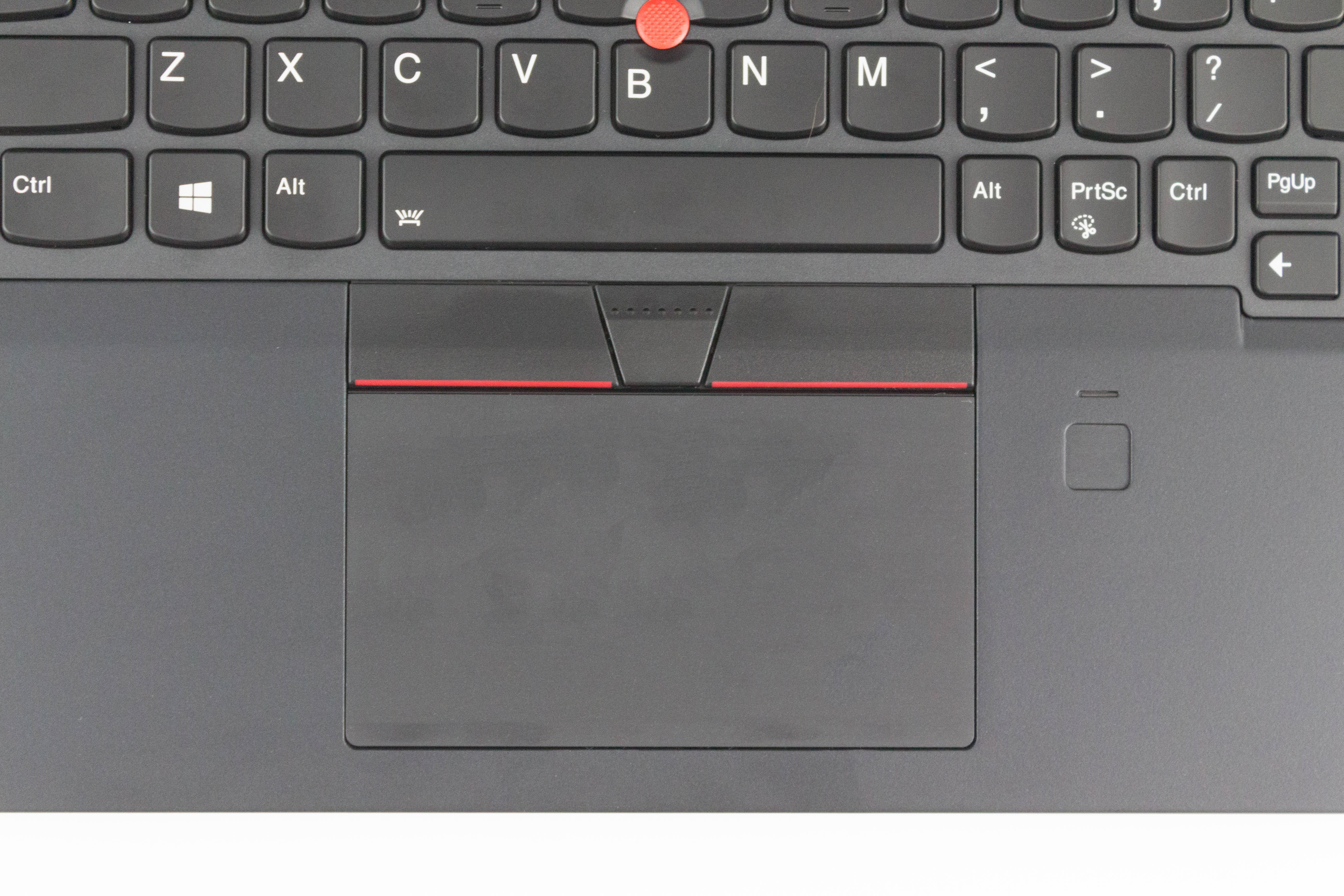
Lenovo offers some of the best keyboards around on the ThinkPad lineup, and the A285 offers that same sculpted key feel that they do so well. The keys themselves have good travel, and offer just enough resistance to feel right. The keyboard offers a couple of levels of white backlighting, which contrasts well with the black keys with white letters. Lenovo reverses the Fn and Ctrl keys on all of their ThinkPad keyboards, but that’s only really an issue if you’re coming from a different brand. Luckily if you don’t want to unlearn your muscle memory, you can reverse them in software.

Lenovo utilizes the Microsoft Precision touchpad drivers, and the touchpad, while not as silky smooth as some of its competition, still offers great response, and seems to pick up multiple finger inputs with no issues. For those that prefer the TrackPoint, that is available as well, and would be sorely missed if Lenovo ever decides to do away with it.
The left side offers the two USB-C ports, with one integrated into the docking connection, which also offers the native Ethernet dongle attachment. The USB-A ports are split between both sides, with the right side offering the always-on version. There’s of course a 3.5 mm headset jack, and HDMI on the left. If you order a model with a smart card reader, that would be located on the right. On the rear is a microSD storage expansion slot.


There’s been an unfortunate tendency for AMD’s processors to find their way into value devices, but the ThinkPad A285 breaks that pattern, as it's basically the same chassis as their Intel-based X280, just with different internals. The result is a well-built, premium business device which happens to offer AMD's Ryzen Pro. So IT administrators will love it because it's as classic a ThinkPad as they come, while enthusiasts will be keen to see what AMD can do in a business-grade laptop.
Originally published at https://www.anandtech.com/show/13726/the-lenovo-thinkpad-a285-review (Wayback Machine).