
Intel Z390 Motherboard Overview: 50+ Motherboards Analyzed
ASUS ROG Strix Z390-H Gaming
Although the ROG Strix Z390-H retains the same PCB layout as the Strix Z390-E model, the visuals are much more aggressive with a red and black theme throughout; the Edge branding on the rear panel cover matches this particular color scheme. The Z390-H has three full-length PCIe 3.0 slots which operate at x16, x8 and x4 respectively, with the top two also featuring a coating of metal slot reinforcement protection. Like the Z390-E, the Z390-H has three available PCIe 3.0 x1 slots.
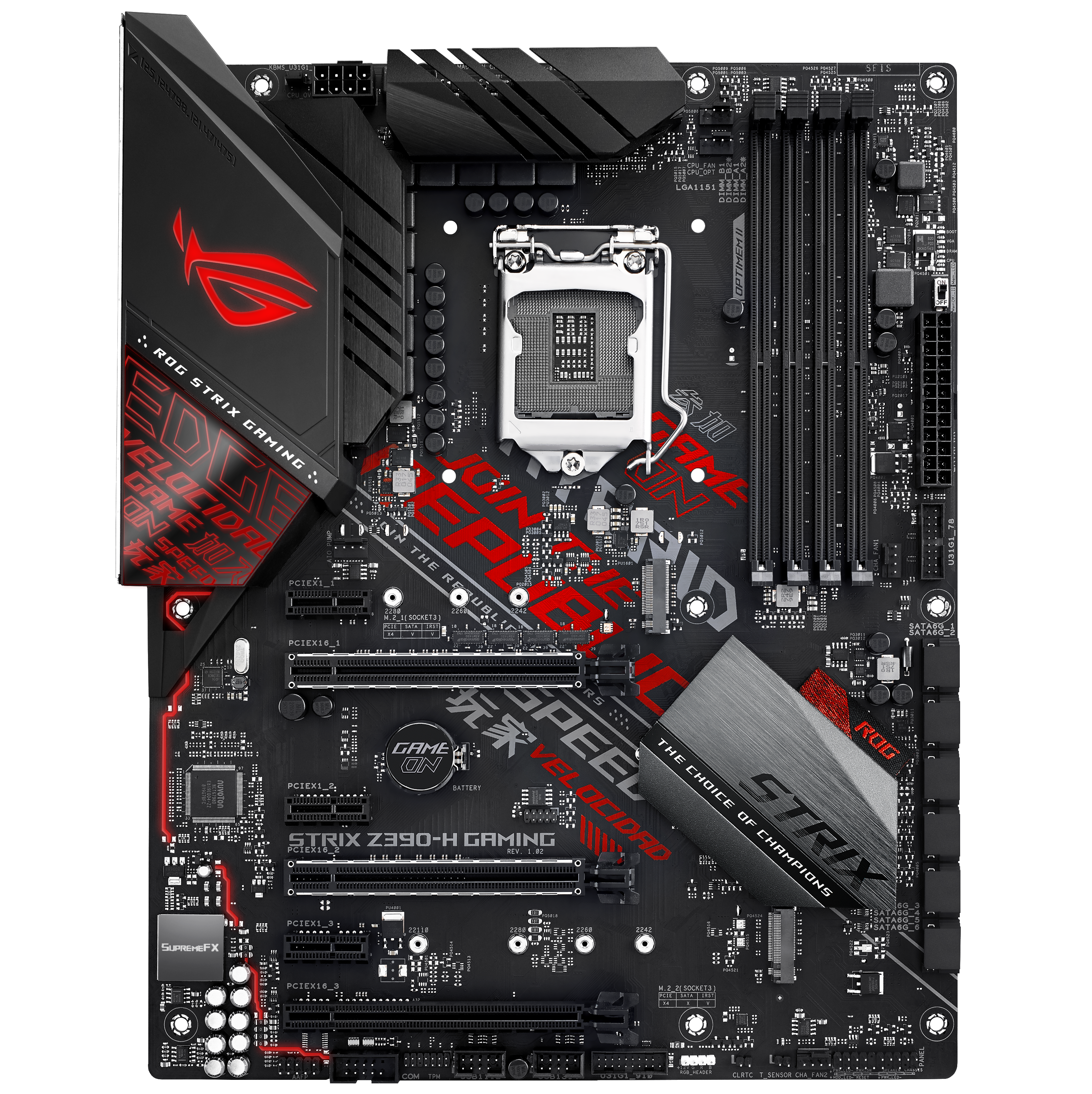
Storage capability is rather standard as far as Strix branded 300 series boards go with two M.2 slots available, with one having just PCIe 3.0 x4 support and the other allowing for SATA based drives to be used too. The six available SATA ports are placed differently on the Strix Z390-H with all six ports being aligned vertically in single and an individual array. RAM support is standard for an ATX sized board with four available slots with support for DDR4-4266 and a total combined capacity across all slots of up to 64 GB.

A slightly less comprehensive set of rear panel connectors marks a shift in the ASUS crammed rear panels, but still is remarkably impressive overall as the Strix Z390-H Gaming has a total of four USB 3.1 Gen2 Type-A and two USB 3.0 Type-A ports. In addition to this is a pair of video outputs with an HDMI and DisplayPort both being featured, with a PS/2 combo port, single Intel I219V Gigabit powered LAN port and a set of onboard audio connectors controlled by a ROG SupremeFX S1220A audio codec.
The ASUS ROG Strix Z390-H Gaming has an unknown pricing as of yet and is one of the only red and black themed boards on the whole of the Z390 chipset. The ROG logo on the rear panel is RGB and offers compatibility with the ROG AURA Sync RGB software, with the most notable point is the board's inclusion of four USB 3.1 Gen2 Type-A ports; sorry, no USB Type-C whatsoever on the Z390-H Gaming.
Originally published at https://www.anandtech.com/show/13407/intel-z390-motherboard-overview-every-motherboard-analyzed (Wayback Machine).