
Synaptics' Next-Gen Fingerprint Sensor Security: The FS7600 Match-In-Sensor
The Synaptics FS7600: Architecture
Along with their product announcement, Synaptics also gave us a bit more detail about how their architecture works.The chip is made using TSMC’s 55 nm fabrication process, which as we've seen repeatedly with products that aren't high-performance processors, is still good-enough for various ASICs that do not need extreme compute throughput but can benefit from a relatively high transistor density. Given FS7600’s high level of integration, this is exactly our case: a low-power chip packing multiple relatively small special-purpose accelerators.
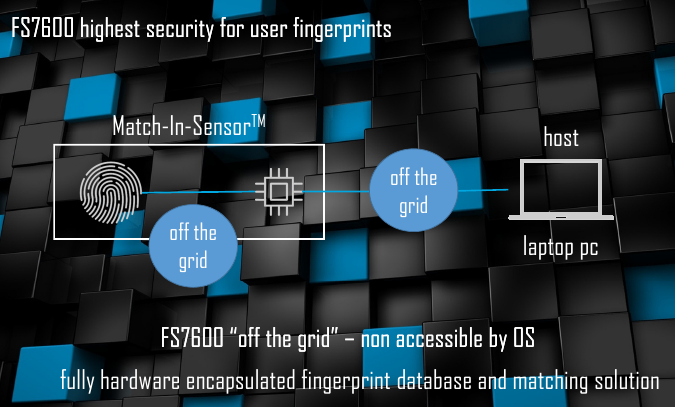
The FS7600 runs Synaptics’ own operating system. The sensor processes hashed data in a proprietary format, with virtually all demanding tasks being hardware accelerated. This high level of integration is something the company feels is very important, as it offers relatively few points in the authentication chain where an attacker can even attempt to compromise the sensor. Even then, an attack would be about fooling the sensor into giving up its keys or accepting an invalid fingerprint, as even if one could retrieve the hashed metadata - bearing in mind that the fingerprint sensor itself doesn't have that ability - recovering a complete fingerprint from the stored metadata is thought to be impossible due to the nature of the one-way hash.
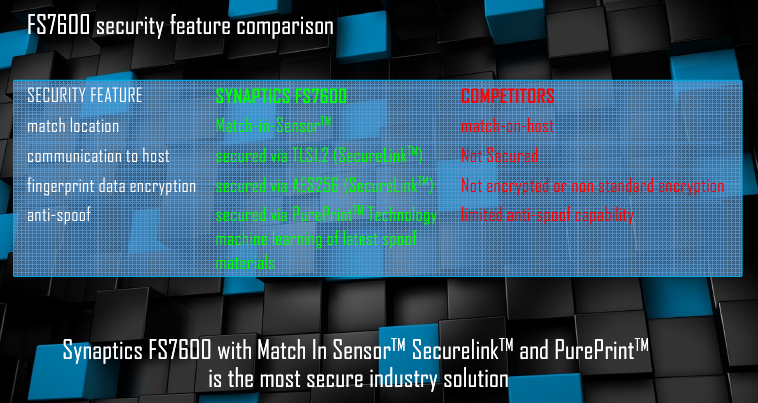
It is noteworthy that Synaptics can still update its MIS using a driver update in a bid to improve the PurePrint anti-spoofing or the Quantum Matcher technologies. But for an unauthorized person the FS7600 is going to be a tough nut to crack.
Synaptics FS7600: Performance Figures
As noted above, MOH sensors are typically considerably faster than MIS solutions because they can use the power provided by an Intel Core (or AMD Ryzen, or any other) processor to perform all the necessary tasks and no MIS is going to have performance of a contemporary high-performance x86 CPU any time soon.
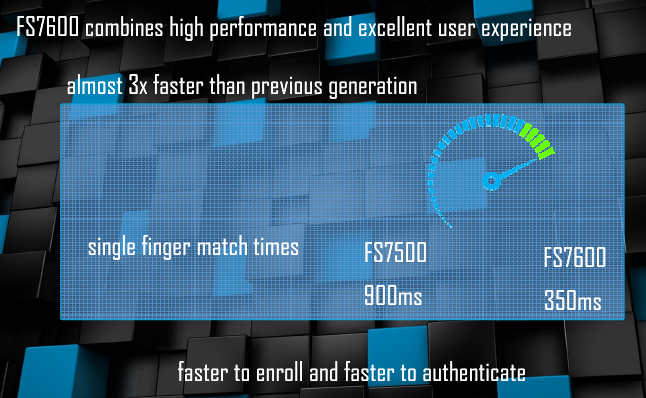
According to Synaptics, it takes 180 – 250 ms for its advanced MOH product (such as the FS4300) to capture a fingerprint and match it. By contrast, its first-gen MIS could only boast a 900 ms time, which is considerably slower. The good news is that the FS7600 is designed to lower the capturing and matching time of a fingerprint to 350 ms (capturing takes around 50 ms, processing takes another 300 ms). This being primarily due to the use of more fixed function accelerators.
In a bid to demonstrate how fast the FS7600 works, Synaptics's Godfrey Cheng showed us a retofitted commercial laptop with the new sensor and demonstrated it at Computex earlier this year. The matching takes so little time that from a visual standpoint everything happens instantly.
From performance numbers point of view, MOH fingerprint solutions are still a bit faster than the FS7600, but Synaptics believes that at 350ms the FS7600 is still fast enough to provide an excellent user experience. Taking Synaptics' own numbers for a MOH solution, this would put the FS7600 at around 100-150ms slower than an MOH solution, which although is within the realm of human response time, is not excessively so, especially for a "passive" action like a fingerprint swipe. In the meantime, the ‘sealed’ FS7600 has an important advantage over its speedy brother: compatibility with Microsoft’s Windows Hello for Business and next generation OS-level security.
Microsoft Next-Gen Security & Windows Hello for Business
Typically, fingerprint authentication is used for system activation. Obviously, you can replace certain passwords with a fingerprint, but in general everything is limited to a local PC. Meanwhile, an equally (if not more) important use of authentication is for various web and cloud applications, which means that a universal authentication method has to be supported for local and web/cloud services.
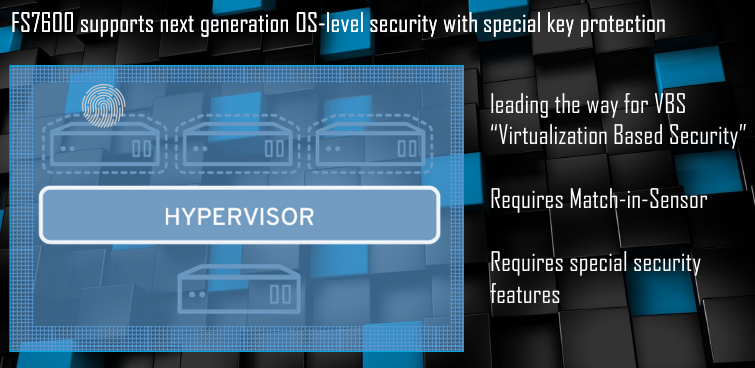
Microsoft offers two initiatives to address this problem. The first one is Windows Hello for Business, which is available today and, as the name suggests, it is aimed at the enterprise. The second one is the company’s next generation OS-level security tech designed for consumers.
When it comes to local authentications, both the Windows Hello for Business (WHFB) and the next gen OS-level security (NGOSLS) rely on Microsoft’s Virtualization Based Security. As the name implies, the latter separates applications across different virtualized machines that never affect each other, making intercepting keys using a malicious program a more difficult task.
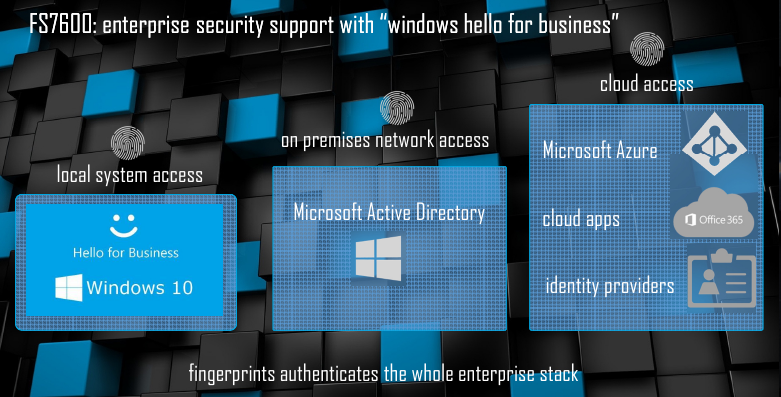
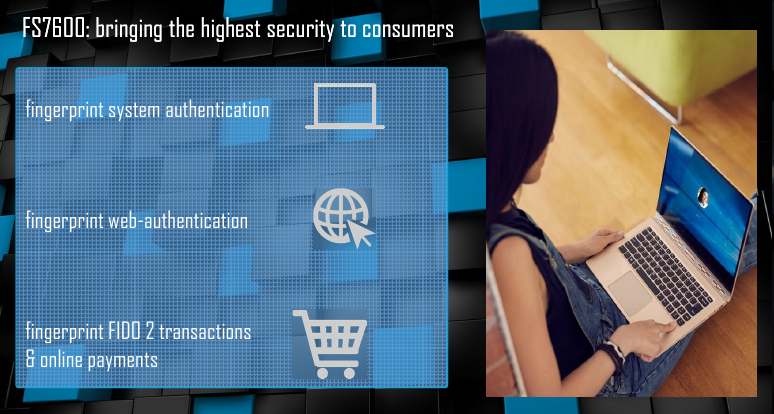
When extending usage of a local authentication to the web, the WHFB uses Azure Active Directory’s built-in identity protection, whereas the NGOSLS relies on the FIDO (Fast IDentity Online) 2.0 specifications and certifications. Both Azure and FIDO 2.0 require a compatible MIS with a number of special feature and sensor specific key, so an MIS setup is mandatory for both.
Originally published at https://www.anandtech.com/show/13077/synaptics-discusses-fs7600-match-in-sensor-fingerprint-sensor (Wayback Machine).