
The $120 MSI X470 Gaming Plus Review: Only 4-Phase VRM, Not 11-Phase as Advertised
Board Features
For an entry-level X470 offering, MSI has equipped the X470 Gaming Plus with plenty of familiar controllers such as a pairing of more wallet-friendly Realtek controllers with the ALC892 HD audio codec and RTL8118H Gigabit networking chip. MSI has also equipped the board with an additional 4-pin 12 V ATX power input on top of the 8-pin 12 V ATX connector most ATX boards of this pedigree come with. This is designed to allow the power delivery to pull extra power when needed from a power supply and although it looks good on paper, it's not really necessary on a board such as this. Overclocking Ryzen first and second generation processors is easy enough on this board thanks to the MSI Click BIOS 5 UEFI firmware, but it's highly unlikely users will manage to need 12-pins of 12 V ATX power. The X470 Gaming Plus has support for two and three-way AMD CrossFire graphics configurations, but one of the main benefits over B450 is the inclusion of SLI support which has been omitted completely on this model.
| MSI X470 Gaming Plus ATX Motherboard | |||
| Warranty Period | 3 Years | ||
| Product Page | Link | ||
| Price | $120 | ||
| Size | ATX | ||
| CPU Interface | AM4 | ||
| Chipset | AMD X470 | ||
| Memory Slots (DDR4) | Four DDR4 Supporting 64 GB Dual Channel Up to DDR4-3466+ |
||
| Video Outputs | 1 x HDMI 2.0 1 x DVI-D |
||
| Network Connectivity | Realtek RTL8118H Gigabit | ||
| Onboard Audio | Realtek ALC892 | ||
| PCIe Slots for Graphics (from CPU) | 1 x PCIe 3.0 x16 1 x PCIe 3.0 x8 |
||
| PCIe Slots for Other (from PCH) | 1 x PCIe 2.0 x4 3 x PCIe 2.0 x1 |
||
| Onboard SATA | Six, RAID 0/1/10 | ||
| Onboard M.2 | 1 x PCIe 3.0 x4/SATA 1 x PCIe 2.0 x4/SATA |
||
| USB 3.1 (10 Gbps) | 2 x Type-A Rear Panel | ||
| USB 3.0 (5 Gbps) | 4 x Type-A Rear Panel 2 x Header (four ports) |
||
| USB 2.0 | 2 x Type-A Rear Panel 2 x Header (four ports) |
||
| Power Connectors | 1 x 24-pin ATX 1 x 8pin CPU 1 x 4pin CPU |
||
| Fan Headers | 1 x CPU (4-pin) 1 x Pump/AIO (4-pin) 4 x System (4-pin) |
||
| IO Panel | 2 x USB 3.1 Gen2 Type-A 4 x USB 3.1 Gen1 Type-A 2 x USB 2.0 Type-A 1 x Network RJ45 (Realtek) 1 x HDMI 2.0 1 x DVI-D 1 x Combo PS/2 5 x 3.5mm Audio Jacks (Realtek) 1 x S/PDIF Output (Realtek) |
||
The intent from MSI is clear in that this board is completely gaming-centric in the design and implementation of the componentry. MSI has used some budget to cater for the needs of users looking to utilize one of the Ryzen 2000 series APUs with an HDMI 2.0 and DVI-D output present on the rear panel. Both of the included M.2 ports on X470 Gaming Plus support both PCIe and SATA storage drives, but only one of them (top slot) has PCIe 3.0 x4 capability for using those super fast NVMe based M.2 drives. Being a budget option MSI hasn't included any heatsinks or thermal coverage for the M.2 slots. The X470 Gaming Plus has a total of eight USB ports on the rear panel with the option to expand by an additional eight with the use of onboard headers. MSI decided against including any form of USB Type-C connectivity and networking capability comes through a single LAN port powered by the Realtek RTL8118H Gigabit controller.
Test Bed
As per our testing policy, we take a high-end CPU suitable for the motherboard that was released during the socket’s initial launch, and equip the system with a suitable amount of memory running at the processor maximum supported frequency. This is also typically run at JEDEC subtimings where possible. It is noted that some users are not keen on this policy, stating that sometimes the maximum supported frequency is quite low, or faster memory is available at a similar price, or that the JEDEC speeds can be prohibitive for performance. While these comments make sense, ultimately very few users apply memory profiles (either XMP or other) as they require interaction with the BIOS, and most users will fall back on JEDEC supported speeds - this includes home users as well as industry who might want to shave off a cent or two from the cost or stay within the margins set by the manufacturer. Where possible, we will extend out testing to include faster memory modules either at the same time as the review or a later date.
| Test Setup | |||
| Processor | AMD Ryzen 7 1700, 65W, $300, 8 Cores, 16 Threads, 3GHz (3.7GHz Turbo) |
||
| Motherboard | MSI X470 Gaming Plus (Bios vA4) | ||
| Cooling | Thermaltake Floe Riing RGB 360 | ||
| Power Supply | Thermaltake Toughpower Grand 1200W Gold PSU | ||
| Memory | 2x16GB Corsair Vengeance LPX DDR4-2400 | ||
| Video Card | ASUS GTX 980 STRIX (1178/1279 Boost) | ||
| Hard Drive | Crucial MX300 1TB | ||
| Case | Open Test Bed | ||
| Operating System | Windows 10 Pro | ||
Readers of our motherboard review section will have noted the trend in modern motherboards to implement a form of MultiCore Enhancement / Acceleration / Turbo (read our report here) on their motherboards. This does several things, including better benchmark results at stock settings (not entirely needed if overclocking is an end-user goal) at the expense of heat and temperature. It also gives, in essence, an automatic overclock which may be against what the user wants. Our testing methodology is ‘out-of-the-box’, with the latest public BIOS installed and XMP enabled, and thus subject to the whims of this feature. It is ultimately up to the motherboard manufacturer to take this risk – and manufacturers taking risks in the setup is something they do on every product (think C-state settings, USB priority, DPC Latency / monitoring priority, overriding memory sub-timings at JEDEC). Processor speed change is part of that risk, and ultimately if no overclocking is planned, some motherboards will affect how fast that shiny new processor goes and can be an important factor in the system build.
Many thanks to...
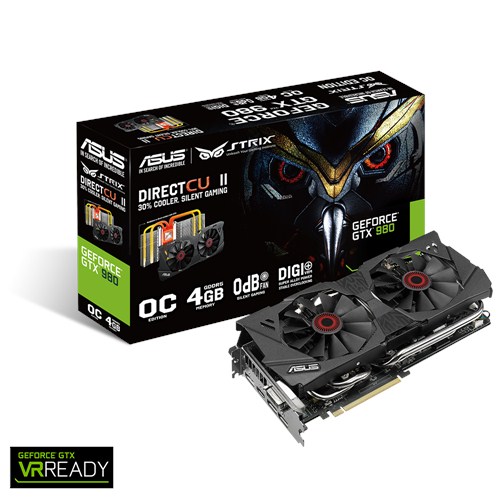
Thank you to ASUS for providing us with GTX 980 Strix GPUs. At the time of release, the STRIX brand from ASUS was aimed at silent running, or to use the marketing term: '0dB Silent Gaming'. This enables the card to disable the fans when the GPU is dealing with low loads well within temperature specifications. These cards equip the GTX 980 silicon with ASUS' Direct CU II cooler and 10-phase digital VRMs, aimed at high-efficiency conversion. Along with the card, ASUS bundles GPU Tweak software for overclocking and streaming assistance.
The GTX 980 uses NVIDIA's GM204 silicon die, built upon their Maxwell architecture. This die is 5.2 billion transistors for a die size of 298 mm2, built on TMSC's 28nm process. A GTX 980 uses the full GM204 core, with 2048 CUDA Cores and 64 ROPs with a 256-bit memory bus to GDDR5. The official power rating for the GTX 980 is 165W.
The ASUS GTX 980 Strix 4GB (or the full name of STRIX-GTX980-DC2OC-4GD5) runs a reasonable overclock over a reference GTX 980 card, with frequencies in the range of 1178-1279 MHz. The memory runs at stock, in this case 7010 MHz. Video outputs include three DisplayPort connectors, one HDMI 2.0 connector and a DVI-I.
Further Reading: AnandTech's NVIDIA GTX 980 Review
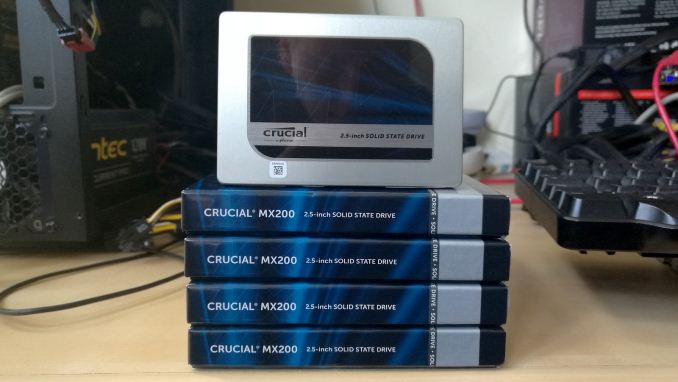
Thank you to Crucial for providing us with MX200/MX300 SSDs. Crucial stepped up to the plate as our benchmark list grows larger with newer benchmarks and titles, and the 1TB units are strong performers. The MX200s are based on Marvell's 88SS9189 controller and using Micron's 16nm 128Gbit MLC flash, these are 7mm high, 2.5-inch drives rated for 100K random read IOPs and 555/500 MB/s sequential read and write speeds. The 1TB models we are using here support TCG Opal 2.0 and IEEE-1667 (eDrive) encryption and have a 320TB rated endurance with a three-year warranty.
Further Reading: AnandTech's Crucial MX200 (250 GB, 500 GB & 1TB) Review
Thank you to Corsair for providing us with Vengeance LPX DDR4 Memory
Corsair kindly sent a set of their Vengeance LPX low profile, high-performance memory. The heatsink is made of pure aluminum to help remove heat from the sticks and has an eight-layer PCB. The heatsink is a low profile design to help fit in spaces where there may not be room for a tall heat spreader; think a SFF case or using a large heatsink.
Originally published at https://www.anandtech.com/show/12990/the-msi-x470-gaming-plus-review (Wayback Machine).