
Weekly Buyer's Guide: Overclocking System - April 2004
- Posted in
- Guides
Networking
Whichever motherboard you choose, we suggest that you utilize your onboard Ethernet controller for Internet. Both the ABIT NF7-S Rev.2 and ASUS P4C800-E Deluxe come with an onboard Ethernet controller. In the ABIT NF7-S Rev.2's case, it is an onboard Realtek RTL8201BL controller, which is a very cheap and simple 10/100 solution. In the case of the ASUS P4C800-E Deluxe, however, ASUS outfits a very nice PRO1000 controller, utilizing Intel's CSA (Communications Streaming Architecture), which in this case, takes your Gigabit Ethernet off the PCI bus and places it on separate bus for higher data transfer speeds. You're not going to notice much difference unless you transfer large amounts of data in your home network frequently, but it's there if you need it.Storage
Recommendation: Western Digital 800JB 80GB 7200RPM (8MB cache) ATAPrice: $72 shipped
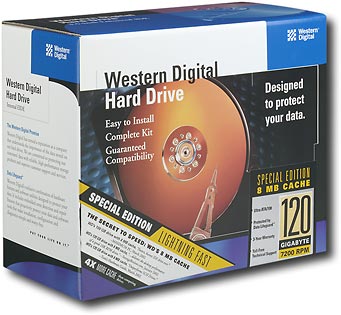
If you're a performance-crazed overclocker, you probably are going to need a lot of space for your data. If you play a lot of games, watch movies, listen to MP3's and do all that good stuff, then you're going to need a well-sized hard drive. Western Digital's 800JB (and 1200JB) are the best desktop ATA drives on the market with the necessary storage capacity for your needs. We've standardized our testbed systems on Seagate SATA 120GB Barracuda drives and WD Raptor over the last few months, but had been using WD 800JB and 1200JB HDD's for months prior to that. They were reliable and we haven't had one fail on us yet. And we know about HDD failure, as AnandTech employees (and basically half the population) fell victim to the IBM 75GXP disaster of yore. WD's Caviar 8MB drives, in the form of their 40GB, 80GB, 120GB, etc. HDD's, are nothing like the IBM disasters from long ago. Unfortunately, you may or may not have to deal with a rather loud whining noise that has been infamous in a lot of WD's Caviar HDD's. We've only experienced the loud whining with 120GB (1200JB) HDD's, while 40GB and 80GB Caviars operate significantly more silently (800JB in particular). However, we only have about 7 or 8 samples of these drives from which to test, while enthusiasts have thousands upon thousands. If noise is a big consideration in a purchase, the safe bet is the Seagate Barracuda series.
Alternative: Western Digital Raptor 74GB 10,000RPM SATA
Price: $227 shipped
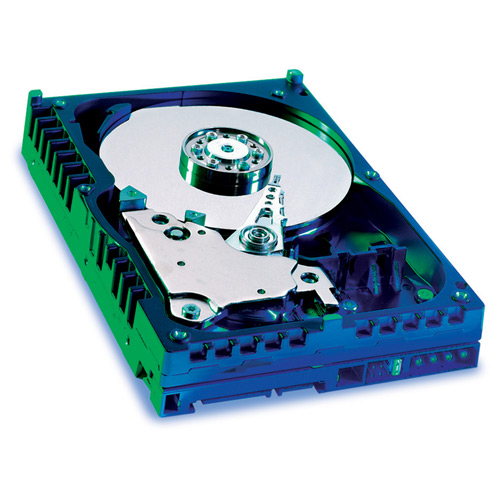
The 74GB Raptor is the faster version of WD's 36.7GB Raptor, outfitted with the same 8MB buffer and 10,000RPM spindle that we looked at about a year ago here. Besides the difference in performance, this Raptor still has the same 5-year warranty and outputs just about the same amount of noise. Previously, 10,000RPM speeds or a 5-year warranty were features only found on enterprise/SCSI drives, but thanks to WD, they have finally reached the mainstream desktop, more or less. The only "problem" with Raptor drives is that they don't store a lot of data, with only 36.7GB and 74GB versions of the Raptor currently available. If you can't live with a 36.7GB or 74GB drive, then we suggest that you skip this alternative and stick with the recommended 1200JB. But that's only if storage capacity is very important to you.
Optical Storage
Recommendation: Lite-On 52x32x52x16 Combo CD-RW/DVD-ROM drivePrice: $52 shipped
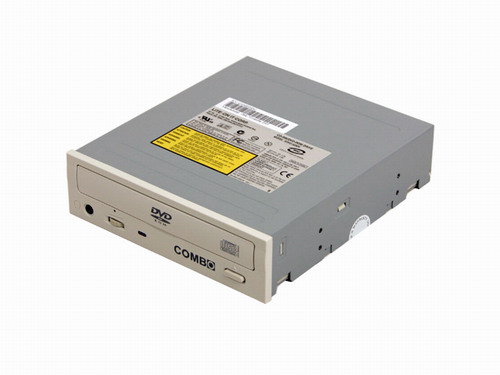
If you want to be able to watch DVDs, you can always opt for a combo drive. Its function essentially integrates CD burning and DVD watching into one drive. The added benefit is that you're getting a better price for this combo drive versus purchasing an additional drive. The price difference isn't all that huge ($10-$15) if you were to buy a separate drive, plus that second drive allows you to watch DVDs while your burn CDs, which isn't possible with this combo drive. In the end, the decision is up to you as to how you want to configure optical storage.
Alternative: NEC 2500A 8X DVD+/-RW
Price: $87 shipped
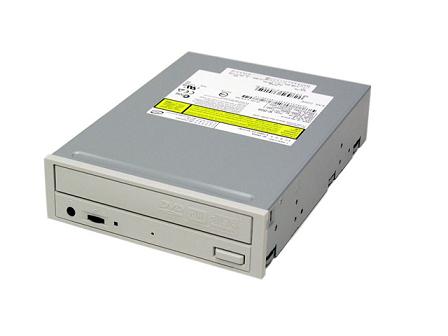
One of the best "bargain" DVD burners currently available is, without a doubt, NEC's 2500A. NEC's 2500A is probably one of the best bang-for-the-buck high end DVD burners that you'll find on the market today, without spending over $100. It's able to play and burn just about every DVD/CD out there, and up to 8X DVD+/-RW to boot. You won't be seeing higher end DVD burners for quite some time (read: mid-summer), so this drive will last you many, many months.
Listed below is part of our RealTime pricing engine, which lists the lowest prices available on storage from many different reputable vendors:
If you cannot find the lowest prices on the products that we've recommended on this page, it's because we don't list some of them in our RealTime pricing engine. Until we do, we suggest that you do an independent search online at the various vendors' web sites. Just pick and choose where you want to buy your products by looking for a vendor located under the "Vendor" heading.
Originally published at https://www.anandtech.com/show/1291 (Wayback Machine).