
The MSI Z370I Gaming Pro Carbon AC (mITX) Motherboard Review: Balanced Gaming Diet
MSI Z370I Gaming Pro Carbon AC Visual Inspection
We know being a Mini-ITX sized board there really isn't a lot of room to doll up the motherboard and make it look pretty. But many who are using this size motherboard are using it in a small case and perhaps tucked away. That isn't to say they need to be hidden away but room for creativity is trumped by the need to add more functionality. The Z370I Gaming Pro Carbon AC packs a lot of features on it including a single M.2 slot, four SATA ports, and the latest Realtek audio among other things.
There are no designs on the board, though we are able to see the traces running around the socket providing a cool if mechanical type aesthetic to the black PCB. Cooling the power delivery area(s) are two heat sinks that have what look to be a carbon fiber-like pattern on them. The PCH heatsink below the socket contains the MSI name as well as the same carbon fiber like patterns. Both the DRAM slots and PCIe slot are reinforced giving additional support for the items installed. The Gaming Pro Carbon AC has its share of RGB LEDs, eight to be exact, running the length of the right side of board on the underside which gives it a nice glow when powered on.

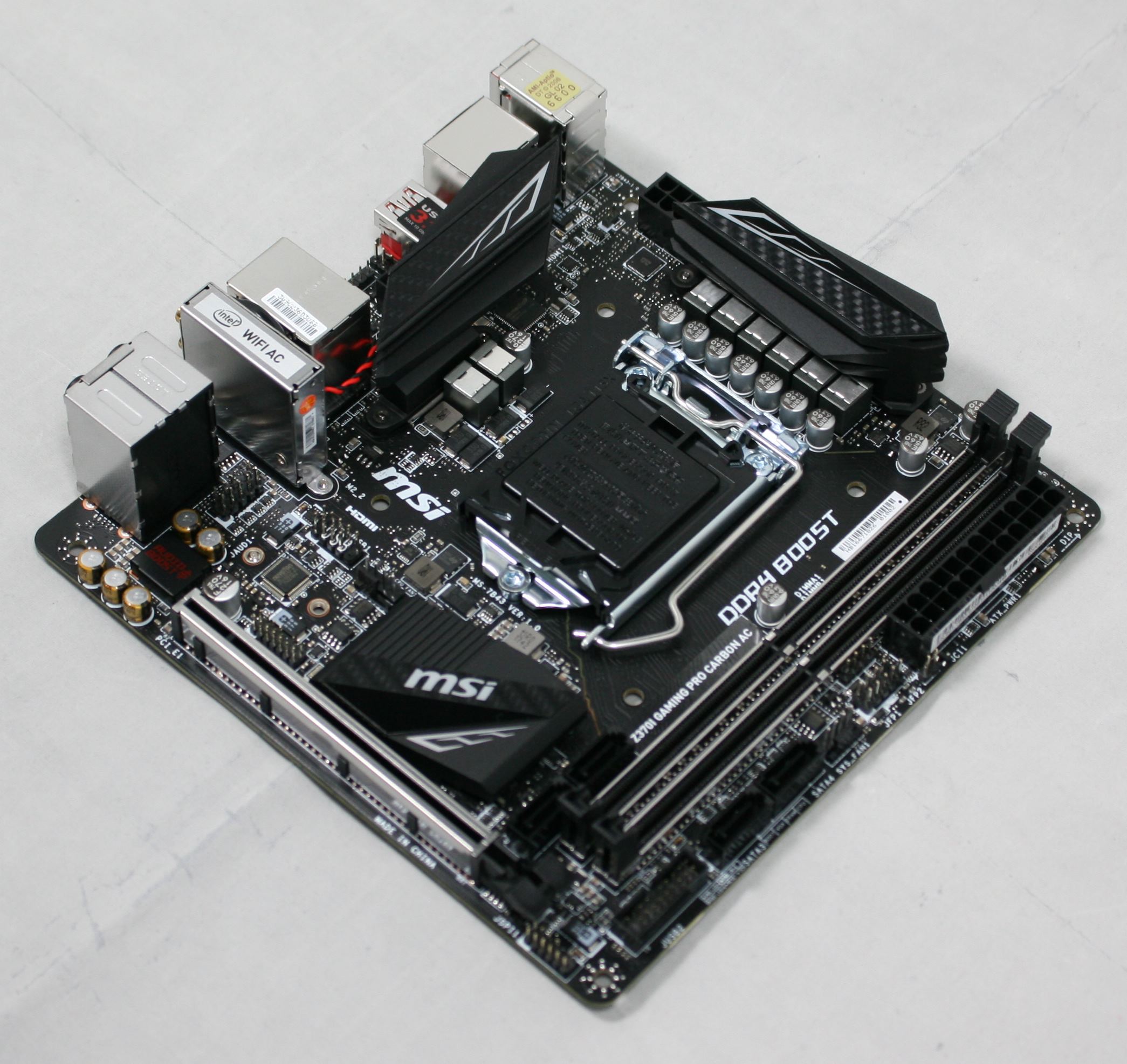
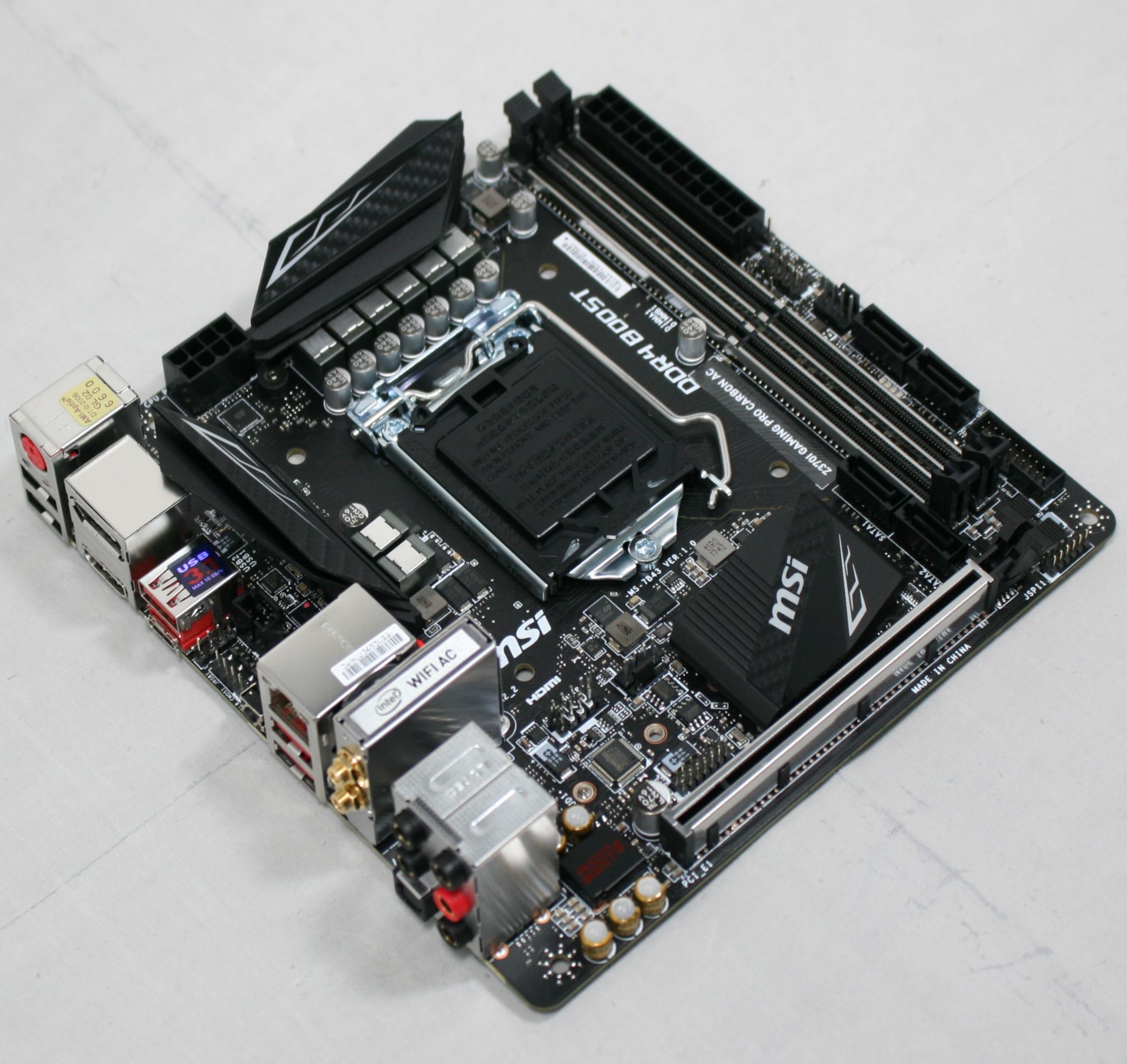
The board includes two fan headers to support cooling needs. Both headers are hybrid and offer users control via PWM and voltage. The manual does not note if the headers are high-output so assume a typical 1A/12W capabilities. The fans are controlled through the BIOS as well as through Windows via the Command Center software.

Typically, the back of the board is shown to show the electrical connections of multiple PCIe slots. In the case of Mini-ITX boards, there is only one and it is, as expected, wired as an x16 slot. The real reason for this image is to show the location of the M.2 slot on the board which is just above the solder points of the PCIe slot and below the socket backing. This location frees up a bit of space on the front and allows for up to a 2280 size M.2 module to fit in the provided space.

Power delivery on the Z370I Gaming Pro Carbon AC is a total of eight phases in a 6+2 configuration (CPU and iGPU). Managing this power is a uBIQ Semiconductor uP9508Q multi-phase controller listed as 3/2/1+2 controller. Handling the phase doubling duties are uP1061S phase doublers located on the back behind the VRMs. The board uses uBIQ Semiconductor QM3816 MOSFETs which should be able to handle our i7-8700K with little fanfare.

The right side of the tiny motherboard has a lot going on including two DRAM slots capable of supporting DDR4-4600 Memory in its reinforced slots. We are also able to see the four SATA ports flanking the memory slots. Other more easily visible connectors include a front USB 2.0 port on the left, the System fan and front panel headers in the middle, along with the 24-pin ATX 12V connector on the right. Sitting just above the bottom two SATA ports is MSI's debug LEDs which light up during boot time and stay lit if there is an issue. The four LEDs cover issues with Boot, VGA, DRAM, and the CPU. Since there isn't any room for a 2-digit LED, this is a welcome addition for troubleshooting boot issues.

Above we are able to see a closer shot of the four SATA ports. All four ports will be available even when the M.2 slot is populated with a PCIe NVMe or SATA based M.2 module since there are enough PCIe lanes available from the PCH.

The board's back panel IO is pretty well populated with ports and buttons, with about every port that that is found on a full-size board including dual video outputs, USB ports (2.0-3.1), LAN, keyboard/mouse, and audio. Peeking out behind the audio stack we are able to see the Chemi-Con capacitors used with the Realtek ALC1220 codecs for sound.
- PS/2 Port
- 2 x USB 2.0
- DisplayPort (1.2)
- HDMI (1.4)
- USB 3.1 Type-A and Type-C ports
- CMOS Reset button
- Intel LAN
- 2 x USB 3.0 ports
- Intel 8265 Wi-Fi
- Audio stack w/SPDIF
In the Box
The MSI Z370I Gaming Pro Carbon AC includes the basics to get the system up and running and feels appropriate for its price point.

- Quick Installation Guide / User Guide / Labels
- Driver Disk
- Back IO Plate
- Wi-Fi Antennae
- 2 x SATA cables
- RGB LED extension cables


Originally published at https://www.anandtech.com/show/12763/msi-z370i-gaming-pro-carbon-ac-review (Wayback Machine).