
The ASRock Z370 Taichi Motherboard Review: Competitive at $220, Aggressive at $190
Overclocking
Experience with the ASRock Z370 Taichi
Overclocking on the Z370 Taichi was met with little fanfare and pomp. While it may not have some of the extreme overclocking features we have seen on other boards (such as the ASUS ROG Apex) the board was not really intended for such operations. The power delivery uses two heat sinks connected through a heat pipe to share the collective load between the power delivery bits. This configuration didn't have any issues dealing with our overclocking processor at 5.1 GHz during a 30-minute OCCT run (no sensors for VRM to share its exact temperature).
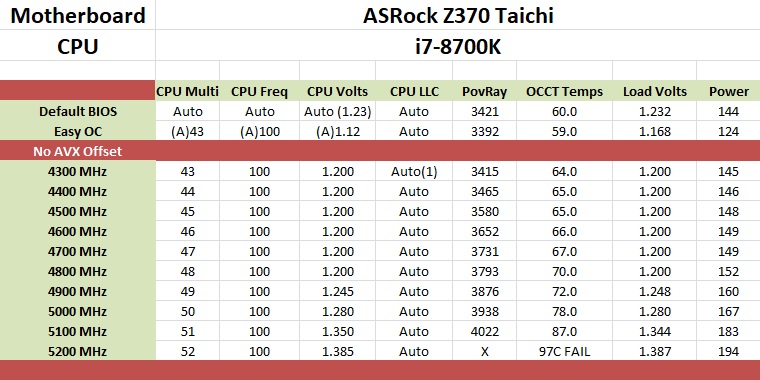
For automatic overclocking, we used the BIOS option found in EZ Mode which has a simple enable/disable functionality. Flipping this on, the Z370 Taichi ended up with an overclock on all cores of 4.5 GHz using a -2 AVX offset. Like the Z370 Gaming-ITX/ac, it set the CPU to 1.12V (stock/VID) instead of adding a ton of voltage as we have seen from other boards. When it was all said and done, the CPU ran at 4.5 GHz non-AVX and 4.3 GHz with AVX enabled due to the added offset.
When manually overclocking, the Z370 Taichi had no issues getting our processor up to 5.1 GHz. We set the voltage to 1.2V with the BIOS set on auto and started the process. The board, unlike the Z370 Gaming-ITX/ac, did not display voltage drop. The reason for this is the Z370 Taichi automatically changes the LLC setting after manually adjusting the vCore. On auto it sits at Level 5 (least amount of voltage compensation), then after adjusting the vCore, it manually changes to Level 1 which eliminates the sag altogether. We did need to raise the power limit around the 5 GHz mark to prevent throttling, but, that is to be expected when overclocking this far.
Overall overclocking on the Z370 Taichi was as easy as any other unlocked Intel processor. The BIOS had all the options needed to successfully and safely push the i7-8700K past the 5 GHz threshold. The A-Tuning software proved functional for our uses.
Overclocking Methodology
Our standard overclocking methodology is as follows. We select the automatic overclock options and test for stability with POV-Ray and OCCT to simulate high-end workloads. These stability tests aim to catch any immediate causes for memory or CPU errors.
For manual overclocks, based on the information gathered from the previous testing, starts off at a nominal voltage and CPU multiplier, and the multiplier is increased until the stability tests are failed. The CPU voltage is increased gradually until the stability tests are passed, and the process repeated until the motherboard reduces the multiplier automatically (due to safety protocol) or the CPU temperature reaches a stupidly high level (90ºC+). Our test bed is not in a case, which should push overclocks higher with fresher (cooler) air.
Overclocking Results
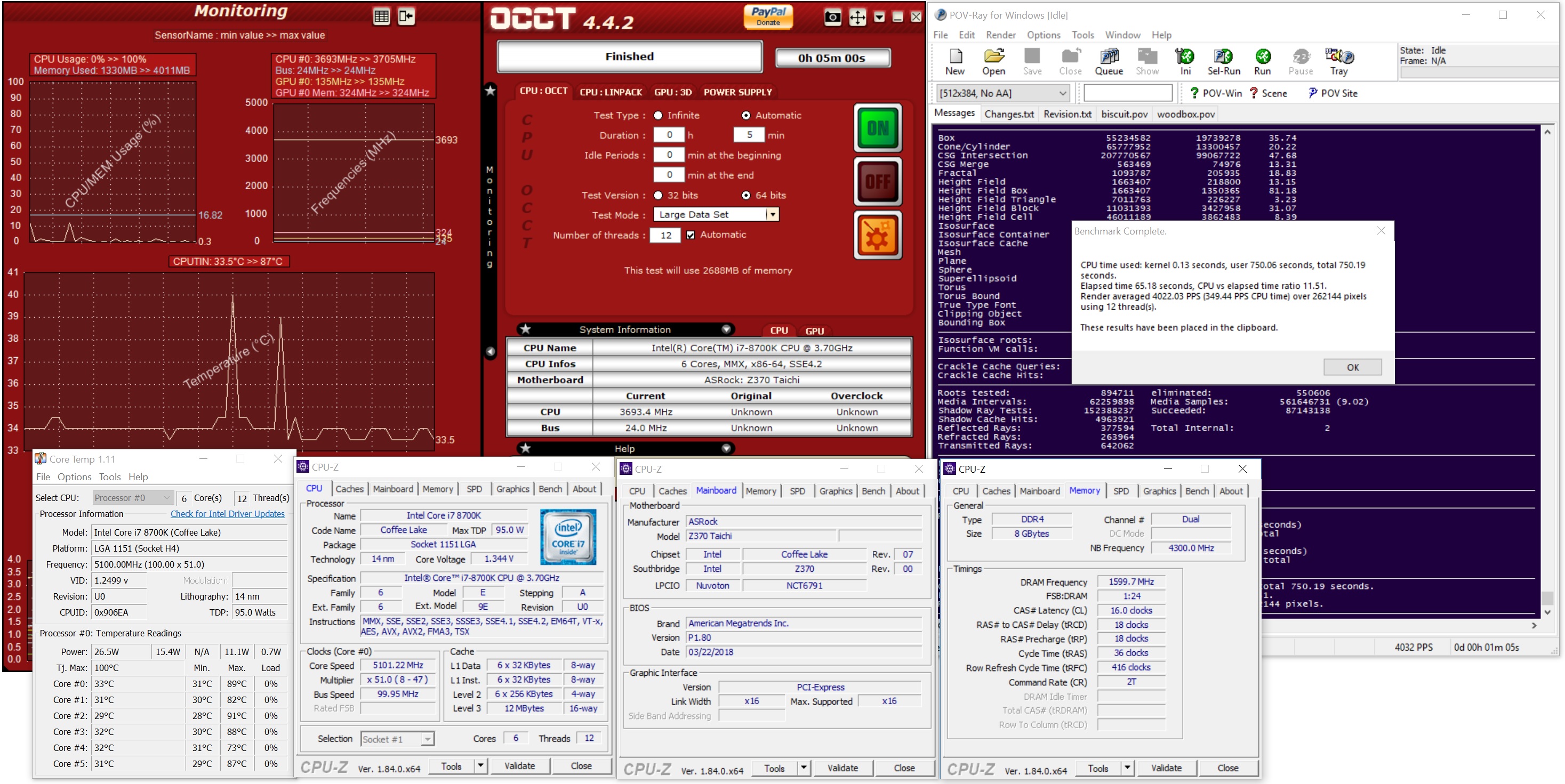
The ASRock Z370 Taichi was able to take our i7-8700K to 5.1 GHz at 1.344V. This is a bit more than what was needed out of the Apex, but the same as the ASRock Z370 Gaming-ITX/ac. The board handled the faster 3200 MHz memory without issue using the XMP profile and also was able to overclock them to 3600 MHz. Overall, the overclocking abilities are there and the board will not be a limiting factor in ambient overclocks.
Originally published at https://www.anandtech.com/show/12706/asrock-z370-taichi-motherboard-review (Wayback Machine).