
Samsung SyncMaster 213T: The Glass Ceiling for Enthusiast LCD
- Posted in
- Displays
On Screen Display
Samsung has always been a cut above with their interfacing abilities. Obviously, there is a substantial IO cross over between the other markets Samsung participates (TV, Cell Phone, PDA, etc). Check out some of our other reviews for examples of Samsung's ingenuity with OSDs.
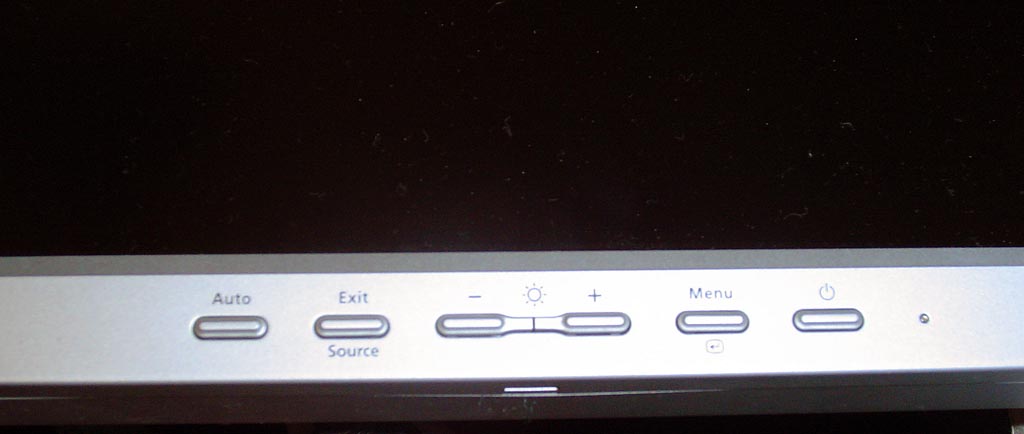
Click to enlarge.
Across the bottom of the display we find five input buttons. This is the same layout of our Samsung 192T from last year, but Samsung changed the button design slightly. The menu scheme is fairly intuitive; it is basically the same as every other Samsung menu. Once inside the menu, we are presented with just a few basic items. Unlike the 2001FP or other high end Samsung LCDs we have seen in the past, there are no PIP, MagicBright or split screen effects.

Click to enlarge.

Click to enlarge.
Samsung includes one interesting image mask which allows you to change the sharpness on the screen. We actually ended up using this function from time to time, particularly when reading and writing. Using the "Soften" mask for text was much gentler on our eyes. However, graphics and imaging would definitely require the default "Medium" or "Sharpen" mask. Below you can see the three levels of sharpness with Soften on the top.

Click to enlarge.
One thing to note is that the DVI interface disables virtually all of the fine controls on the monitor. Brightness is still accessible, but Auto Sync, contrast, positioning and color correction are disabled. This forces software calibration of the LCD. Samsung includes software with the monitor that allows you to do this.
Originally published at https://www.anandtech.com/show/1246 (Wayback Machine).