
Weekly Buyer's Guide: Budget System
- Posted in
- Guides
Computer Case
Recommendation: CaseEdge TS1 Mid TowerPrice: $40 shipped
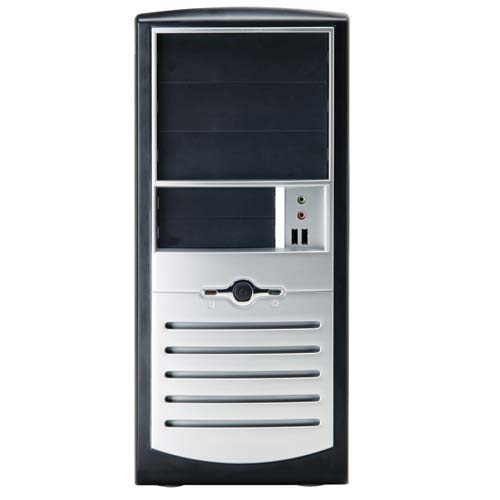
You can purchase this case online at www.pcclub.com or go to a local PC Club to pick it up. Not only is the black and sliver edition of this case very good looking, but the setup is very easy to use and convenient in general. For one, the motherboard mounting screws come installed in their proper holes, a welcome change from having to screw them in by hand. Secondly, the hard drive and optical drive bays contain plastic clips that allow you to install your drives simply and easily without screws. All in all, this case basically comes completely "preinstalled", and even includes a 300W PSU (power supply unit). Any AMD or Intel approved power supply will do for a budget system considering how little power a system like this draws, but if you're feeling extra cautious for future upgrades, picking up a Sparkle 300W PSU is a fine choice. The price of a Sparkle 300W PSU is about $21 shipped online.
Runner-up: Foxconn Super Case 100-G2-P4 Mid Tower
Price: $45 shipped
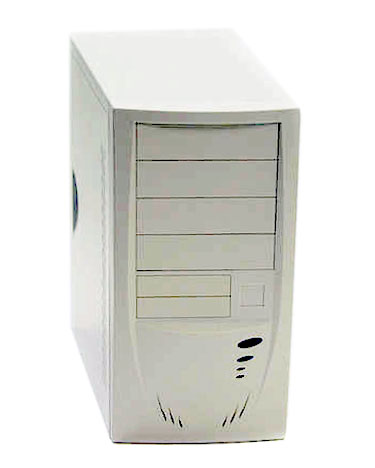
While this case isn't quite as easy to use or as aesthetically appealing as the CaseEdge TS1, it is still a fine computer case with all the space you'll need for your budget system. It comes with an AMD approved 300W PSU, but as we said before, you can always opt for a better 300W power supply if you feel like you need an especially good power supply for future upgrades.
In the end, as long as you purchase a case that accepts an ATX motherboard, the choice of computer case is completely up to you, the consumer. There are many aesthetically appealing computer cases out there - don't let our preferences stop you from exploring other computer cases online or at a local retail outlet, like PC Club or Best Buy.
Sound Card
Recommendation: Onboard soundPrice: $0
There is no need to waste money purchasing a separate sound card with a budget system like this one, so obviously, we are going to suggest the onboard sound that comes with the ASUS A7N8X-X we recommended as the motherboard of choice today. Integrated sound is courtesy of Realtek's ALC650 codec, which is a standard 6-channel solution that will fit basic Windows, gaming, and music requirements.
Runner-up: Onboard sound
Price: $0
Again, since we placed the ABIT KV7 as runner-up motherboard for today, we're suggesting that you use the sound onboard the KV7. The KV7 utilizes VIA VT1616 codec. This codec is suppose to be especially good, though you'll likely not notice the difference in comparison to the ALC650.
Speakers
Recommendation: Creative Labs SBS270 2.0 SpeakersPrice: $20 shipped
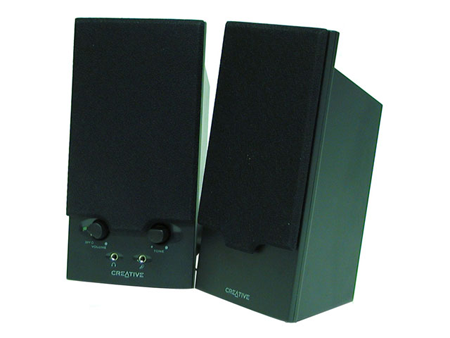
Speakers are a basic requirement for a budget system, but aren't that important overall. However, Creative Labs makes a great pair of 2.0 speakers, dubbed the SBS270. These are excellent budget speakers for users who also want to have at least decent sound quality for video games and music listening. It also comes with a headphone input. There's really no runner-up in this category because of the fact that any solid pair of 2.0 speakers from a reputable manufacturer will do for this kind of system.
Networking
Recommendation: Onboard networkingPrice: $0
As we did with sound, we are recommending the A7N8X-X's onboard Ethernet solution, powered by Realtek's 8201BL controller. Pretty much every onboard network controller is the same nowadays, so there's usually no need to worry about Internet speed/download issues.
Runner-up: Onboard networking
Price: $0
The ABIT KV7's onboard Ethernet controller is powered by the VIA VT6103 controller. This is virtually identical to the Realtek controller onboard the A7N8X-X in the sense that it's a standard 10/100 Mbps-capable solution. Overall, it'll serve your needs just fine.
Originally published at https://www.anandtech.com/show/1242 (Wayback Machine).