
ATI's Multimedia Center 8.8 - The Home Multimedia Server
- Posted in
- GPUs
EazyShare — Recording
Conflict management is extremely important in a personal video recorder (PVR) platform, and this becomes even more important when a PVR becomes a shared media hub. The conflict management between the server and clients for EazyShare is fairly similar to the most recent versions of MMC. However, enabled file sharing is the major prerequisites for EazyShare's conflict management to work.If file sharing is not enabled on the server's one-touch recording settings and the temporary recording drive, the clients will not be able to bring up the list of scheduled recordings nor will the clients be able to determine if they are scheduling a TV show that is in conflict with a preset recording. For whatever reason, we were not able to get the clients to prompt when a recording came into conflict with an existing recording or to bring up the list of scheduled recordings. Without conflict management, EazyShare will only be able to provide reliable streaming TV, but will not be able to do so for scheduled recordings. This will negate ATI's ability to function as a TIVO replacement, one of the key advantages to All-in-Wonder cards. We hope that the web release of MMC 8.8 goes into more detail on how to enable conflict management.
Conflict management aside, the setup of remote recording has been done fairly well, but there can be some improvements made on EazyShare's parental controls. The channel list on clients is generated automatically from the server when EazyShare TV first starts up. In order to change the channel list, the client has the ability to synchronize the channel list or force detection, but if the server hasn't detected the channel, there isn't much point in doing so.
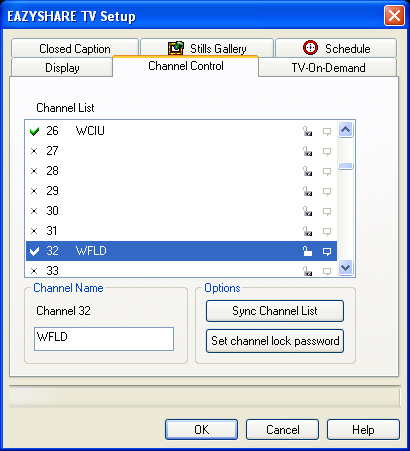
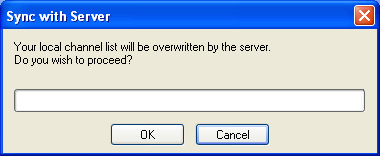
Parental controls do not transfer over to clients; each client will need to set up their own settings. Parental controls on the client aren't done per TV show rating. Instead, it is done per channel. It would be better if clients could control on the basis of content, but several issues, such as time generation, would need to be addressed. At the moment, TV content is generated on the basis of the time on the client, which means that little Tommy can avoid parental control based on TV ratings by changing the system time. This would simply fool the server into thinking that a different TV program with an allowable rating is playing.
Recording via the client is limited to ATI's VCR format, which is a severe disadvantage. ATI's information states that clients will be able to record with the server's current recording choice, and this is something that we hope will pan out. Even if that is the case, clients who have been granted access don't have the ability to change the recording preset. In the future, we would like to see EazyShare provide clients with the ability to change the recording format for one-touch and scheduled recordings. The format of recording can affect storage size greatly and the necessary hardware for playback, which is why the client needs the ability to specify the recording format. Ideally, the client should have its own recording settings, so it doesn't affect the server settings. Additionally, clients need to have the one-touch record ability, which is lacking currently.
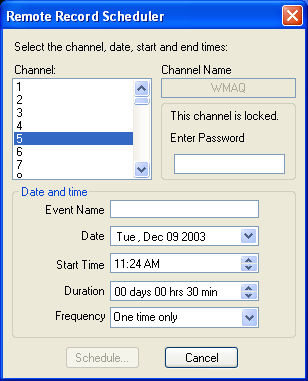
For now, the client only has the barebone options necessary for scheduling a recording. Channels that are locked will need a password naturally to authorize a recording.
Sharing recordings is equally important as actually setting recordings. The server has the ability to share file content via the EazyShare Library, but this is limited to the VCR format, which leaves MPEG and AVI formats to be desired. The Library on clients can scan format over the network, but it isn't the same as pulling the current list of content from the server.
Originally published at https://www.anandtech.com/show/1208 (Wayback Machine).