
ATI's Multimedia Center 8.8 - The Home Multimedia Server
- Posted in
- GPUs
EazyShare — Server
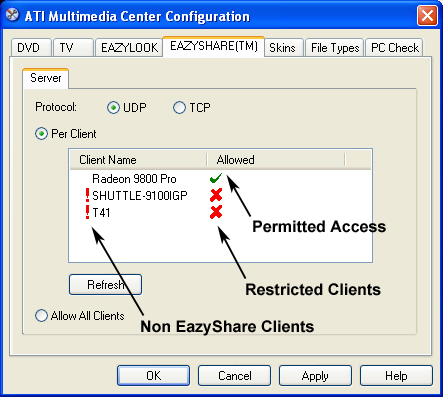
Once installed, EazyShare is immediately ready to function. However, there are more detailed options available in the Multimedia Center (MMC) configuration page. Because EazyShare has been introduced to the MMC 8.8 suite, earlier versions will not have the EazyShare configuration tab available.Eazyshare is programmed to broadcast its signal to the permitted clients or over the entire network. If EazyShare was to send a dedicated signal to every client or perform “hopping” signals, the bandwidth used by EazyShare would multiply with every client added and could, in theory, overtax the network, since the available amount of bandwidth would be surpassed. Broadcasting is a much more efficient way of supplying a signal to one or a plethora of clients.
Due to the broadcasting implementation, there are two protocol selections available to match the type of network being used. UDP should be used on a LAN based network because it provides the fastest broadcast rate and easier routing access for multiple clients. TCP should be selected on WiFi or mixed (LAN and WiFi) networks, since it will provide more stable broadcast signals. The selection of TCP won't actually broadcast the TV signal. Rather, the EazyShare server will multi-cast the signal, one source with multiple receiver addresses.
It doesn't matter in which workgroup that the clients are. EazyShare will detect all active clients on the network, assuming they are configured to Windows XP's default file sharing settings. Firewalls will, no doubt, need to be configured with the edition of MMC 8.8, for EazyShare functionality.
If a client on the network is not sharing anything including the default “shared documents” folder, EazyShare will not detect it in its configuration page. Though, it may be visible in My Network Places or a network browser.
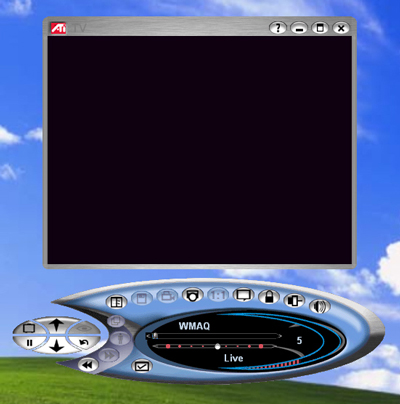
On the EazyShare server, there is no particular program for EazyShare. Instead, it is built into the TV application. TV starts as normal, but will change into TV-On-Demand mode when an EazyShare client connects. As long as one EazyShare client is connected, the TV application on the server will remain in TV-On-Demand mode.
If the TV window is not open on the server and the client starts EazyShare, the closing of the last client window will prompt the server to close its TV window. If the TV window on the server is open and the client starts EazyShare, the closing of the last client window will leave the server TV window open.
We encountered a few issues connecting to the EazyShare server, which were all directly related to the server being in EazyLook mode when sharing TV. When the TV application is first initiated in desktop mode, the client can connect and the server can change successfully to EazyLook mode. However, when TV is started directly in EazyLook mode, the client cannot connect to the server. We have contacted ATI about this, and we have been informed that a fix will be provided in MMC 8.9.
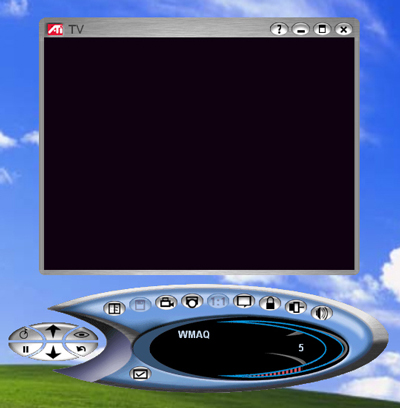
If the server TV window is open before the client requests the Eazyshare feed and already is in TV-On-Demand mode, the client will make the server shut off TV-On-Demand and turn it back on. This isn't an efficient way to do things, but it is a much easier way to program for conflict management (extremely important). Hopefully, later versions of MMC won't have to restart TV-On-Demand for EazyShare clients.
Originally published at https://www.anandtech.com/show/1208 (Wayback Machine).