
The Windows 10 Fall Creators Update Feature Focus
Security Updates
Security is a never-ending battle, and each update Microsoft continues to add more features to help prevent malicious attacks. They have several new features that are worth going over for the Fall Creators Update.
Windows Defender Exploit Guard
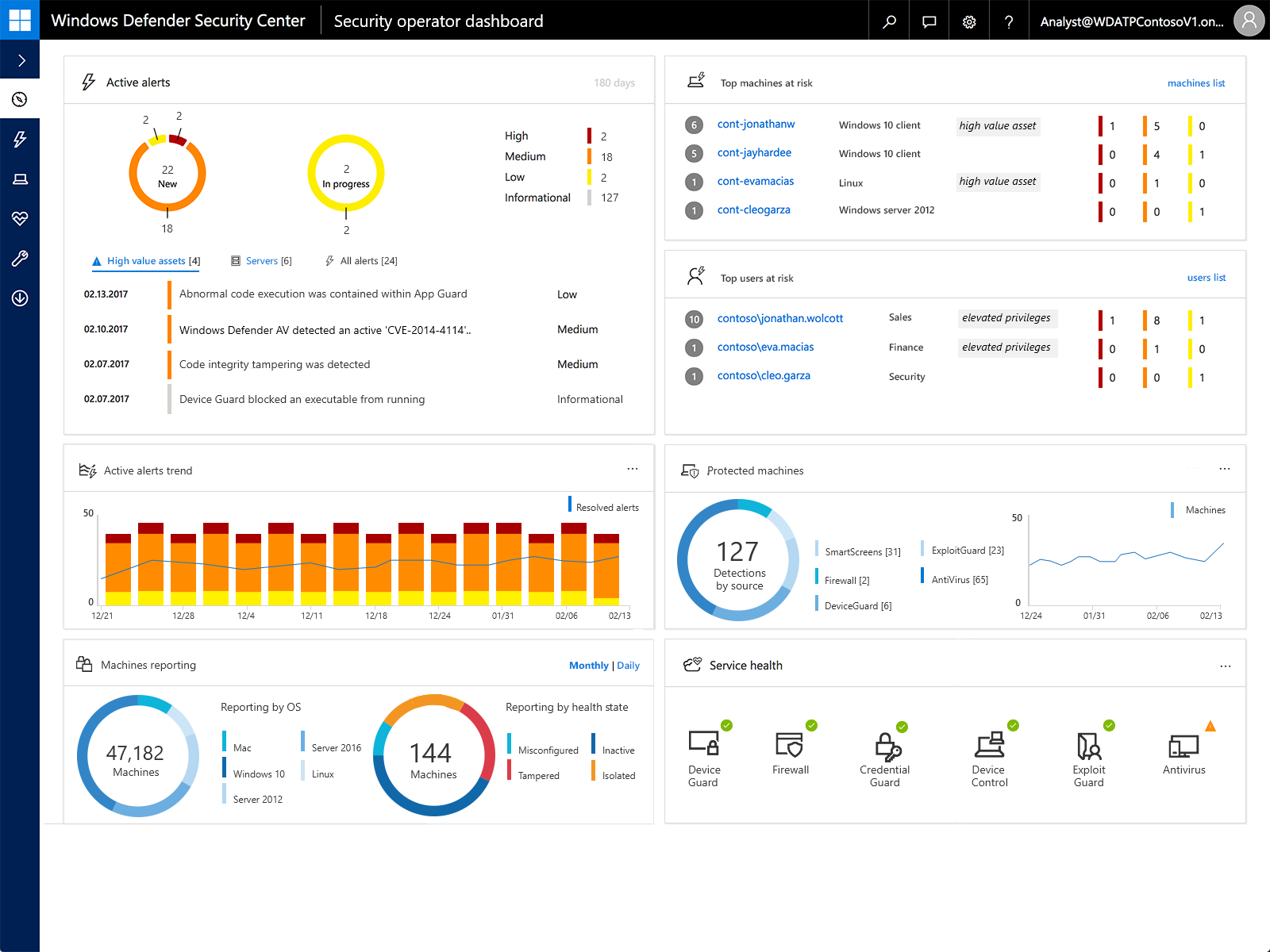
The Enhanced Mitigation Experience Toolkit has been replaced with Windows Defender Exploit Guard features, and the EMET is no longer supported on Windows 10 v1709. Windows Defender Exploit Guard is a new set of Host Intrusion Prevention features which can be used to reduce the attack surface of Windows 10. It’s designed for an enterprise environment, and completely customizable through Group Policy.
It offers four general feature sets, which are exploit protection, attack surface reduction rules, network protection, and controlled folder access. For a full rundown on all of these new features, be sure to check out docs.microsoft.com which has all of the details and proper settings.
Windows Defender Application Guard
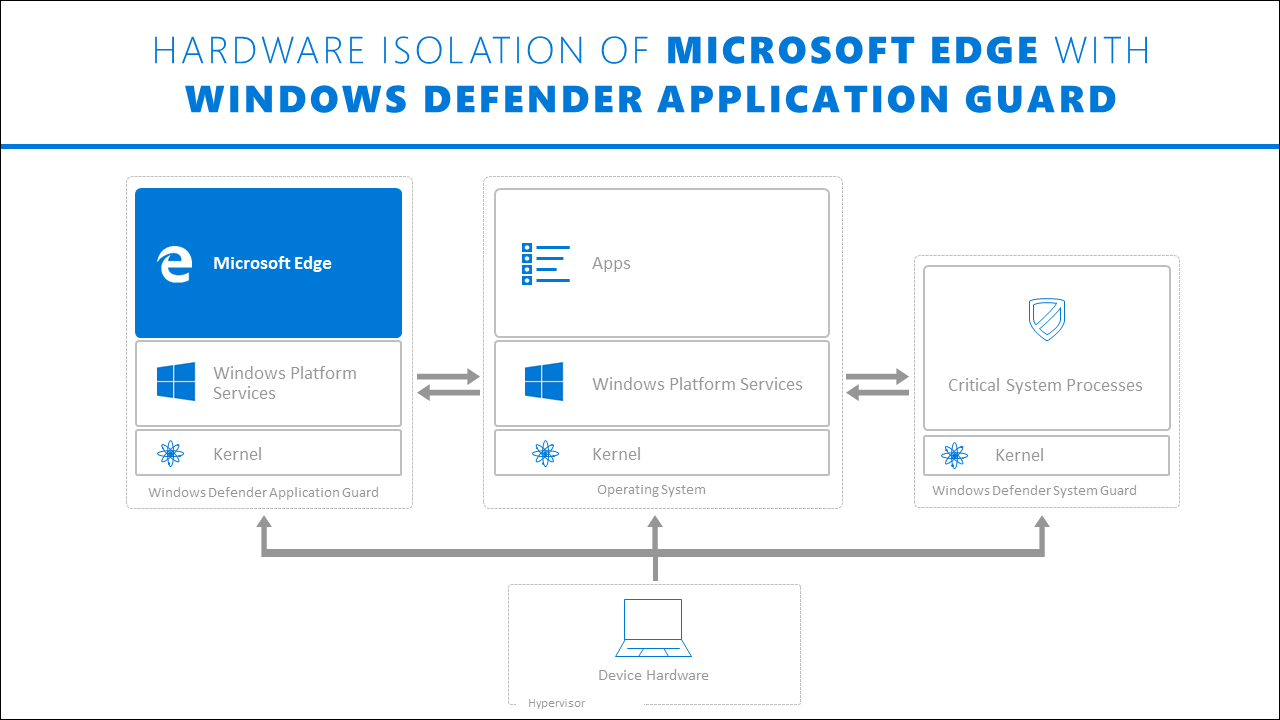
Application Guard is designed for Microsoft Edge to isolate untrusted sites, which are going to be a huge concern for any IT department. Internet Explorer did have some features to help in these scenarios, but Application Guard takes it to a whole new level by actually opening untrusted sites in an isolated Hyper-V enabled container, completely cut off from the host operating system. Any malicious code on the site would not be able to access the host OS, at least not easily, which offers a significant amount of protection over just blocking scripts and flash. The ability to do this through policy, and have only allowed trusted sites to run out of the container, is very powerful and is a strong reason to consider Edge for the enterprise.
Ransomware Protection
One specific feature to call out in Exploit Guard is the controlled folder access, which is a mitigation for ransomware. Ransomware has become a huge problem, and having malicious software encrypt your hard drive can put a damper on anyone’s day. Controlled folder access works by locking down folders to only authorized apps have access to the files. Luckily, controlled folder access is available to all in Windows 10, without needing any Group Policy to set it up.
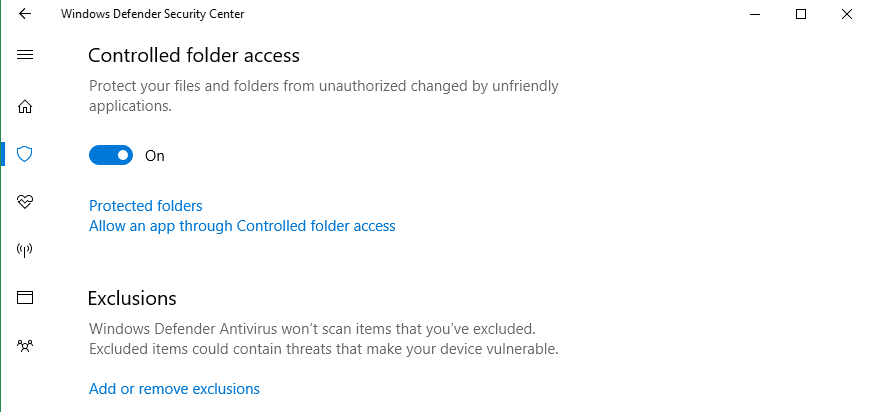
You can enable controlled folder access right in the Security Center for Windows 10, and customize which folders you want it enabled for.
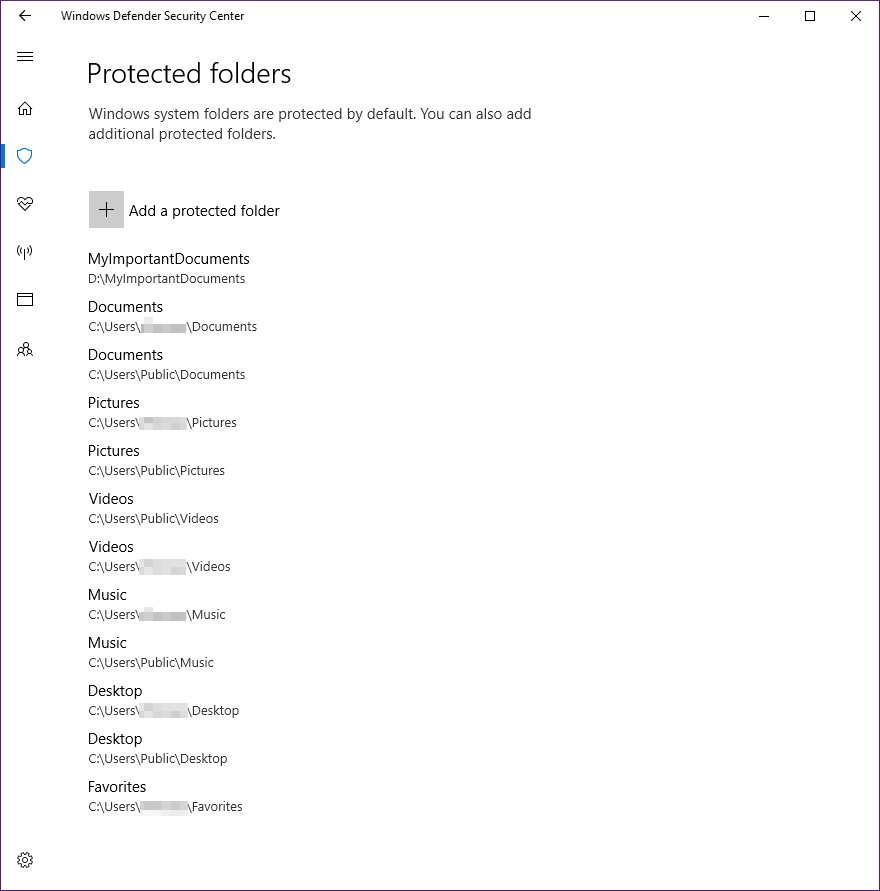
The idea behind controlled folders is pretty simple. Folders can’t get encrypted if the process doesn’t have access to them. Sometimes simple is the best.
Originally published at https://www.anandtech.com/show/12021/the-windows-10-fall-creators-update-feature-focus (Wayback Machine).