
The Asus ROG Strix Z270G Gaming Motherboard Review
Asus ROG Strix Z270G Gaming Software
The driver’s DVD comes with a nicely written installation software that allows the user to pick the drivers and software that wants to install, then it automatically installs these software packages, restarting the system as many times as necessary in the process. Where users need to be a little careful is with the selection of software, as Asus included software trialware packages into the driver’s list (Norton Security Trial). Norton Security definitely is not a driver and is in no way necessary for using this, or any other, motherboard.
The two main software packages accompanying the Asus ROG Strix Z270G Gaming are the AI Suite 3 and the AURA. The former includes nearly all of the motherboard’s tweakable options, while the latter handles only the RGB lighting options. There are several more utilities but most are simplistic applications, such as a version of the CPU-Z that has been modified to display the Asus logo.

As it includes all of the tweakable options, AI Suite 3 has a complex UI with an overwhelming number of options. The display is divided into the main display (top) and the advanced options (bottom). The bottom part persists regardless of the display option that has been selected for the top screen. It defaults to multiple sensor readings but clicking on the cogwheel icon brings up threshold settings for every motherboard sensor.

The main display at the top has a side menu that offers access to many different screens, each with a large number of advanced settings. Most of the BIOS options are accessible via these screens, allowing the user to perform automated or advanced overclocking without having to enter the BIOS. There is also a BIOS update software.


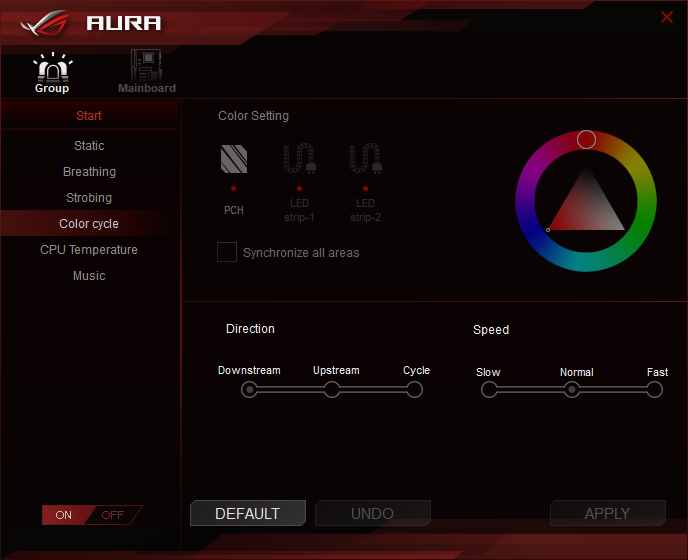
The Asus AURA software is flexible and allows for the programming of basic and advanced lighting effects independently for the motherboard itself and for the installed RGB LED strips (if available). There are several pre-programmed lighting effects and each can be individually tweaked, but the users cannot program effects of their own.
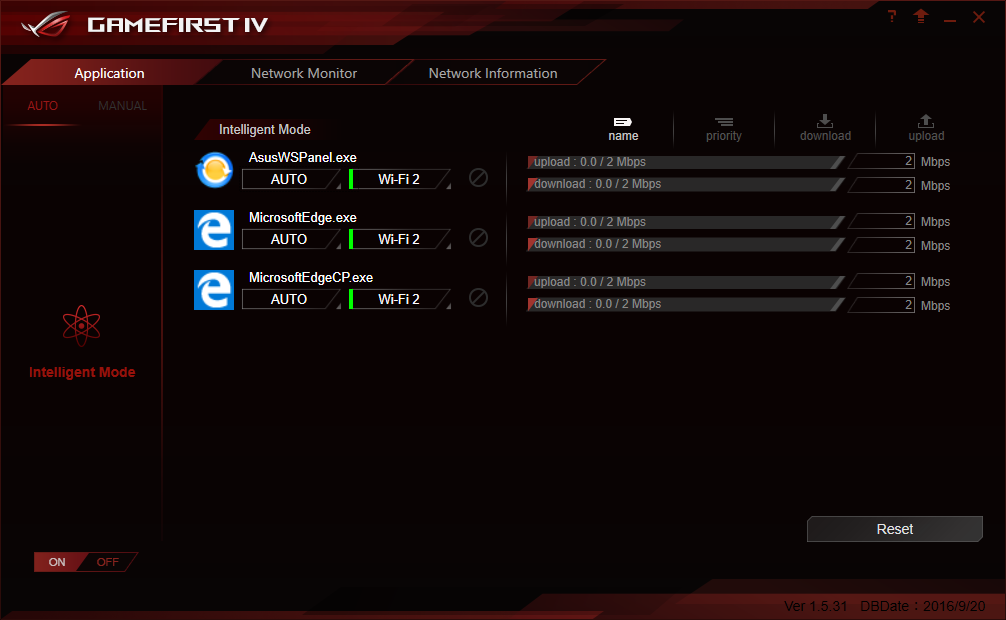
Another interesting software is the “Gamefirst IV”, Asus’ network optimization/acceleration software. It can be used to adjust the priority of specific applications/services, either manually or automatically. Its “intelligent mode” automatically detects games and prioritizes them over other processes. It also has network monitoring and debugging options. The “Gamefirst IV” can be used to control both the wired and wireless controller of the Asus ROG Strix Z270G Gaming.
The “SupremeFX” software that Asus supplies with this motherboard is, for the most part, a reskinned version of Realtek’s default software package. It has four main tabs that allow for the configuration of the speakers, amplification levels, equalizer settings, and room correction options. The system automatically detects the connected devices and even their impedance, automatically adjusting the amplification quite accurately.

Originally published at https://www.anandtech.com/show/11893/the-asus-rog-strix-z270g-gaming-motherboard-review (Wayback Machine).